

Passport for bars
Turn explorers into first visits.
Passport is a digital kava tour inside the HappyKava app. Guests visit participating bars and redeem their stop on their phone, and your staff checks it in seconds.
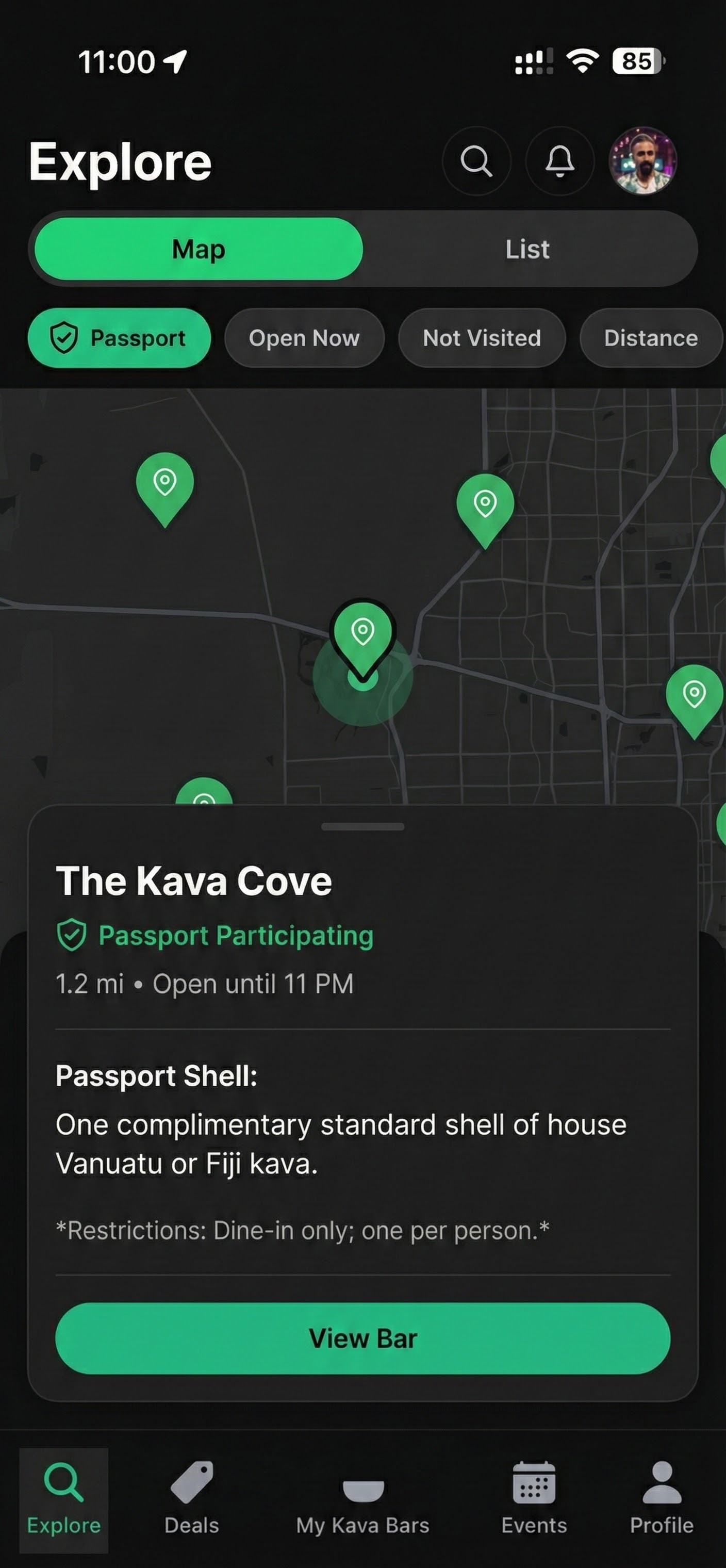
What your bar gets
Already on HappyKava? Your profile, specials, and events already show up in Home, Explore, and on your bar page. Passport adds a reason for new people to visit.
People who came to try your bar
Passport guests are exploring the kava scene on purpose. They’re not coupon hunting, and they often bring friends.
No paper stamps or screenshots
Every redemption is digital and tracked, with a clear redeemed or not-redeemed state.
One check for staff
Passport runs on the same system as Always Happy Hour and Deal Passes, so there’s nothing new to learn at the counter.
What it costs
Passport partners get HappyKava Pro for as long as they take part, including:
- HappyKava web portal
- Smart Deals like Always Happy Hour
- Vibe updates and Quick Check-In
See every plan and what it includes on the plans and prices page.
At the counter and getting started
At the counter
The guest opens their Passport redemption
Staff checks it in Kavatender Mode
The redemption completes and the stop is recorded
Training takes minutes, and the line keeps moving.
Getting started
Claim your bar in the HappyKava portal
Confirm details, hours, photos, specials, and events
Add staff access for owners, managers, and kavatenders
Apply to join Passport and choose what the stop includes
Test the staff flow once
Go live as a Passport bar
You control the rules
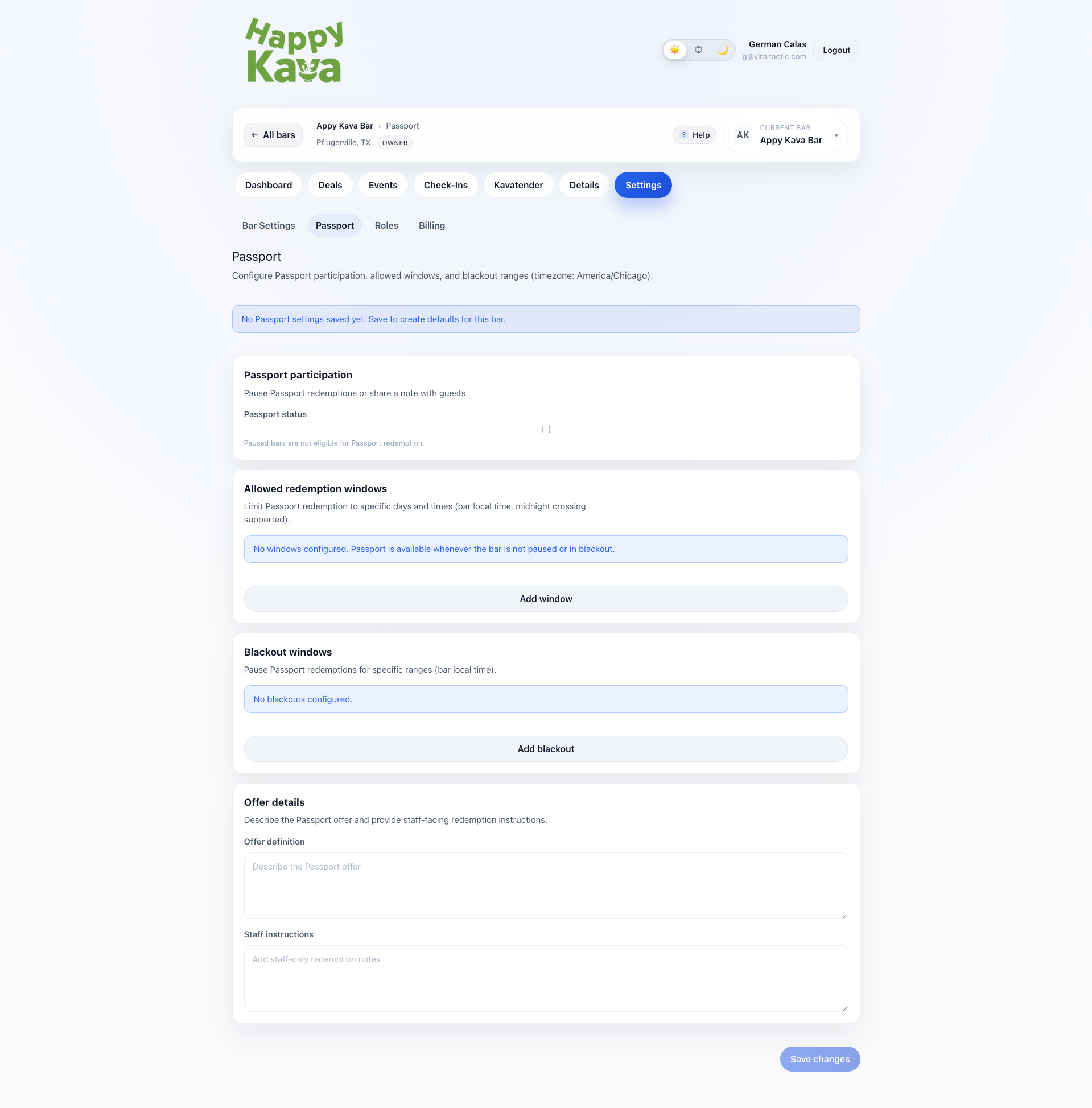
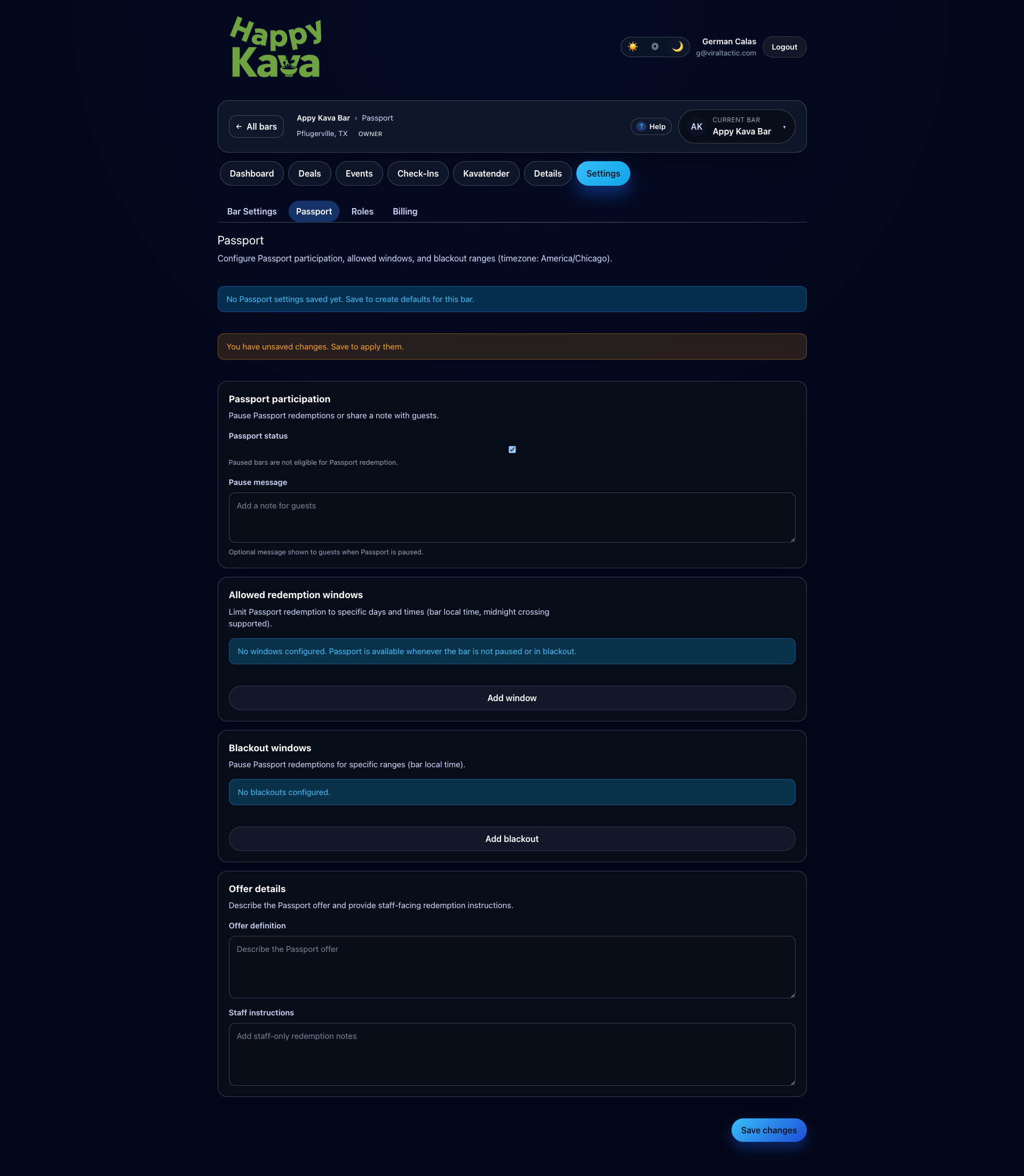
Passport is set up from your bar’s settings in the owner portal.
- Choose what the Passport stop includes
- Allow redemptions only on certain days or times
- Add blackout dates
- Pause participation when you need to
Questions
Do we need any hardware or POS integration?
No. HappyKava runs through the portal and app flows with no POS integration required.
Can we still run our own deals and events?
Yes. HappyKava is built around publishing specials and recurring events.
Can multiple staff members manage this?
Yes. Invite owners, managers, and kavatenders with the right access.
Will guests see us in the app without Passport?
Yes. Your profile, specials, and events appear across Home, Explore, and your bar page.
How do we avoid confusion at the counter?
Kavatender Mode provides a standardized validation flow for Passport and Deal Pass redemptions.
Be the bar they discover and the bar they return to.
Passport brings you new guests. HappyKava helps you convert them into regulars with cleaner discovery, program, and staff workflows.