For kava bar owners
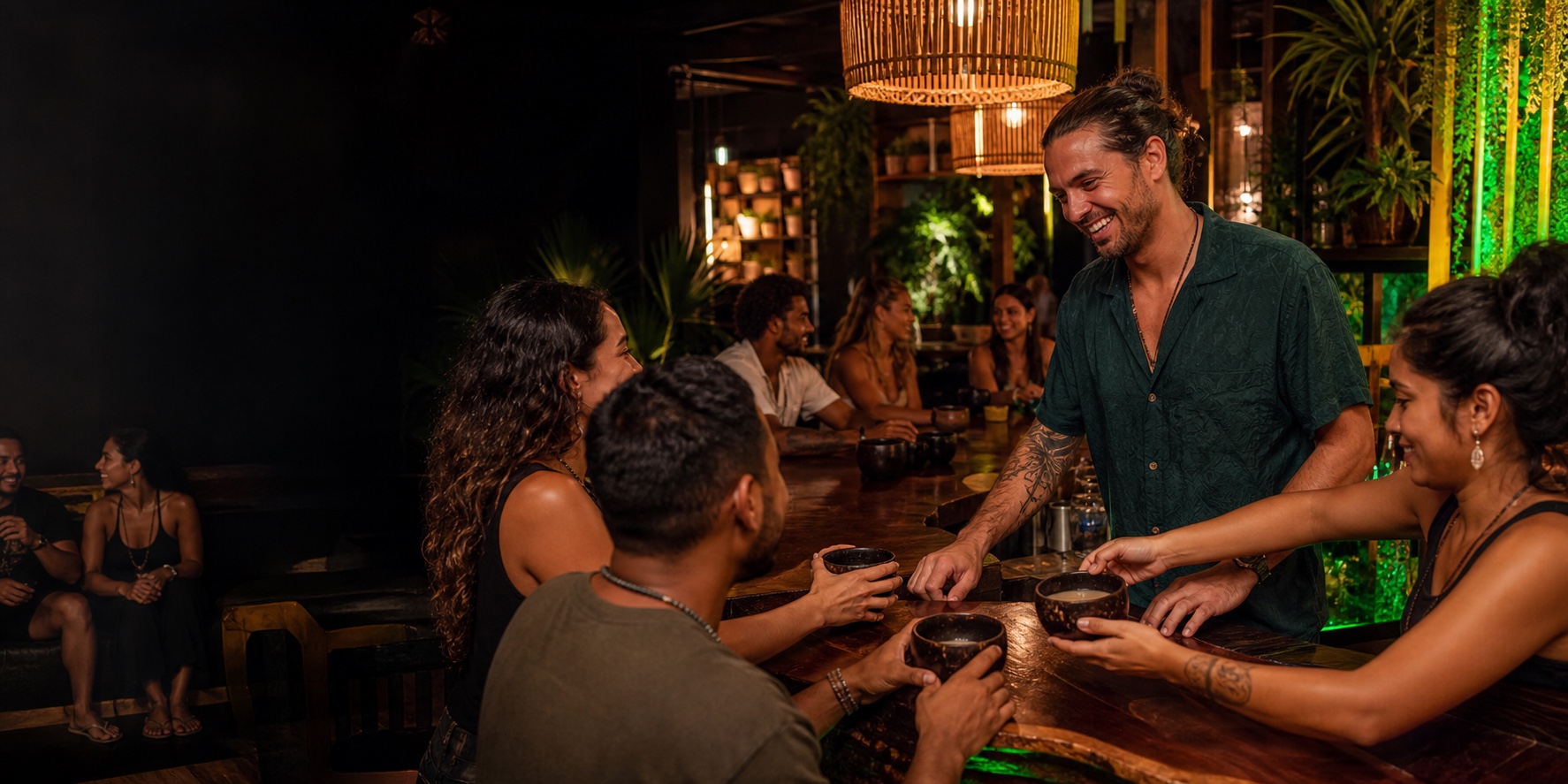
More regulars.
Fuller nights.
Claim your bar for free. Then post deals and events, give your staff a scanner on their phones, and keep your website up to date, all from one place made for kava bars.
- Free listing
- No hardware
- Plans by location
- Kava bars
- 700+
- HappyKava users
- 27,000+
- Live tools for your bar
- 35
- To claim your listing
- $0
One place to run the night
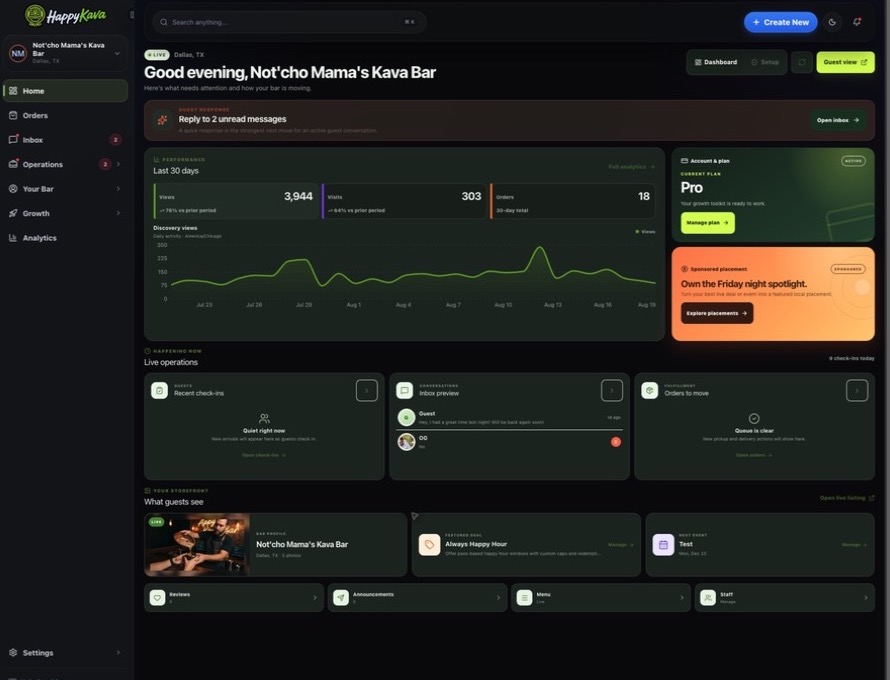
Real screens from the HappyKava dashboard, the tools owners use every day.
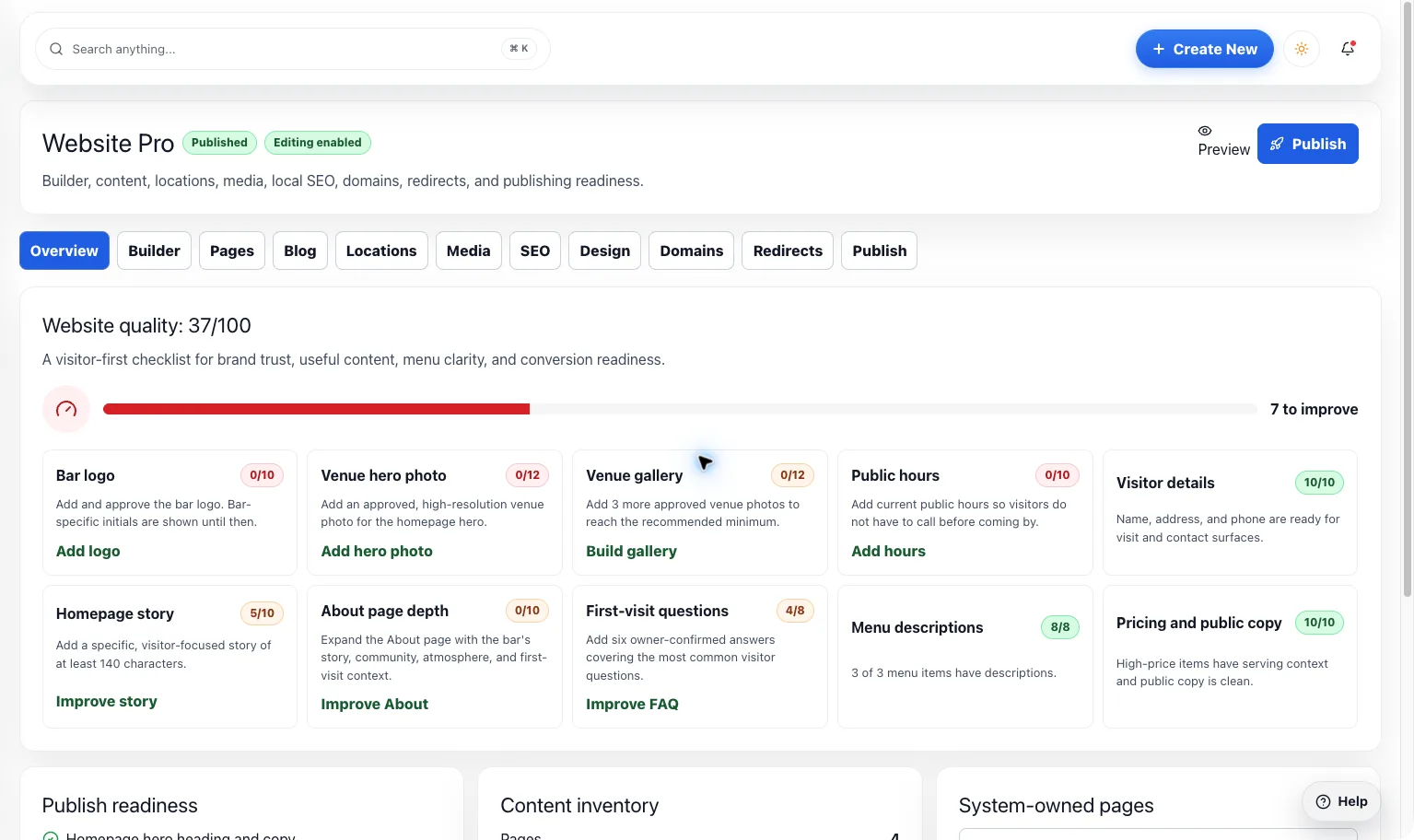
Keep your listing, website, and menu right everywhere guests look: the map, city pages, and Happening Now.
- Public Listing
- Website Builder
- Menu Maker
Post deals, happy hours, events, and pop-ups guests can unlock in the app, and tell your followers when something starts.
- Deals & Happy Hours
- Event Promotion
- Announcements & Alerts
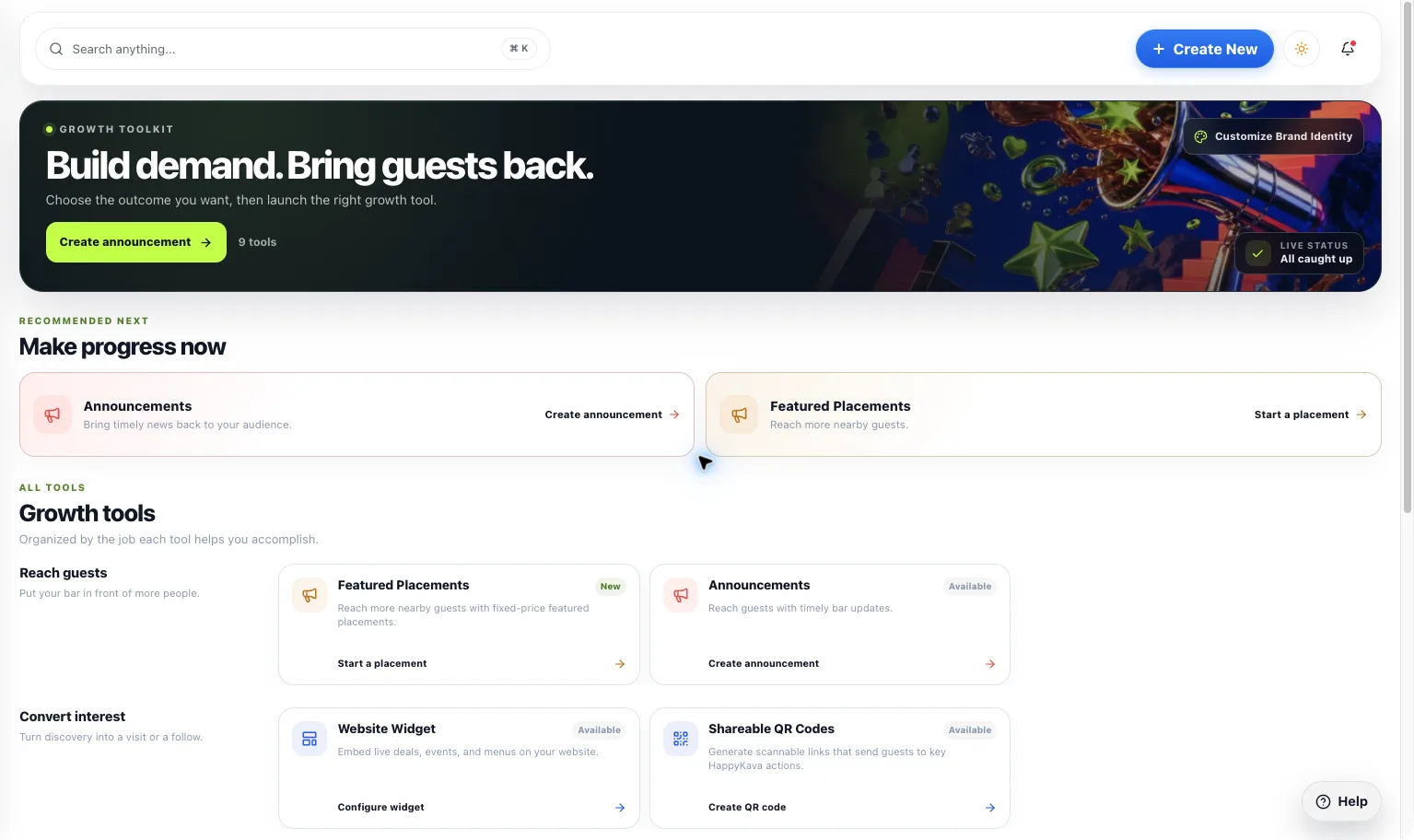
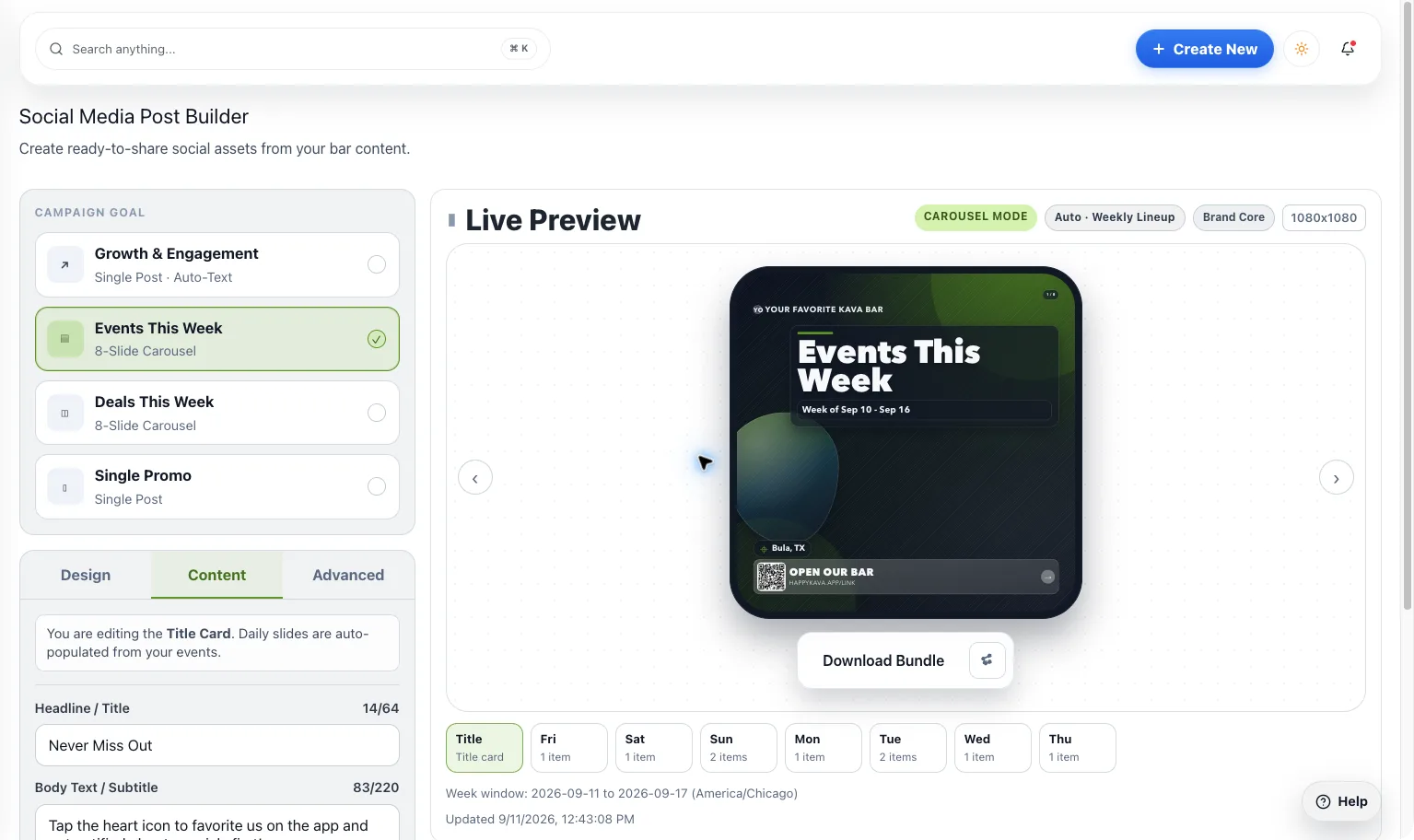
Turn tonight’s events and deals into social posts, printed flyers, and QR codes in a few taps.
- Social Post Maker
- Poster & Flyer Maker
- QR Codes
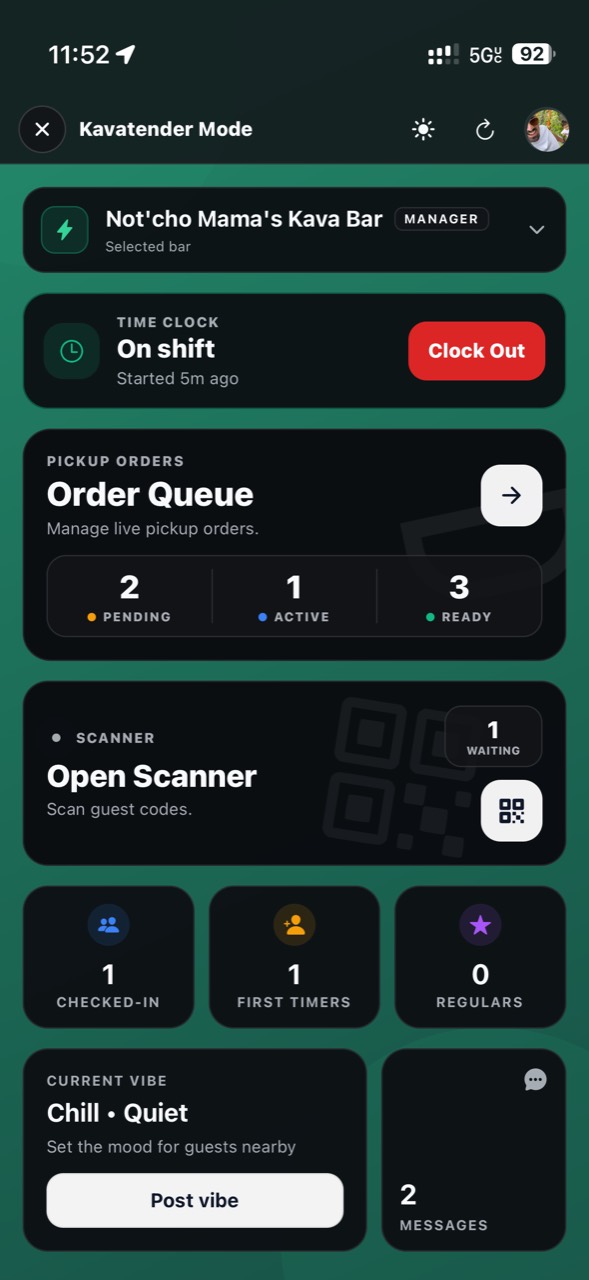
Kavatender Mode turns your staff’s phones into the bar screen: clock in, run orders, scan guests, and see who’s here.
- Kavatender Mode
- Check-In & Scanner
- Staff Hours
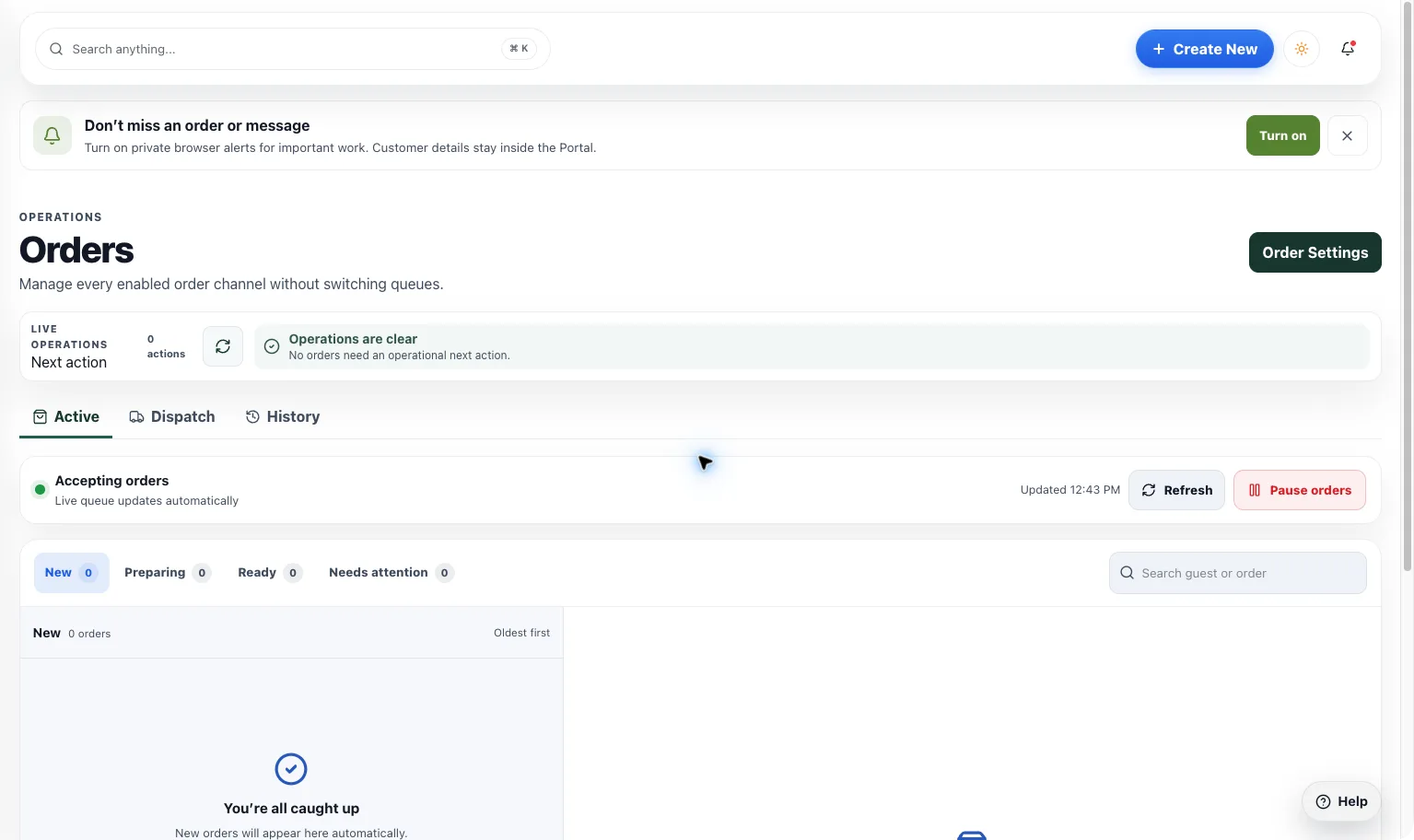
Guests order ahead from your menu and pick up at the bar. Your team works one queue.
- Pickup Orders
- Online Ordering
- Orders Dashboard
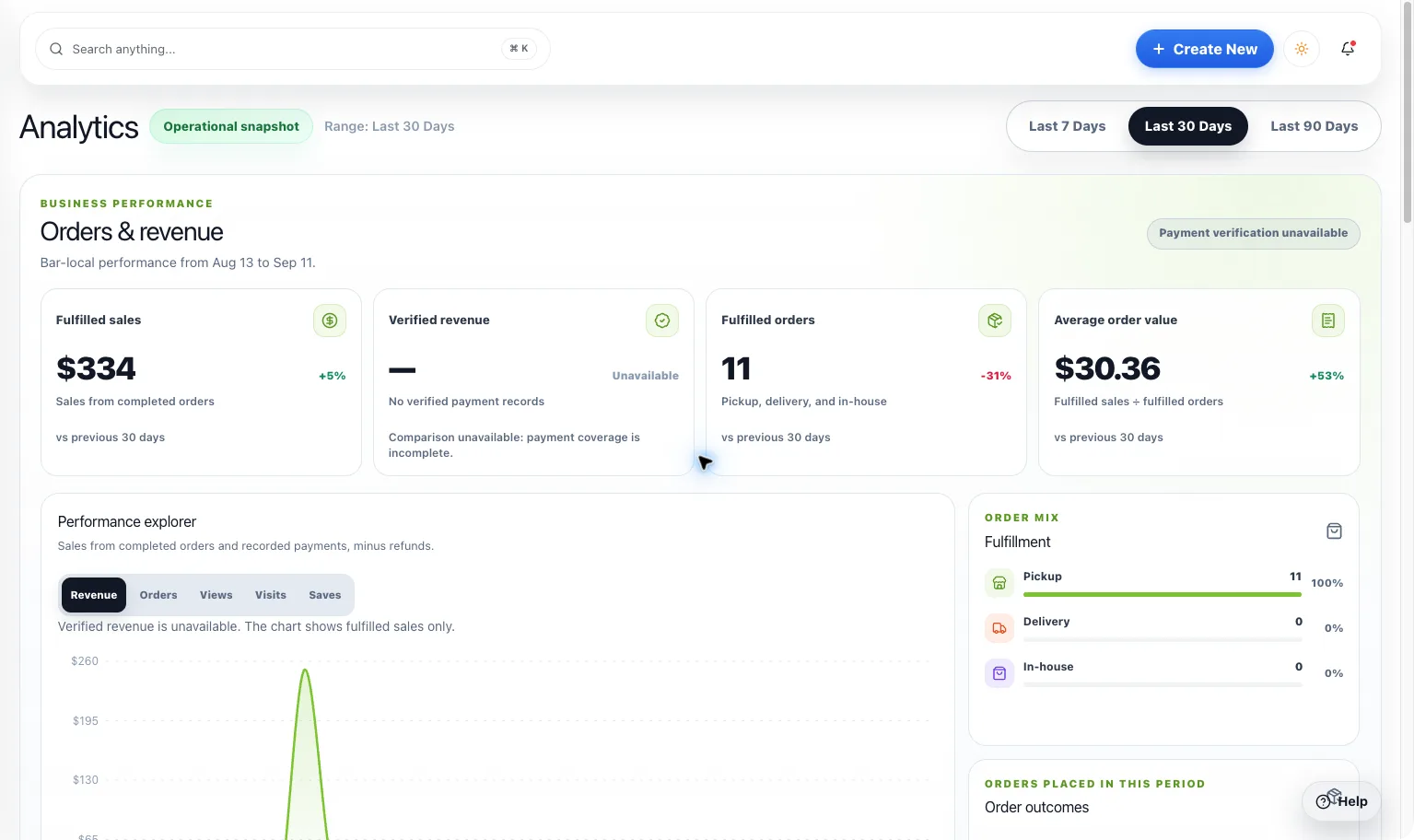
See orders, revenue, check-ins, and which deals and events bring people in.
- Analytics Dashboard
- Review Management
- Loyalty Program
In the HappyKava app
What your guests see
Everything you post shows up where kava drinkers already plan their night.
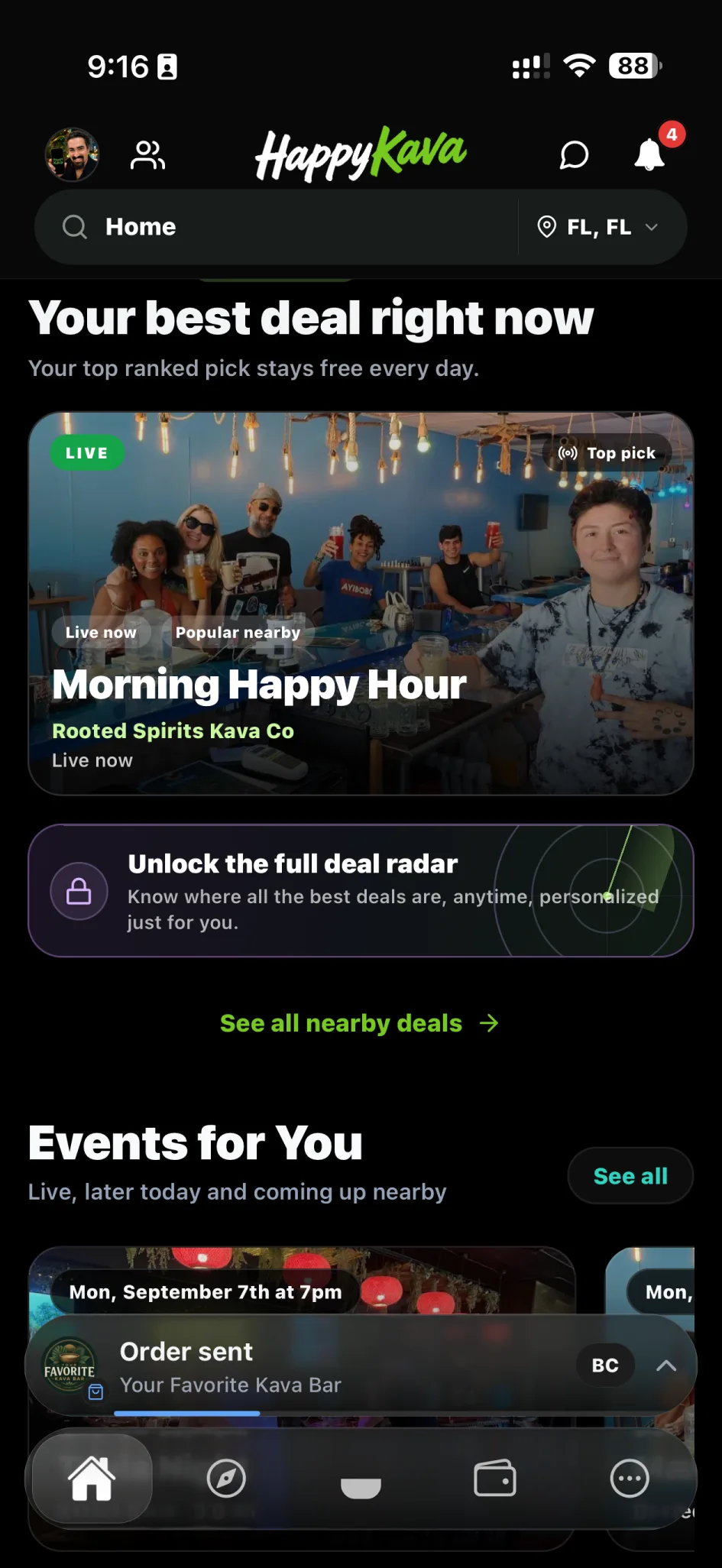
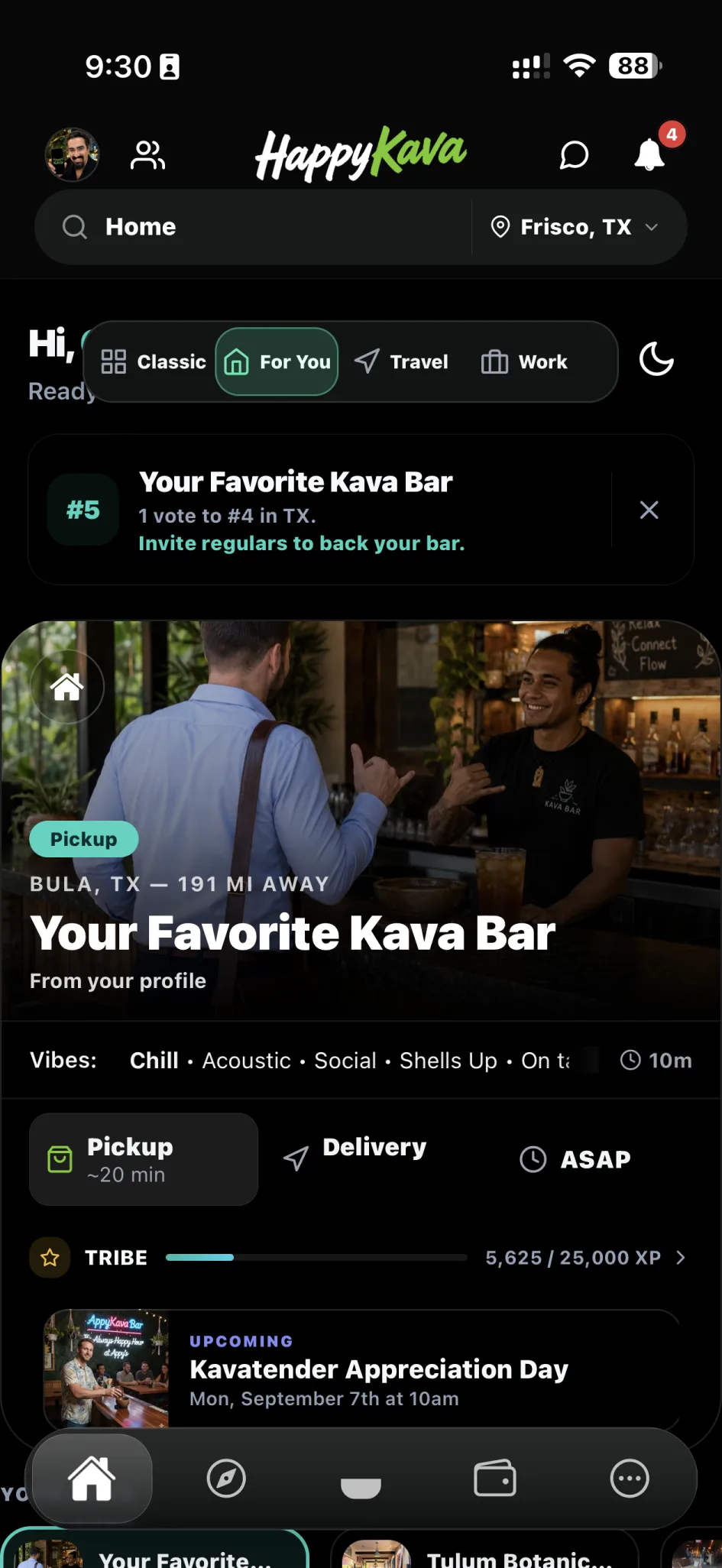
- Your bar, front and center. Regulars pick you as their home bar and see your night on their Home screen.
- Deals they can actually use. Guests unlock a deal in the app and your staff confirm it with a scan or a code.
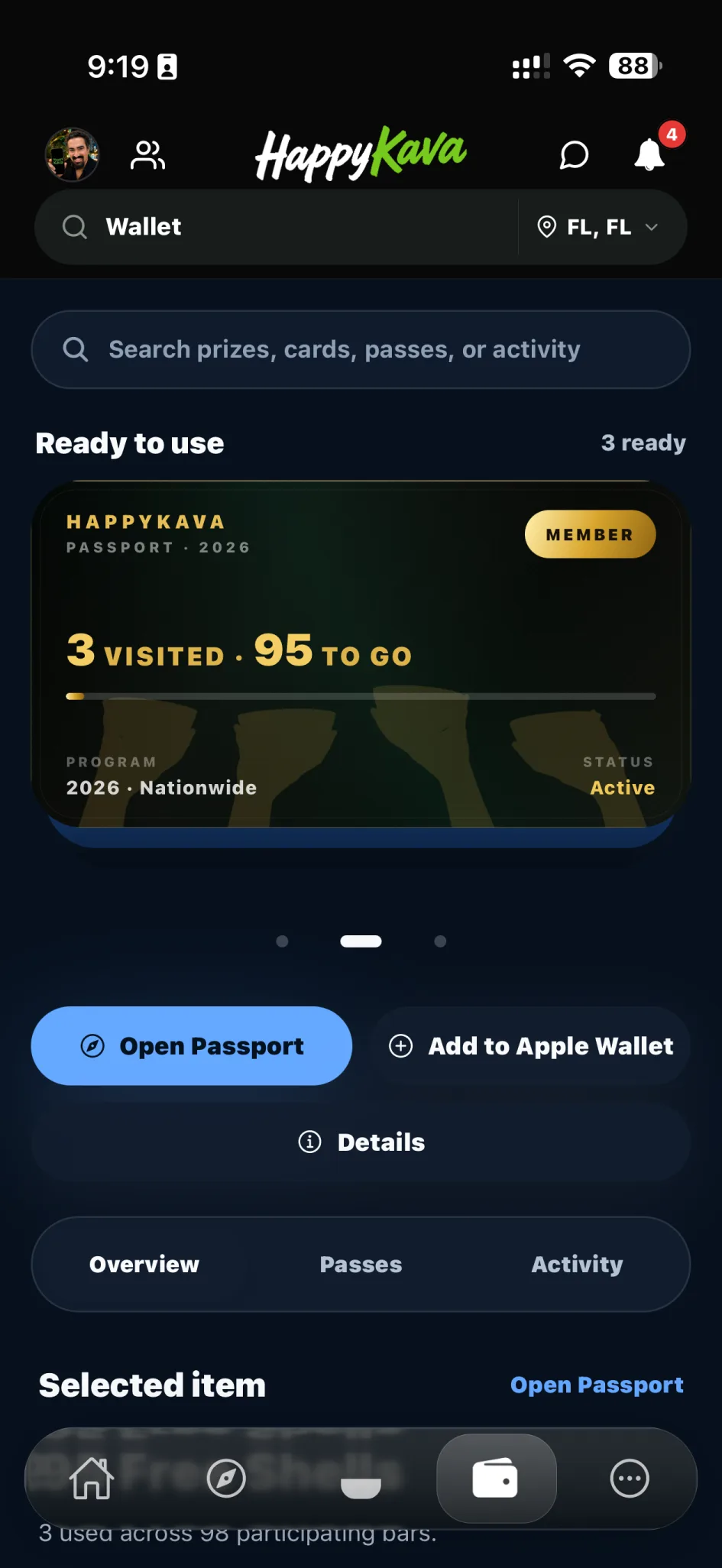
- New faces. Passport stops and TravelRoot trips send visitors your way.
Every tool, by what it does
See every featureGet discovered & grow13
Sell more6
Build regulars6
Run the shift7
Create experiences4
See what is working2
Plans and prices
Your listing is free to claim and keep. Pick a paid plan for each bar when the extra tools are worth it, and change it as you grow.
Free
Get discovered
$0/mo
Free to claim and keep
Help guests find your bar and see what’s happening.
- Bar profile with your menu, hours, and photos
- Publish deals, events, and recurring schedules
- 1 nearby guest alert each week
- 2 custom QR codes to promote your bar
- Direct guest messaging
Plus
Build your regulars
$20/mo
Billed monthly. Renews automatically until canceled.
Bring guests back with loyalty rewards, special offers, and tools for your team.
Everything in Free, plus:
- Unlimited active deals and events
- Regulars loyalty program
- Drink preorders before guests arrive
- Always Happy Hour with 20 active Deal Passes
- Offers for first visits, early arrivals, and popup promotions
- 5 staff accounts
Recommended
Pro
Grow visits and orders
$100/mo
Billed monthly. Renews automatically until canceled.
Take orders, reach more guests, and bring your bar into Bula Rush.
Everything in Plus, plus:
- Pickup Orders included; Delivery Orders for eligible bars
- A managed website for your bar
- Featured deals and events with monthly promotion credits
- Review automation and advanced loyalty tools
- Your bar recreated in Bula Rush, with one custom playable character
- 25 staff accounts and advanced reporting
HappyKava creates and publishes your Bula Rush content from your submitted photos and character request.
Ordering requires bar setup and activation. Delivery also requires eligibility.
MAX
Make your bar stand out
$250/mo
Billed monthly. Renews automatically until canceled.
Give your bar a flagship Bula Rush experience, more promotional support, and dedicated help.
Everything in Pro, plus:
- A flagship Bula Rush experience built around your bar
- Promote your bar to nearby guests and followers
- Custom promotional artwork for your deals and events
- Unlimited staff accounts
- Dedicated onboarding and account support
Your flagship Bula Rush package includes a larger custom bar level, up to three playable characters, and one full content refresh every 12 months. HappyKava creates and publishes your content after production.
For multiple locations: Shared templates, staff operations, and portfolio reporting for enrolled MAX locations are rolling out.
Ordering requires bar setup and activation. Delivery also requires eligibility.
Compare features and limits
| Feature | Free | Plus | Pro | MAX |
|---|---|---|---|---|
| Your bar onlineHow your bar publishes, appears, and stays current across HappyKava. | ||||
| Public bar listing, menu, deals & events | Included | Included | Included | Included |
| Managed bar website | — | — | Included | Included |
| Publishing speed | Within 2 hours | Instant | Instant | Instant |
| Active deals & events | 1 deal · 10 events | Unlimited deals · Unlimited events | Unlimited deals · Unlimited events | Unlimited deals · Unlimited events |
| Claimable deals & RSVP events | — | Included | Included | Included |
| Ad-free profile & richer media | — | 15 photos | 25 photos + video | 25 photos + video |
| Attract guestsTools that help more nearby guests discover and return to your bar. | ||||
| Nearby guest alertsLet nearby guests know about your bar’s offers and events. | 1/week · 1 mi | 7/week · 5 mi | 7/week · 20 mi | 21/week · 20 mi |
| Follower notificationsSend updates to guests who follow your bar. | — | — | 1/day | 4/day |
| AI-generated promotional imagesDeal and event artwork for your bar’s promotions. | — | — | — | 20/location/month |
| Promoted deal & event placements | — | — | 2 per month | 2 per week |
| Monthly promotion credits | — | — | 100 credits/month | 100 credits/month |
| Featured placement slots | — | — | 4/month | 4/month |
| Review automation & guest feedbackRecovery flows, printables, friend passes, and advanced automation | — | — | Full suite | Full suite |
| Custom Promote QR codes | 2 codes | 20 codes | 20 codes | 20 codes |
| Website widgets | — | Included | Included | Included |
| Bring guests backOffer, pass, and loyalty tools that turn visits into repeat habits. | ||||
| Always Happy Hour & Deal Passes | — | 20 active passes | Unlimited active passes | Unlimited active passes |
| First Cup Smart Deal | — | 5/day | 25/day | 25/day |
| Fill the First Seats | — | 5/day | 25/day | 25/day |
| On-demand Popup Deals | — | 25/day | Unlimited/day | Unlimited/day |
| Dynamic Happy Hour | — | — | Included | Included |
| THE BULA IS RIGHT immersive wheel3D swipe-to-spin presentation with configurable public name and sounds | — | — | Included | Included |
| Regulars program | — | Core program + return perks | Advanced ladders, perks, nudges & analytics | Advanced ladders, perks, nudges & analytics |
| Pre-check-in & drink preorders before arrival | — | Included | Included | Included |
| Bula RushYour bar and custom playable characters inside HappyKava’s game. Content requires production and publication. | ||||
| Custom bar levelSubmit your bar photos; HappyKava creates and publishes your level. | — | — | Standard custom level | Flagship level |
| Custom playable characters | — | — | Up to 1 | Up to 3 |
| Full game content refresh | — | — | — | 1 every 12 months |
| Manage multiple locationsMulti-location command, automation, creative capacity, and high-touch support. | ||||
| MAX Portfolio Command CenterRolling out for enrolled MAX locations. | — | — | — | Included |
| Cross-location analytics & comparisonsRolling out for enrolled MAX locations. | — | — | — | Included |
| Shared templates & bulk operationsRolling out for enrolled MAX locations. | — | — | — | Included |
| Portfolio staff operationsRolling out for enrolled MAX locations. | — | — | — | Included |
| Managed AI imports | — | — | 30/location/month | 100/location/month |
| MAX Brand Studio | — | — | — | Included |
| Orders, staff & supportTeam access, insights, connected revenue tools, and service level. | ||||
| Pickup Orders — order ahead and pay at pickupLimited-time offer on Free and Plus. Requires bar setup and activation. | Limited-time access | Limited-time access | Included | Included |
| Delivery OrdersRequires delivery eligibility, setup, and activation for your bar. | — | — | Subject to eligibility | Subject to eligibility |
| Staff seats/accounts | 2 total | 5 total | 25 total | Unlimited |
| Check-in sheet & staff scanner | Included | Included | Included | Included |
| Check-in experience customization | — | — | Included | Included |
| Guest messaging & bar group chat | 1:1 messaging | 1:1 + group chat | 1:1 + group chat | 1:1 + group chat |
| Group chat contact import | — | — | Included | Included |
| Owner & staff insights | — | Basic owner insights | Advanced owner + staff | Advanced owner + staff |
| POS integration | — | — | Included | Included |
| Digital gift cardsProcessing fee per sale; advanced plans add branding and reporting | 25% fee | 10% fee · reporting | 5% fee · branding + reporting | 5% fee · branding + reporting |
| Support level | Standard support | Standard support | Priority support | Dedicated account support |
Portfolio owners can assign Free, Plus, Pro, or MAX independently by location. Volume pricing applies to eligible Pro and MAX portfolios. Some features require an eligible plan or supported service and may not be available in every location yet.
How to start
- 1
Claim your bar
Find your listing, confirm you run it, and invite the people who help you.
- 2
Bring in your menu, deals, and events
The importer drafts them from what you already have. You check everything before it goes live.
- 3
Go live
Publish what’s happening, switch on the programs you want, and connect your staff.
Questions
Do we need a POS integration or special hardware?
No. HappyKava is designed to work through the portal, the consumer app, and staff phones without requiring a POS integration or dedicated hardware.
Can multiple team members manage our bar?
Yes. Owners, managers, and kavatenders can be given role-based access so the right people can update the right things.
Does HappyKava help with our website too?
Yes. The platform includes website widget and menu parity surfaces so your public website can stay closer to your live app data.
Is Passport required to use HappyKava for bars?
No. Bars can use HappyKava without Passport. Passport is an additional discovery and conversion layer, not a requirement.
Who is this built for operationally?
It is built for independent kava bars that need better discovery, stronger program execution, and cleaner staff workflows without heavyweight restaurant software.
Can a multi-location owner choose a different plan for each bar?
Yes. An owner can mix Plus, Pro, MAX, and Free by location on one portfolio billing account. Pro and MAX volume pricing is calculated separately, and each bar keeps only the features of its assigned plan.
Claim your bar. It’s free.
Get your listing right first, then turn on the tools that bring people in and keep them coming back.