Every person who works at your bar should have their own HappyKava login, with only the access their job needs. Settings › Team & Access was rebuilt to make that quick, and to show you where every invitation stands.
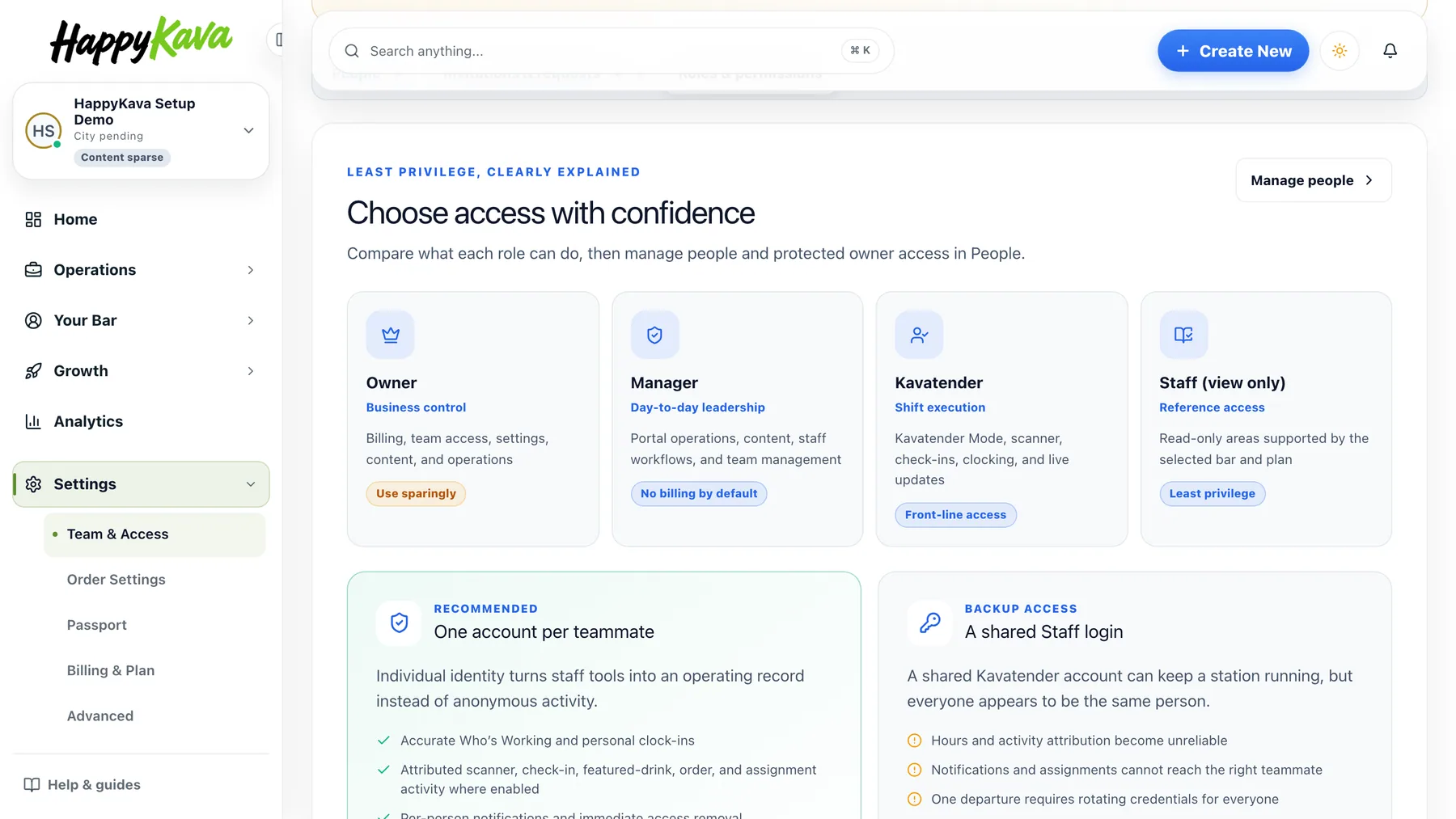
Four roles, explained on the page
Owner is full control, including billing and the team. Manager runs the day-to-day dashboard without billing. Kavatender is the front line: Kavatender Mode, the scanner, check-ins and clocking in. Staff (view only) can look but not change. The Roles & permissions tab compares them side by side and explains why one account per teammate beats a shared login: hours and activity stay with the right person, and when someone leaves you remove one login instead of changing everyone's password.
Add a teammate in a minute
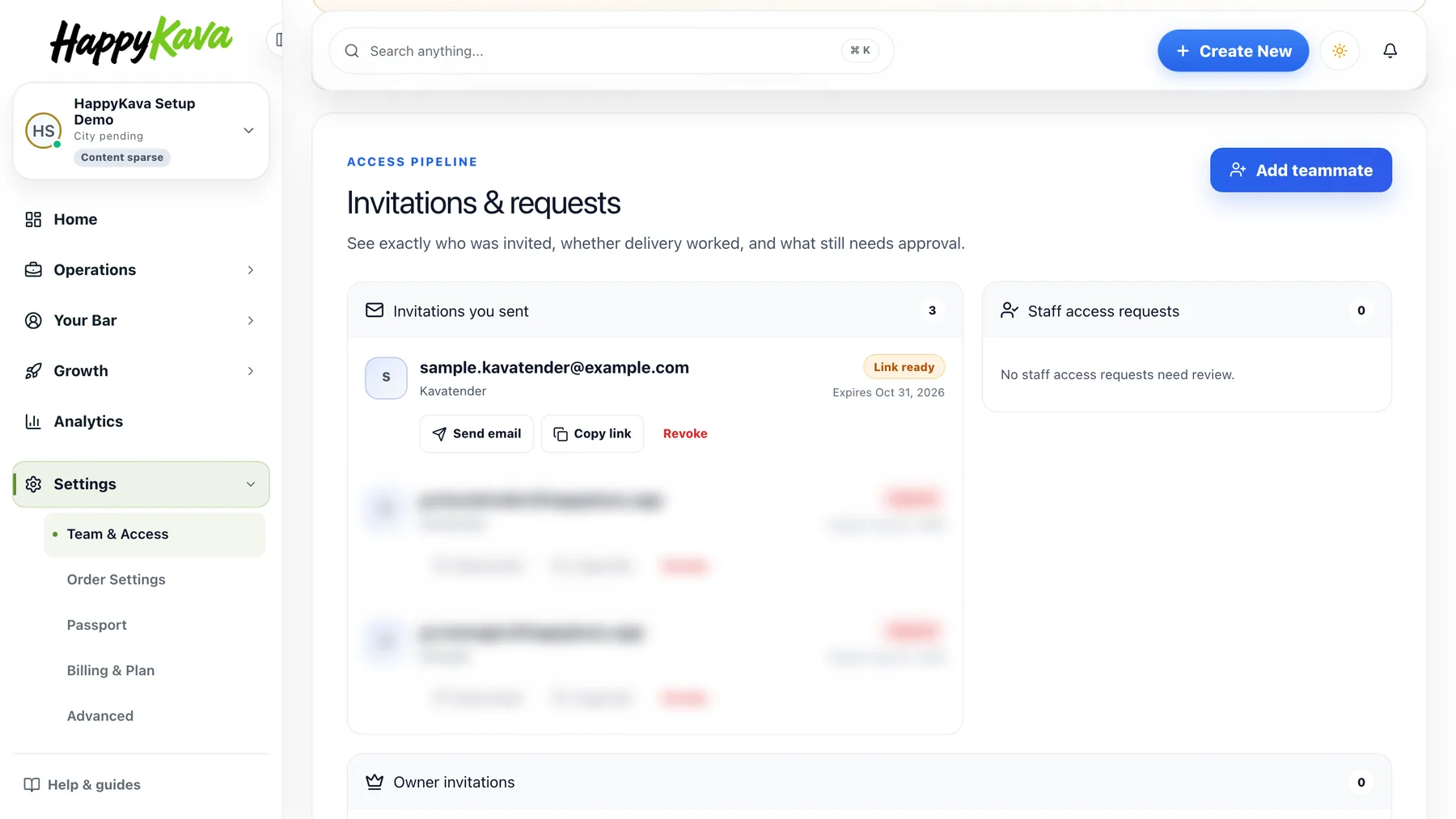
Press Add teammate, enter the work email they will sign in with, choose the role (Kavatender is preselected), and the panel shows which staff seat it will use. If that email already has a HappyKava account, access is granted at once; if not, the invitation waits until they sign up with it. Invitations & requests lists every pending invitation with its status and expiry date, plus Send email, Copy link and Revoke. Pending invitations count as seats until they are accepted or revoked; your plan sets how many seats you have.
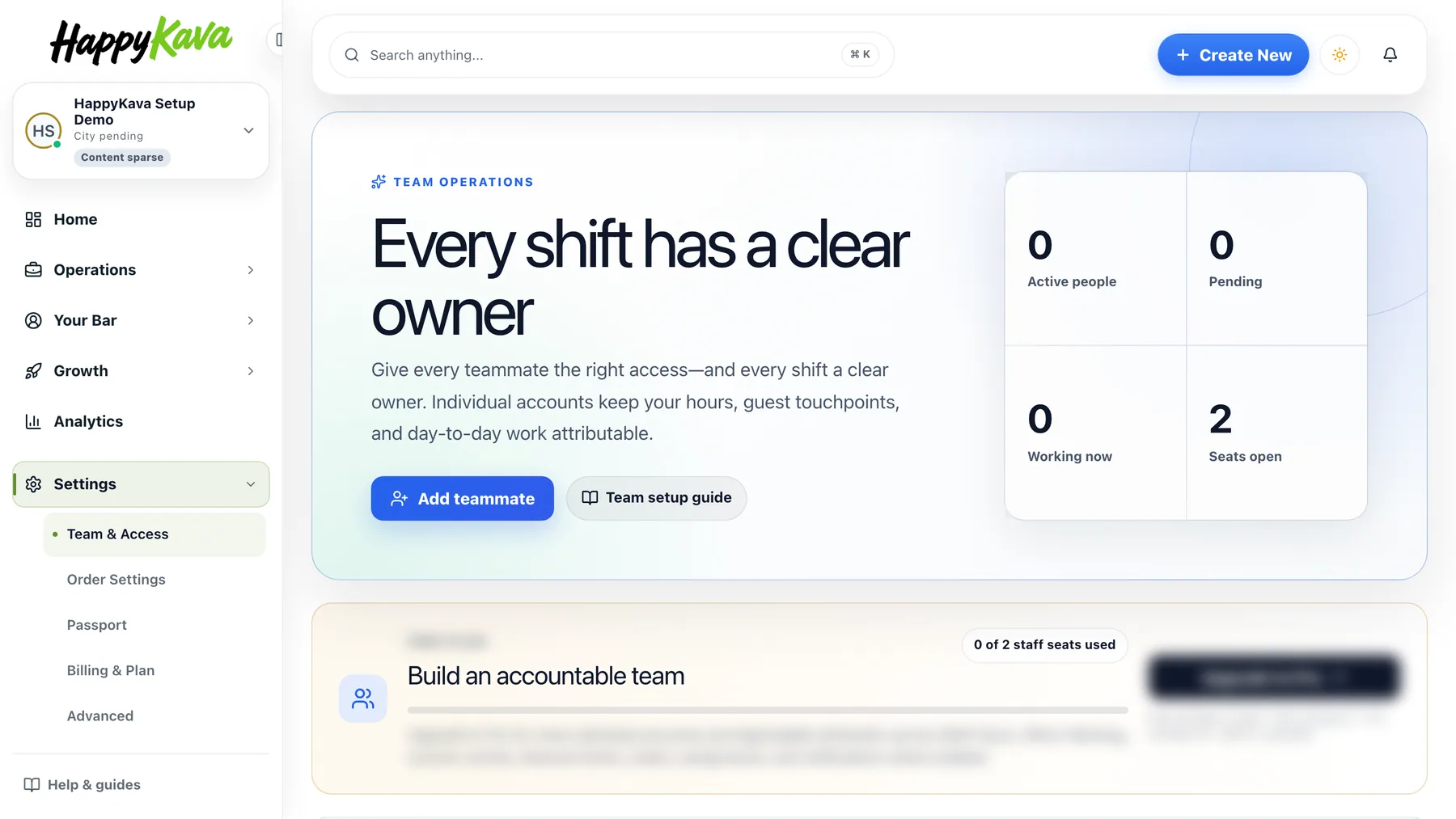
Requests, roles and removals
When someone asks for access to your bar from the app, the request shows under Staff access requests with Approve and Decline. On People, change a role from its row (you confirm before granting Manager) or remove access from the three-dot menu; it takes effect at once and their past records stay. Owners have their own section: invite another owner by email, and the invitation waits until they sign in.
Also improved
- If the invitation email cannot be sent, the invitation is still created and you get a Copy invite link button.
- Invitation delivery details load again, with a retry instead of a bare error.
- Staff Hours got a redesigned workspace.
- Settings is now a directory of every setting, and Orders in the sidebar is called Order Settings.
- Page headers are simpler, with a Help button at the bottom right.