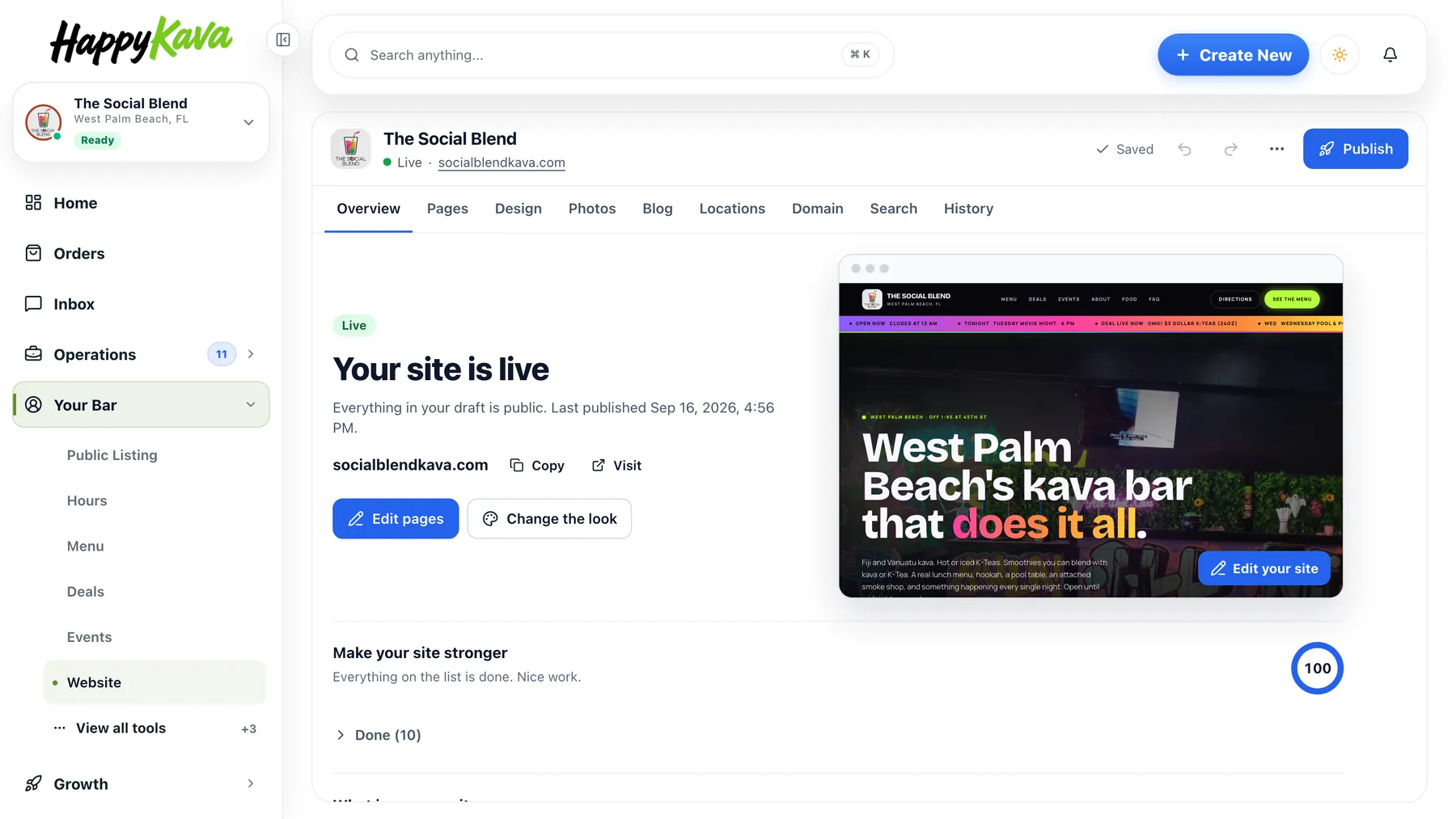
Open Your Bar › Website and you get a proper editor: your draft on one side, the controls on the other, and a Publish button that tells you what will change before it changes.
Edit beside a live preview
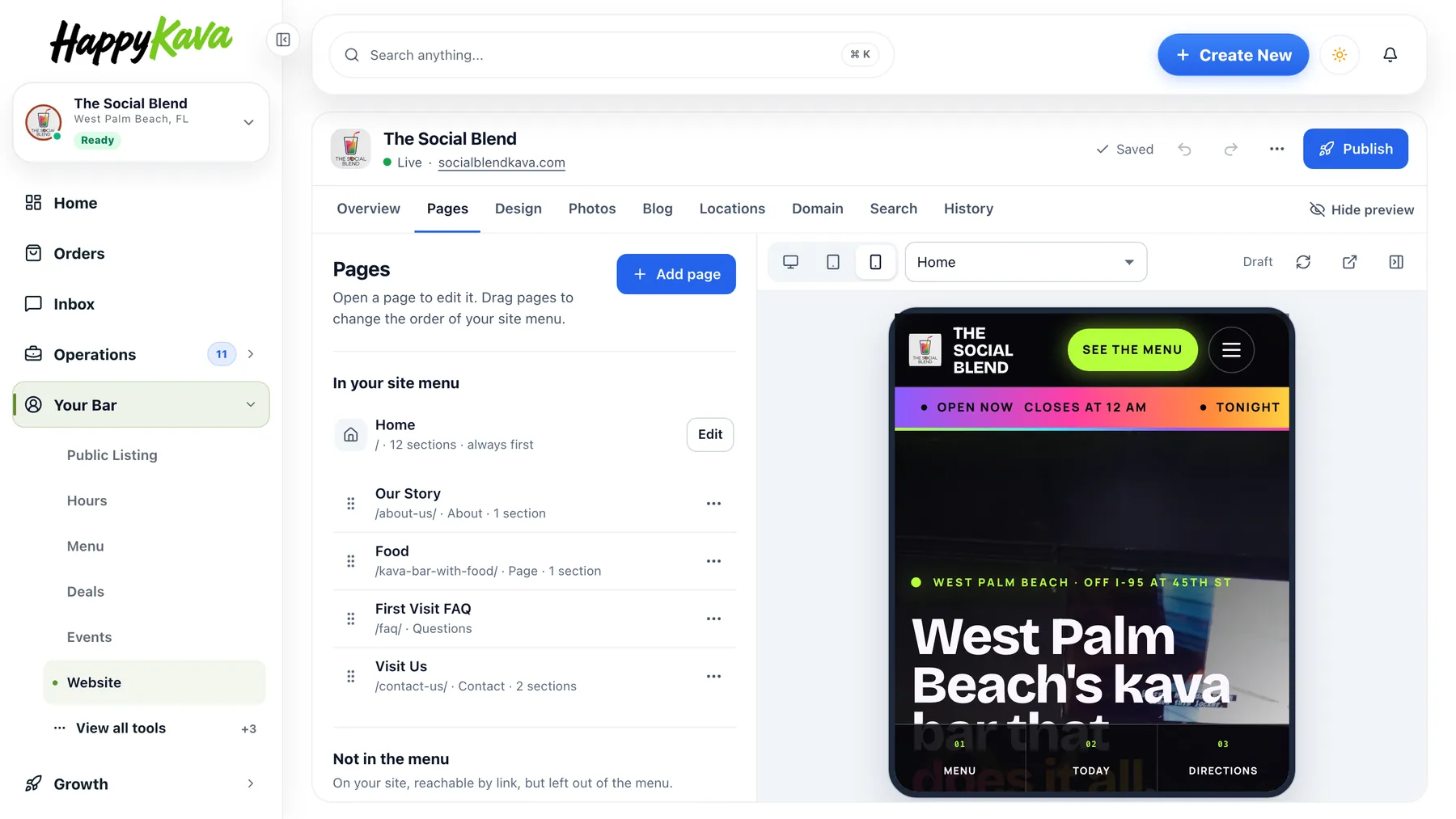
Pick a page, open a section, type. Edits save on their own about a second after you stop typing, so there is no Save button to forget. Undo and Redo step back through the visit. The preview reloads after each save without losing its place, follows the page you are editing, and switches between computer, tablet and phone width. Hide it, or work in full screen.
Every page, every photo, your domain
Pages lists the whole site. Drag to set the menu order, add a page from a starter, hide one, duplicate it, delete it and bring it back. Photos takes several at once; describe each one and say what it is used as. Design lists every look you can switch to, with your colors and logo, plus switches for what your site pulls in on its own: deals, events, pickup and delivery, who is working. Domain holds your HappyKava address and the guided setup for a domain you already own.
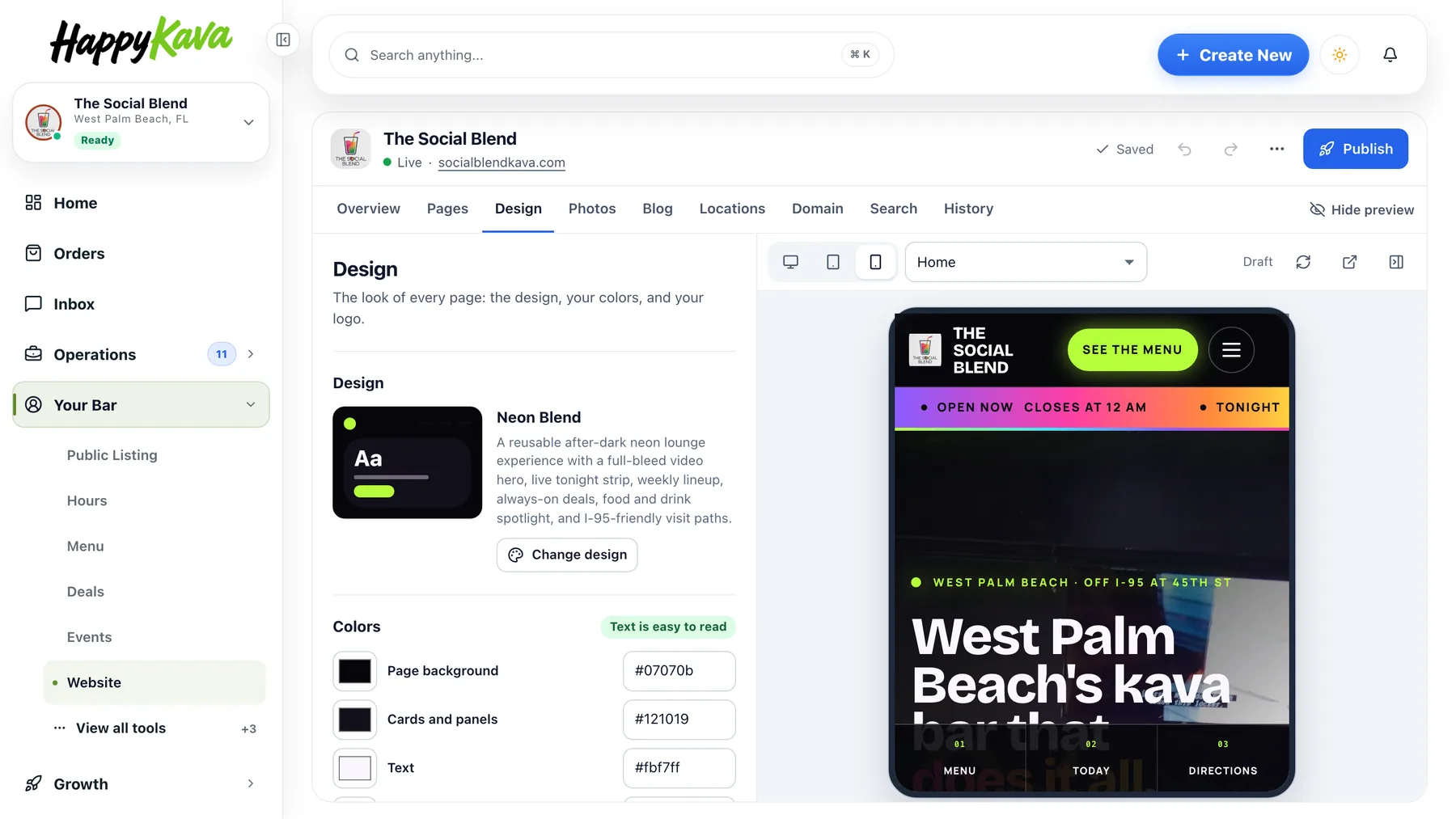
Publish with a checklist, go back any time
Publish runs the checks first and lists anything to fix, each with a button that opens the right spot. On a site that is already live it shows exactly what goes live. History keeps every published version: pick one and it comes back as your draft, while visitors keep seeing the last published version until you publish again.
Also improved
- A Deals button on your home page no longer counts as a broken link when you publish.
- On your site, gallery photos open in the middle of the screen.
- Pop-ups in the dashboard open in the middle of the screen too.
- The button that collapses the sidebar stays visible on narrow windows.
- Editing a weekly event no longer drops its end date.