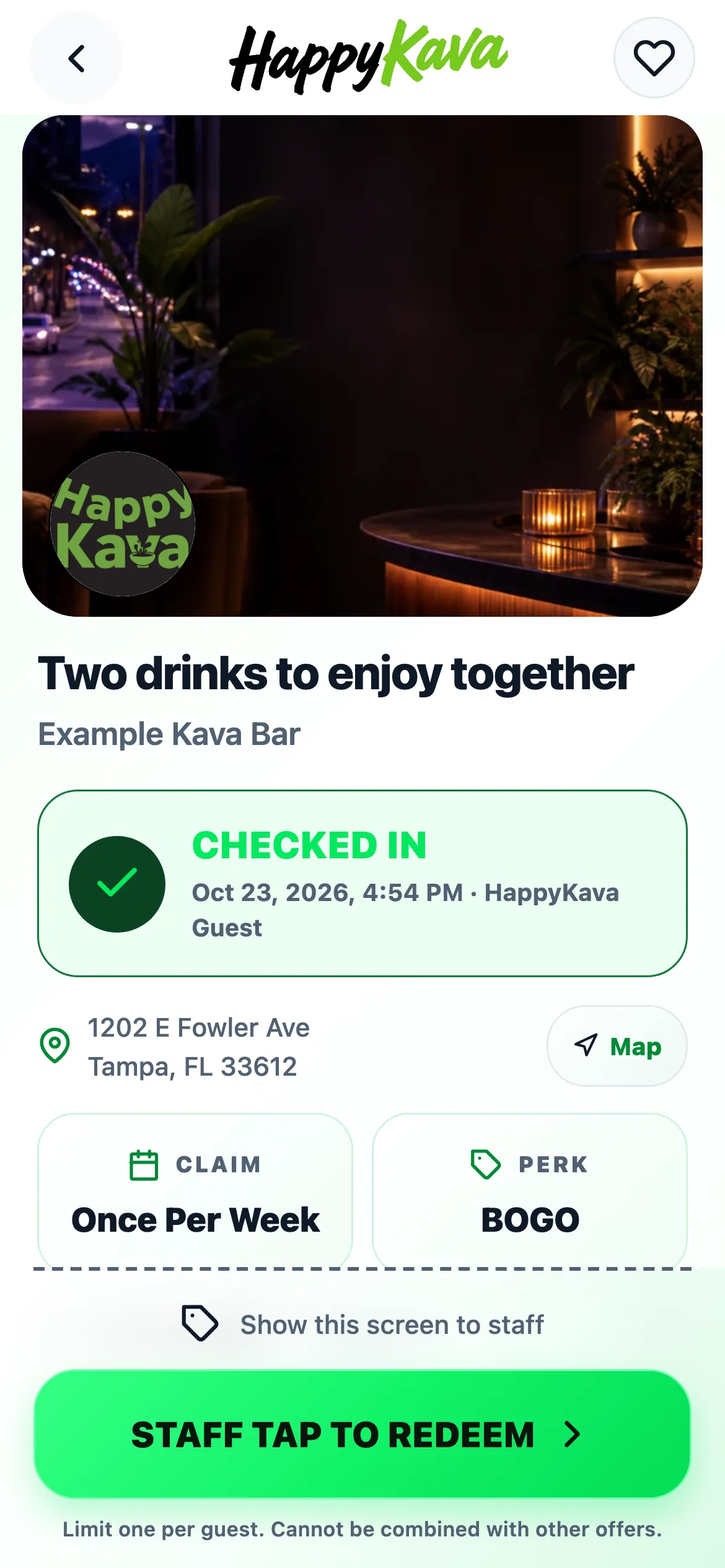
At bars using staff confirmation on the guest's device, redeeming an offer happens together at the counter. Open the offer, show your phone to the team and let staff confirm it while you're there.
The handoff is on your screen
Staff check the live offer and its terms, tap STAFF TAP TO REDEEM, then Continue and wait for the confirmation. Opening the pass or its confirmation sheet doesn't use the offer by itself.
This existing method is now the starting choice for bars that haven't chosen a different redemption method. Bars with saved QR, Guest Unlock or other staff settings keep those choices. Always follow the instructions on the particular pass in front of you.
Watch for the confirmation
Keep the screen open while the redemption finishes. The result tells you when the offer has been redeemed and, when applicable, shows its personal window. Don't treat a screenshot as a live pass.
For Always Happy Hour, the bar's offer window and your unlocked personal window are separate. Your pass shows the time that applies to you. Different bars can use different flows, so the pass remains your guide.
Also improved
- Reopening a saved staff-confirmed receipt offline keeps elapsed countdown time.
- Returning to the app catches the timer up immediately.
- Existing passes keep the redemption method they were issued with.