Looking for a particular brand? Find Nearby now gives participating brand profiles a more useful view of the places that carry them, with bar photos, opening information and a faster way to narrow the search.
Start with somewhere open
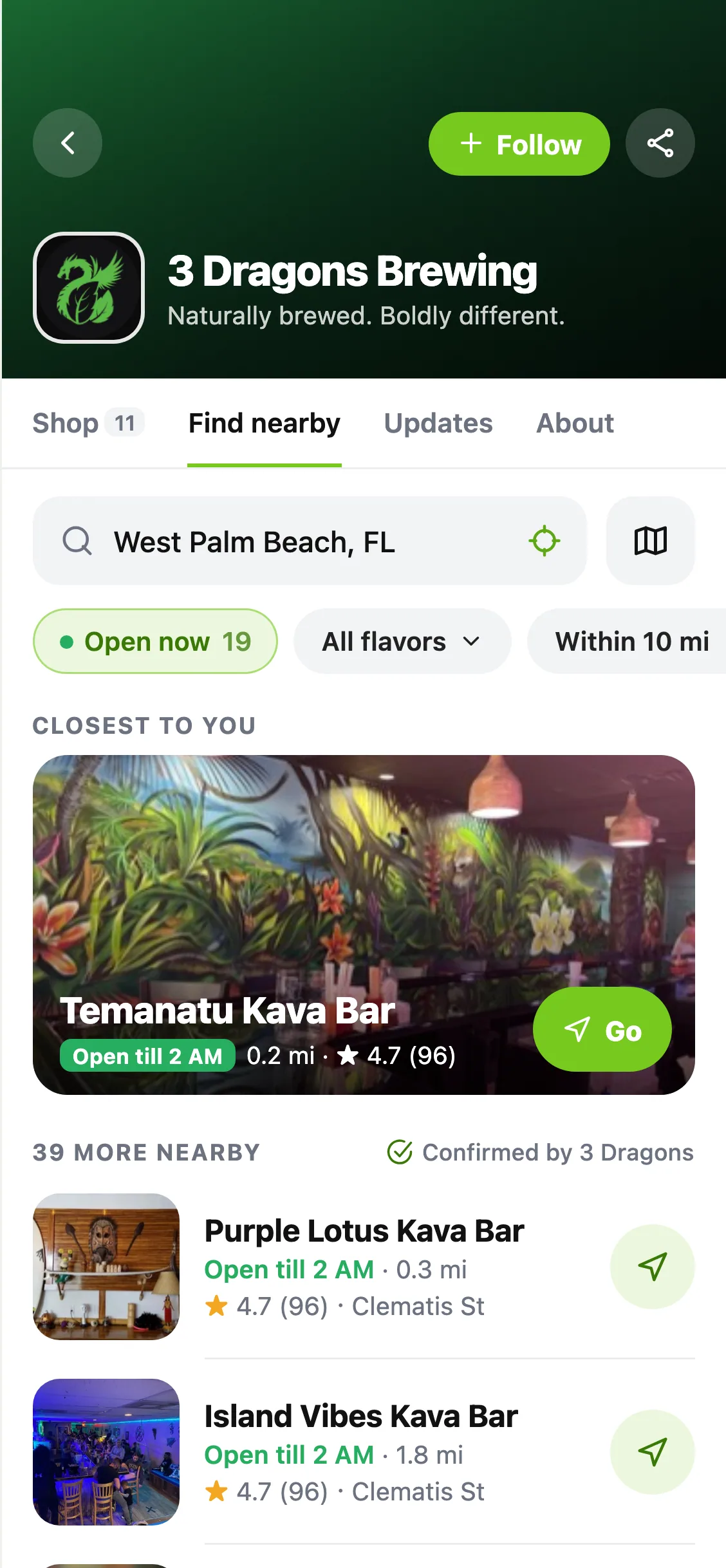
Open a brand in the app and choose Find Nearby. With a search location and matching opening information, the closest open place gets a photo at the top. The list underneath adds pictures and useful details for the other locations.
Search a city or postal code, or choose your current location. This search stays local to the brand's locator; it doesn't move your Home location.
Find the flavor, then the way there
Use the product or flavor filter to narrow the list, choose a distance, and apply your choices when you're ready. Switch to the map to browse the same results by location. Selecting a place keeps its map pin and card together.
Open a location for more details or directions. Results reflect the brand's listings and settings; a listed location isn't a promise that a particular drink is in stock right now. If nothing matches, clear a filter or try another area.
Also improved
- Brand profiles share a more compact header across Shop, Find Nearby, Updates and About.
- Missing photos and unknown hours have useful fallbacks.
- A failed refresh keeps the results you already had, with a way to retry.