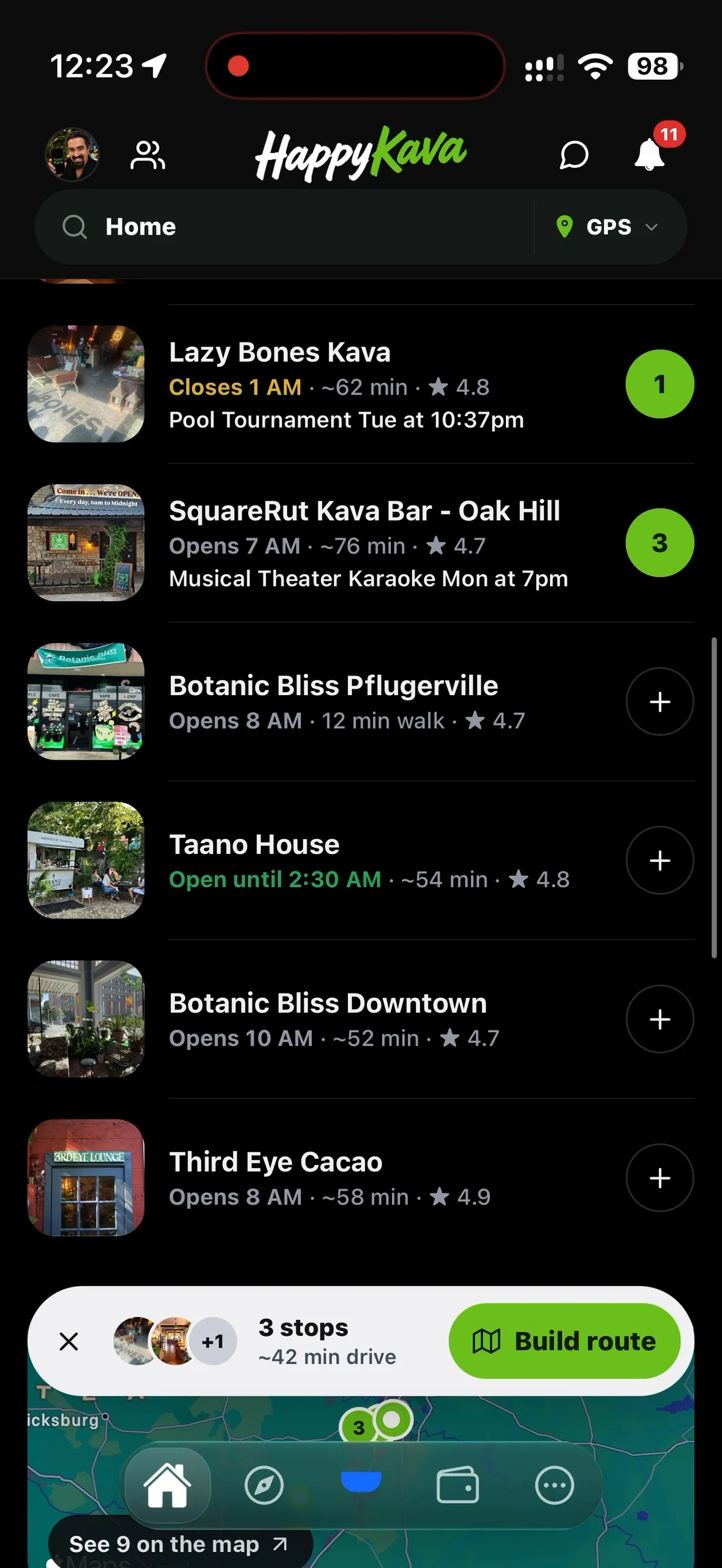
Switch Home to Travel Mode and it now reads like a local's answer: which bars are open, how far they are, and what's on tonight. Tap the city name at the top to explore somewhere else.
Open bars first
The headline sums up the area in one line, like "9 kava bars · 3 open now · 4 events today". The filters under it show how many bars each one leaves: Open now, Deals, Happy hour, Events, Passport. The top pick is the best bar that's open or opening within 30 minutes, with Directions one tap away. Every bar below shows its hours, the drive time, its rating and one reason to go: a deal or event tonight, "Opens in 25 min", friends who are there, a Passport stamp.
Tap + to build a route
Tap + on any bar to add it to tonight's shortlist. A bar above the tabs counts your stops and the drive between them. Tap Build route and TravelRoot opens with those stops loaded, ready to reorder, name, save and start. The shortlist stays with you for 12 hours, so you can keep adding bars as the night takes shape.
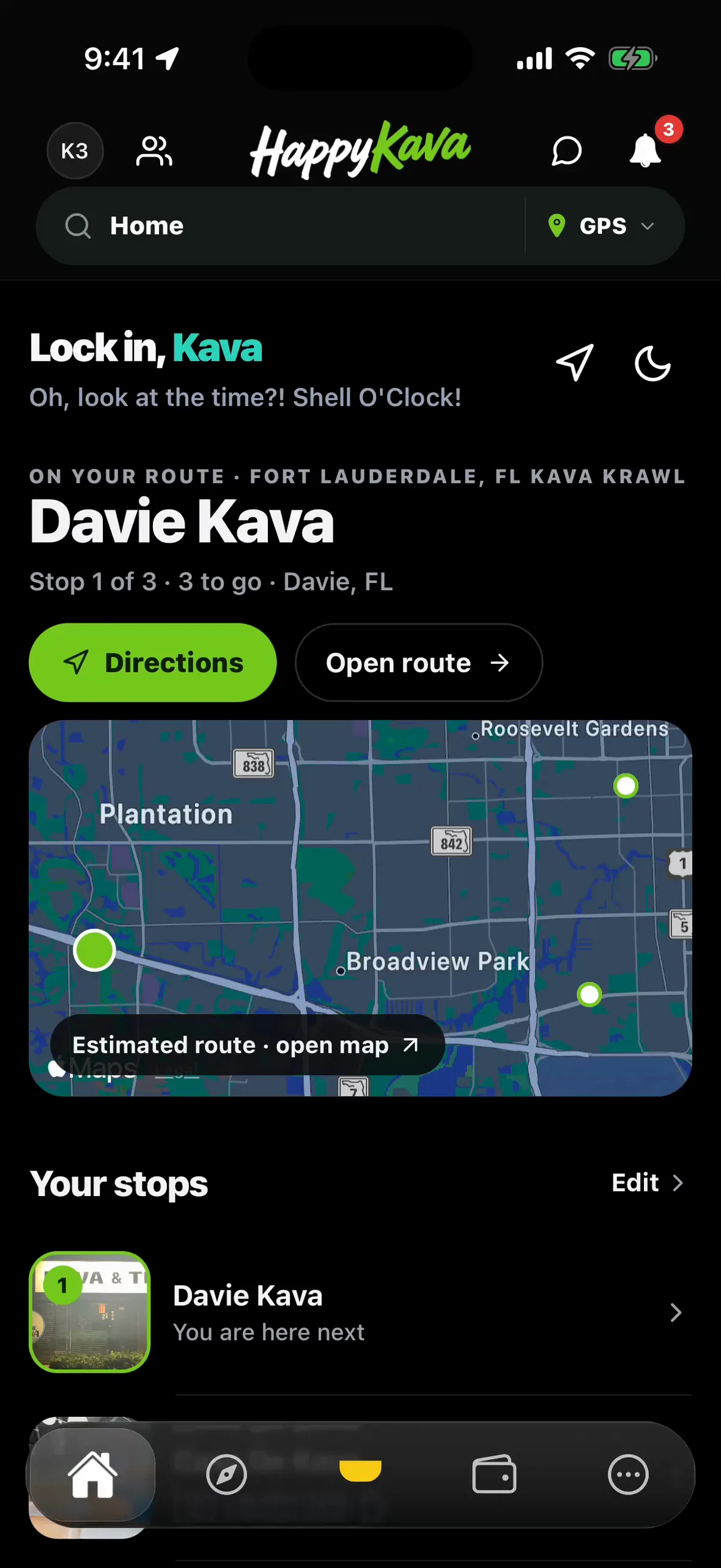
On your route
Once a route is running, Home shows the next stop, how many are left and a map strip of your stops. Directions to the next stop sits right there, Open route takes you to the full plan, and tapping a pin on the map opens that bar.
Also improved
- Don joined BULA RUSH as a runner, free for everyone.
- The BULA RUSH: Kava Krawl logo shows on the crawl map, the start card and the pause menu.
- Deal passes show the right availability window and times for the bar's time zone.