Kava Strains in the app got a rebuild. Every strain has a card with its origin, its chemotype and how it usually feels, and the library is grouped by profile so heady, balanced and heavy are easy to tell apart.
Strain cards
Open More › Kava Strains. Search by name or origin ("Kelai, Tonga, Fiji…"), filter by profile, and tap a card for the full page: where the strain is from, its chemotype fingerprint, and a plain description of the effects. Tap the heart to save a favorite; your saved strains live in My Kava under Saved.
Compare two strains
Tap Compare on a card, then on one more, and the comparison opens side by side: profile, strength, availability and chemotype. Swap positions or pick different strains without leaving the sheet.
Who pours it near you
A strain's page shows Nearby availability: how many bars within your current radius list it on their menu, with the first few named. Tap through to see them on the map, then go try it.
On the web
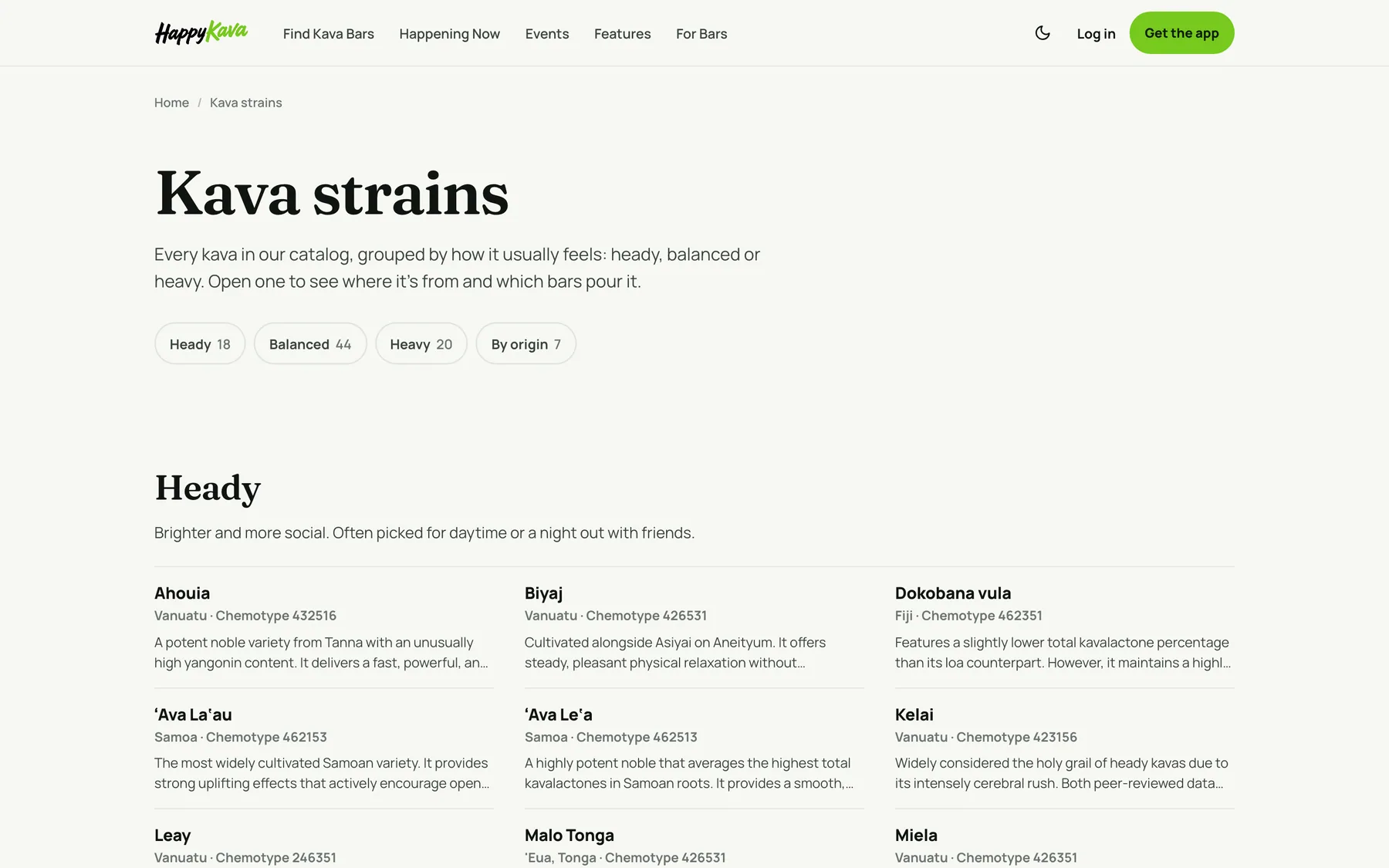
happykava.app/kava-strains lists the whole catalog, grouped by heady, balanced and heavy and by origin. Open a strain to see where it's from and which bars pour it.
Also improved
- You can browse bars, deals and events before creating an account; the app asks you to sign up only when you need to.
- Bar pages can open with a short muted video from the bar.
- Back Your Bar: picking a Home Bar now counts as a vote in the Top Home Bars rankings.
- When you're checked in, Home leads with that bar again.
- Alerts that are resolved or expired are archived on their own.