Two of the pages you open most in your dashboard got a rebuild: the Inbox, where guests write to you, and Analytics, which now tells you what your orders are worth.
An Inbox built around conversations
Open Inbox. Conversations sit on the left with the guest's name and their last message; the one you pick opens on the right. Search by guest or thread, or filter to All, Unread, Direct, Group or Urgent, so the conversation that still needs an answer is one tap away. Guests show up by their profile name, new messages appear while the page is open, and the composer stays in view. Under Settings, switch on an automatic reply so a guest who writes after close hears back right away, and answer yourself when you are in.
Your kavatenders' Messages in the HappyKava app got the same rebuild: conversation-first rows, All, Unread and Groups filters, and long-press to mute or snooze a thread.
Analytics with orders and revenue
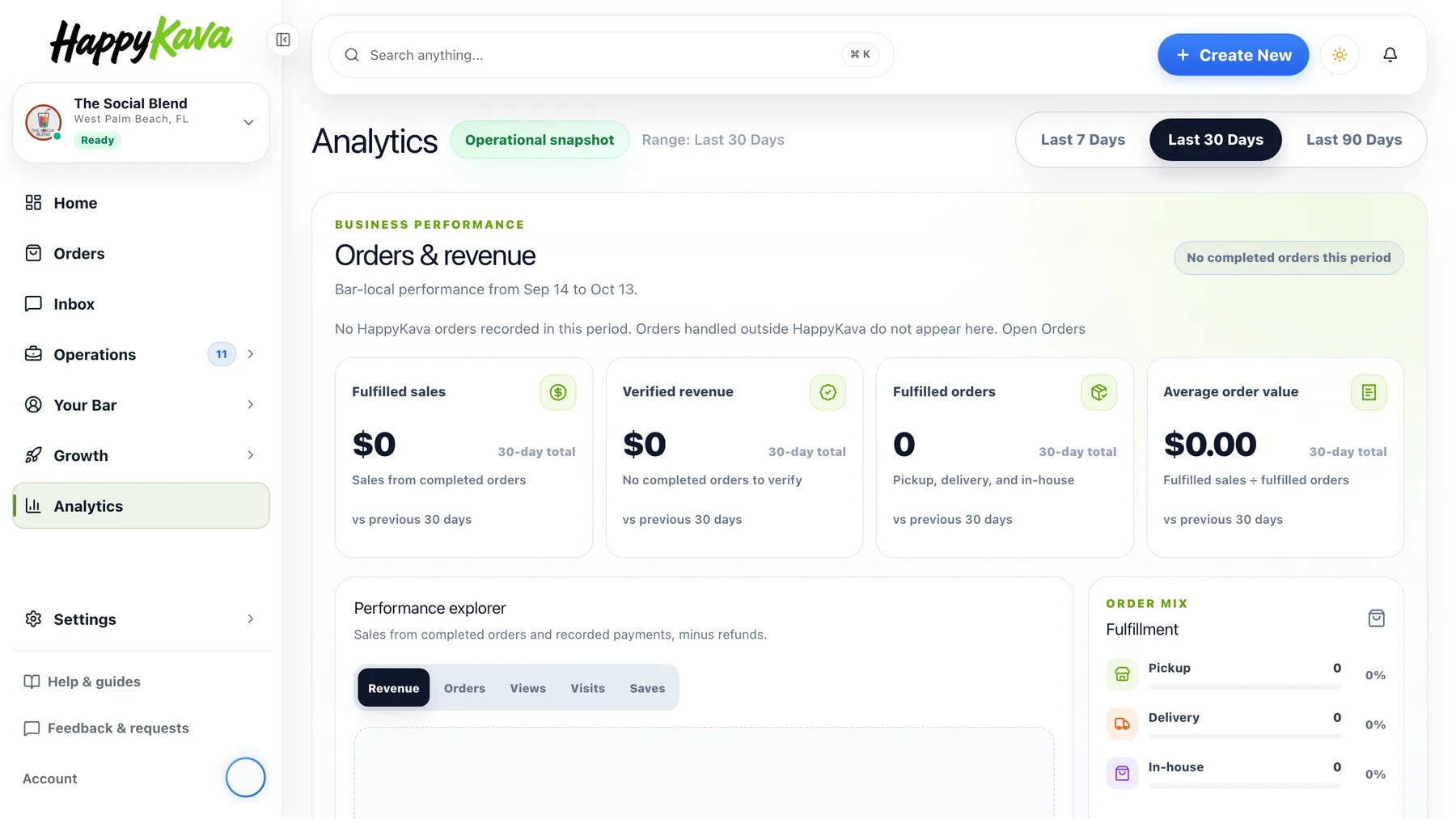
Analytics now opens with Orders & revenue for the last 7, 30 or 90 days on your bar's clock: fulfilled sales, verified revenue (recorded payments minus refunds), fulfilled orders and average order value, each compared with the period before. The Performance explorer charts revenue, orders, views, visits or saves day by day, with a table behind View daily data. Order mix splits pickup, delivery and in-house; Order outcomes shows how many submitted orders were completed. If a payment cannot be verified, revenue reads unavailable instead of a misleading $0. The audience numbers you already had, Content Health and the Action Center stay below.
Also improved
- Guest names appear in messaging instead of blank labels.
- Bar logos show in the bar switcher.
- Check-in guest cards are more compact.
- Home's loading skeletons match dark mode.
- Your HappyKava website shows event posters at full height, and its maps and recurring events display correctly again.
- In the app, the back button from Messages works again.