This update is about the parts of the app you touch most: the bottom bar, bar pages, your saved places and Settings.
Glass navigation
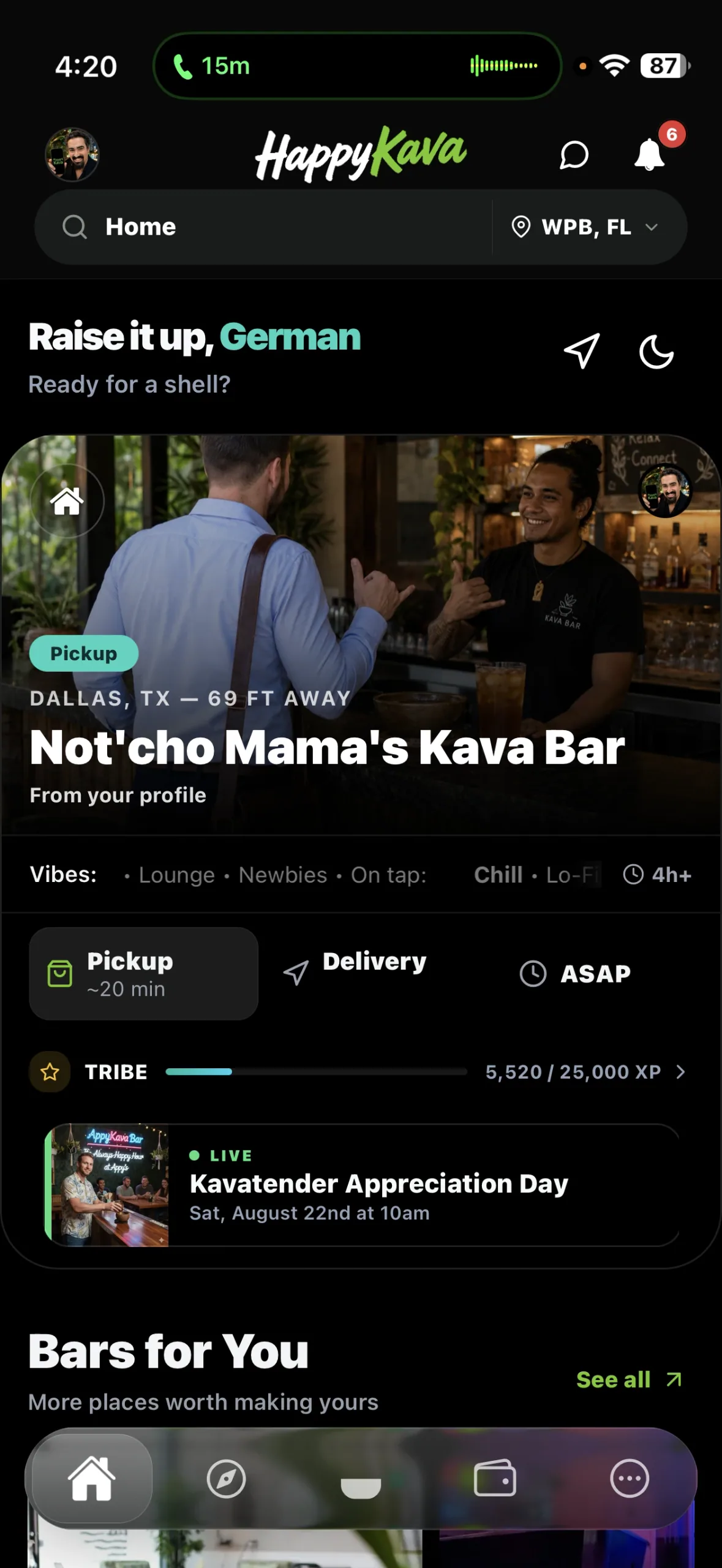
The bottom bar is now a floating glass bar with five tabs: Home, Explore, Check-In, Wallet (Shop when you're not at a bar) and More. The highlight slides to the tab you pick, and the bar stays out of the way of what you're reading. Your location is always in the header, so you can change it from any tab.
Bar pages, rebuilt
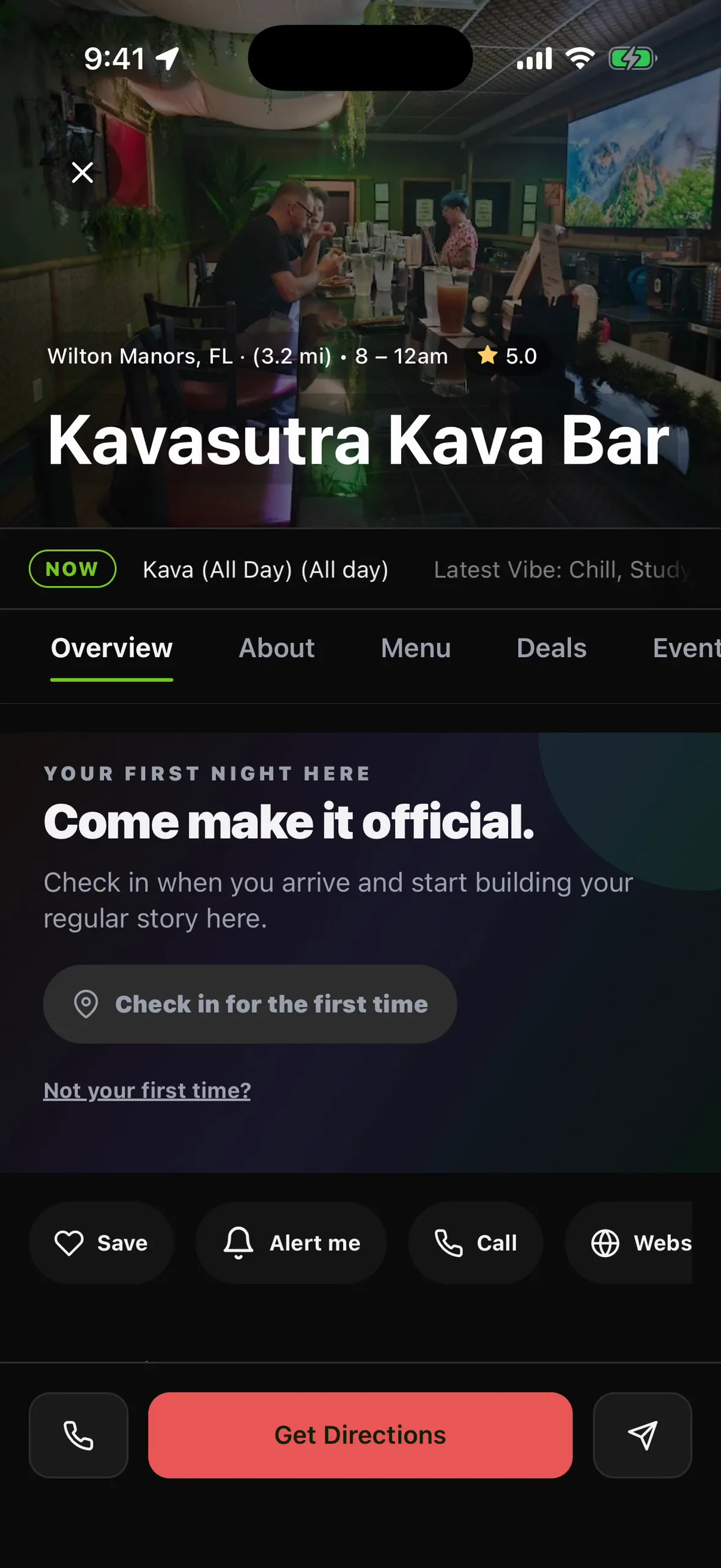
A bar's page opens on a short overview: open status and what's on now, then About, Menu, Deals and Events. Save, Alert me, Call and Website sit in one row, and Get Directions stays at the bottom. If it's your first visit, the page invites you to check in and start your regular story there.
My Kava
The My Bars tab is now My Kava, your places, plans and usuals in one hub. For You shows your next plan and a quick reorder. Bars gathers your Home Bar, favorites and recent visits, with filters and sorts. Saved keeps plans, usuals and strains. Empty sections tell you what to do next instead of sitting blank.
One Settings
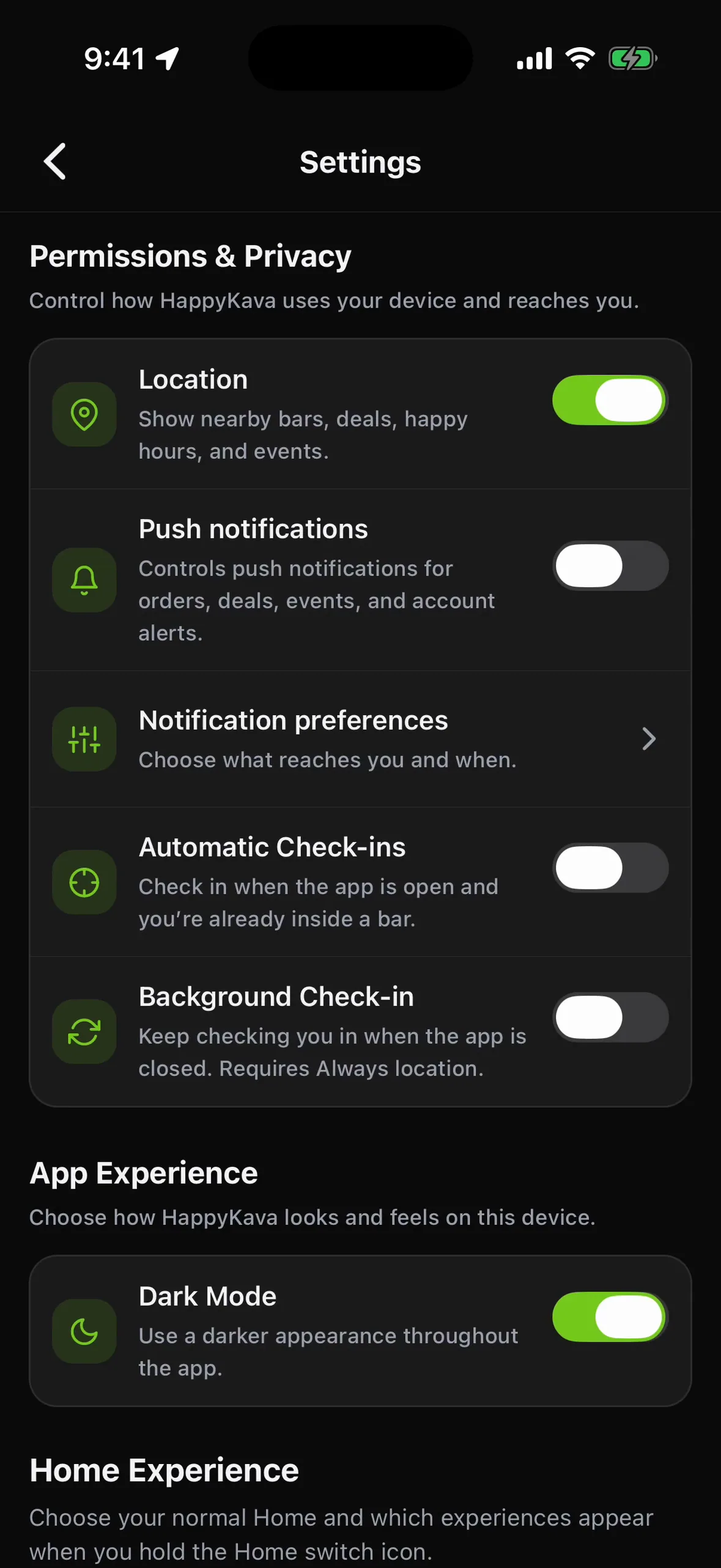
Everything that used to be scattered is on one screen: Permissions & Privacy (location, push notifications, notification preferences, automatic and background check-ins), App Experience (Dark Mode) and Home Experience, where you choose your normal Home and which modes appear when you hold the Home switch. Open it from More › Settings.
Also improved
- The alerts inbox was refreshed.
- The location in the header no longer disappears while you scroll.
- Leaving your profile takes you back to where you were.
- Bar menus can spotlight more than one featured item.
- My Stats at a bar shows your streaks and your progress to Regular.
- A new app icon: white "Happy", green "Kava" on black.