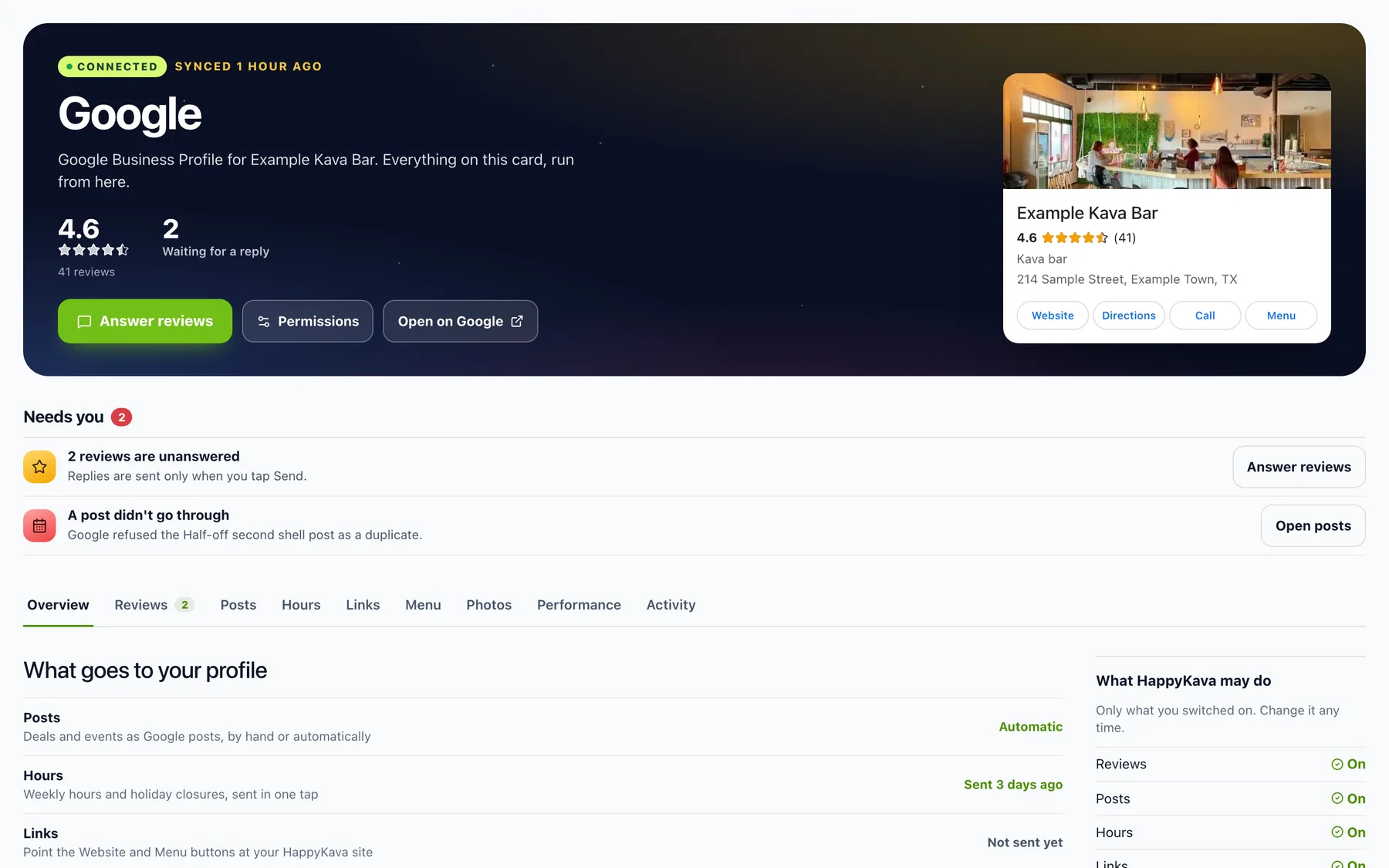
Google Business Profile is now part of Pro. Connect the Google account that manages your bar's profile once, and your Google reviews, posts, hours, links, menu and photos all live in your HappyKava dashboard, next to everything else you already run there.
Why we built it
For a lot of people, Google is the first place they look a bar up. Keeping that profile current meant a second app, a second login, and doing everything twice: post the deal here, then post it again on Google. Change your hours here, then remember to change them there. On a busy week, that second round is the first thing to slip, and the Google profile drifts out of date.
We'd rather you do it once. You already keep your deals, events, hours and menu up to date in HappyKava, so now they can go to Google from the same place.
Connect once, choose what it may do
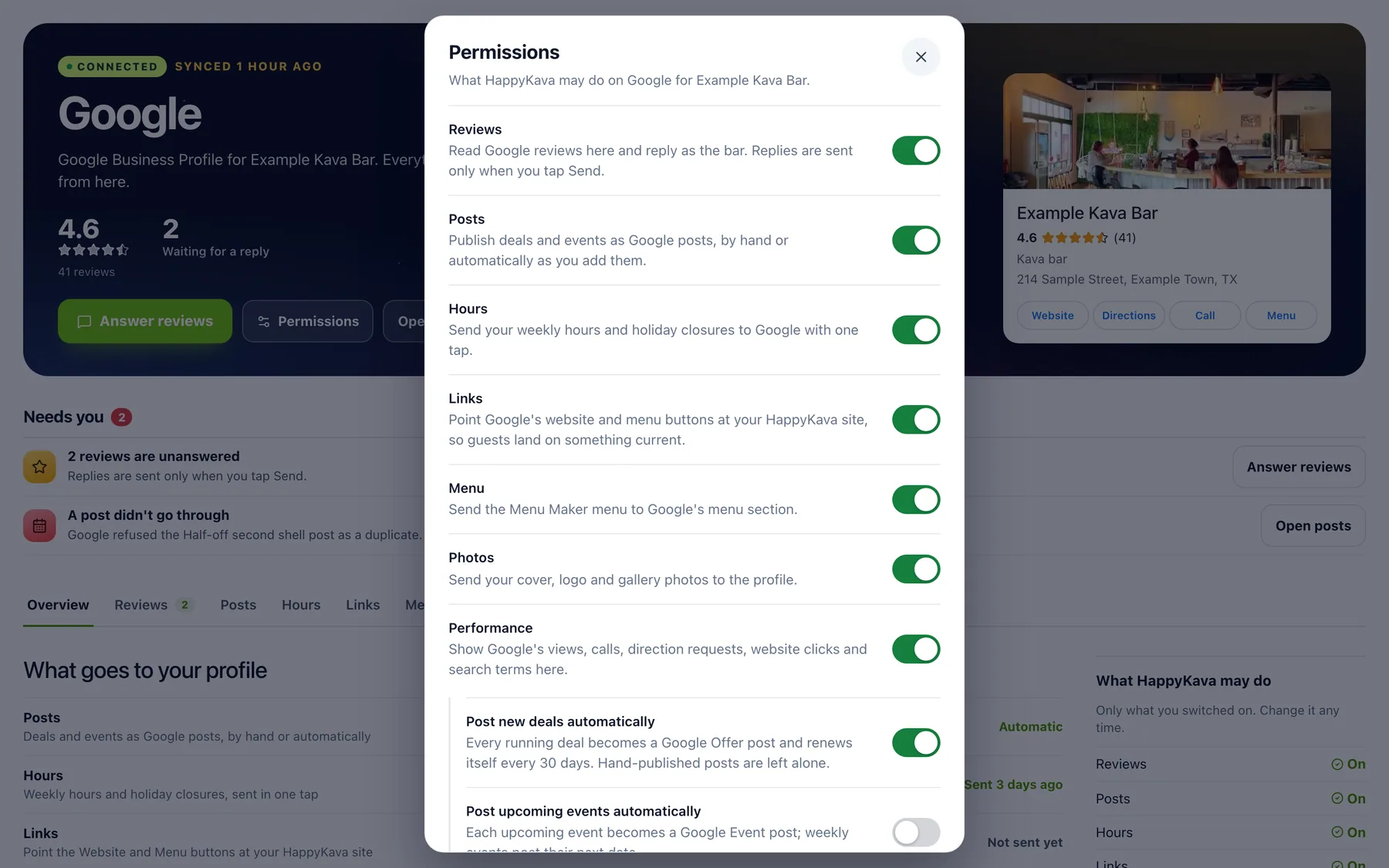
Open the Google page, tap Connect with Google and confirm your location. Then pick what HappyKava may do, with one switch each for reviews, posts, hours, links, menu, photos and performance. Anything that changes your Google profile stays off until you turn it on.
Answer Google reviews
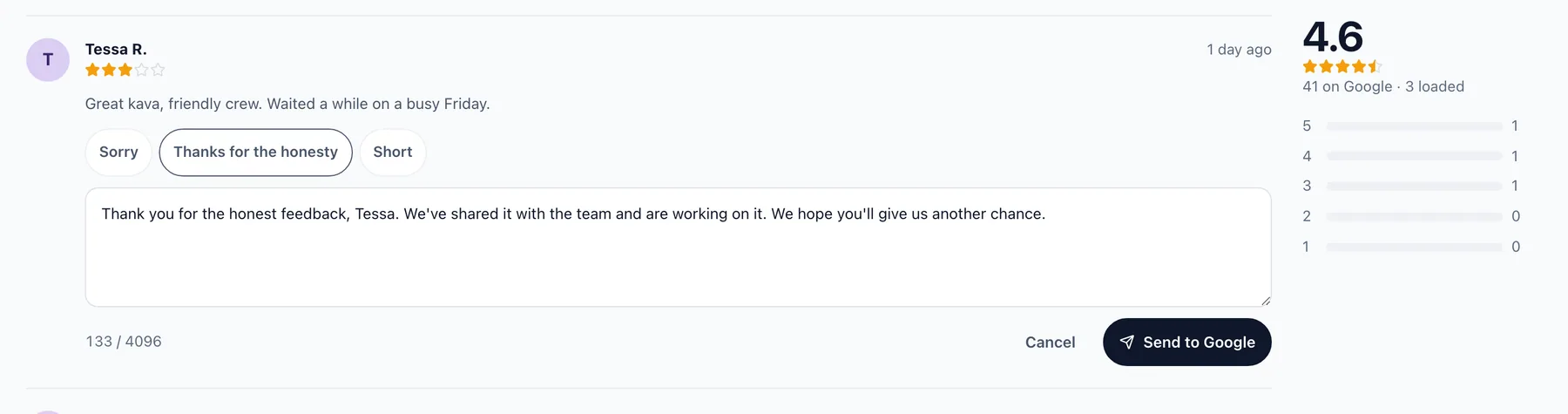
Your Google reviews land in one list, newest first, with Unanswered and low-star filters. Tap Reply and pick a starter, like Sorry or Thanks for the honesty, and it comes filled in with the guest's name. Edit it, then tap Send to Google. Nothing is ever sent on its own.
Deals and events on Google
Your deals can go up as Google offer posts and your events as event posts, by hand or automatically. Each card shows the post the way guests will see it on Google, and whether it's live. Hours, holiday closures, your website and menu buttons, your Menu Maker menu and your photos each go to Google in a tap.
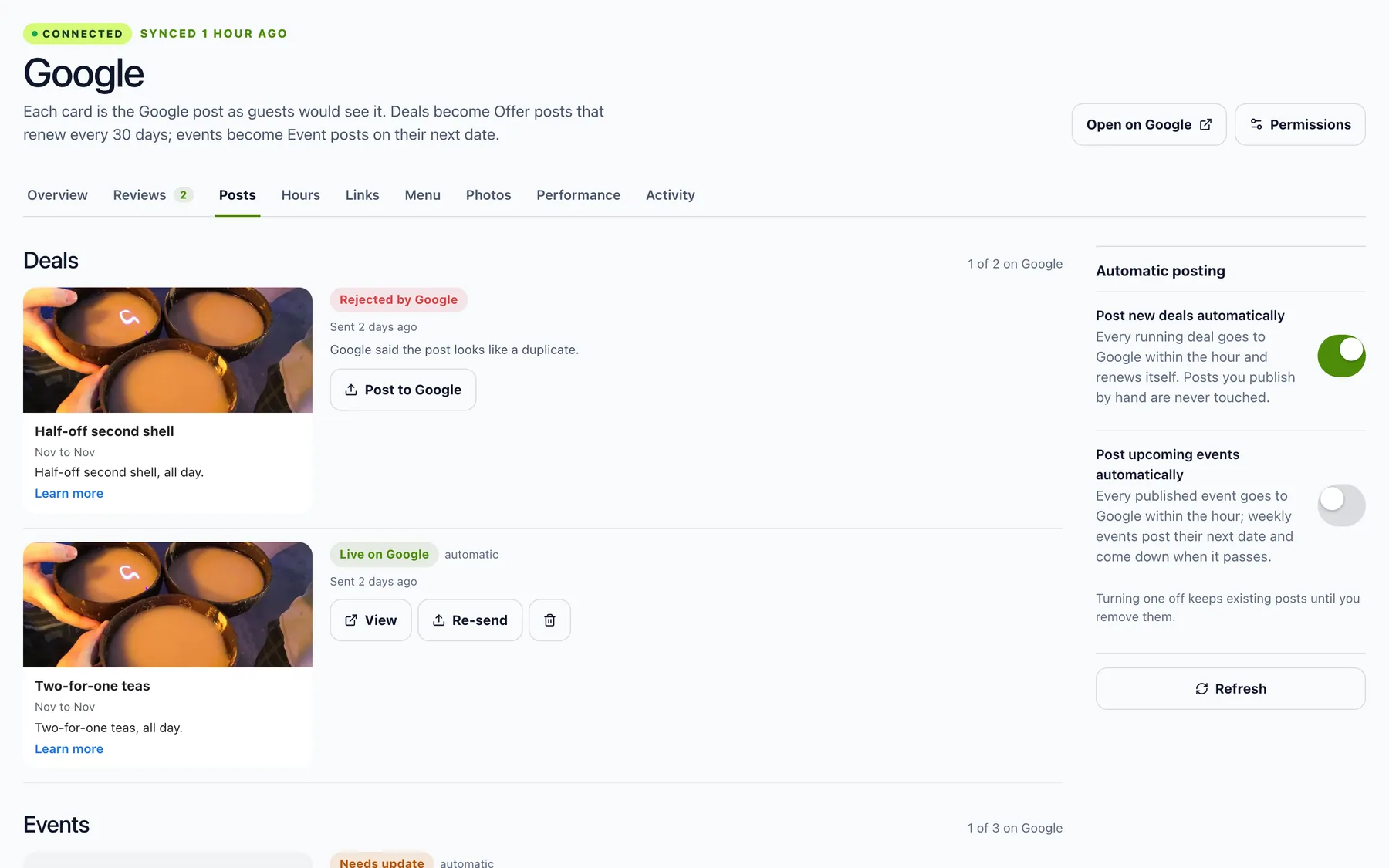
Every change, written down
Everything HappyKava does on your Google profile is listed under Activity, and owners and managers get an email about each change within 48 hours, as Google asks. Disconnect works right away.
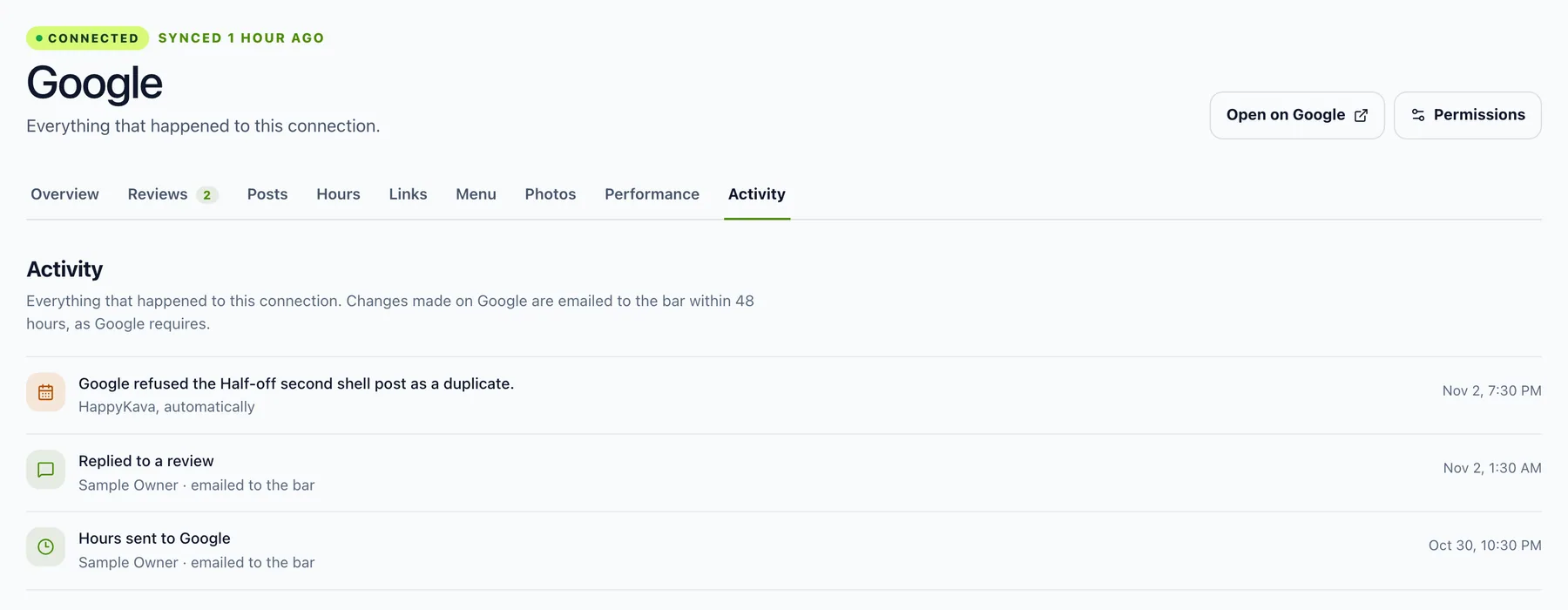
Where to find it
In the dashboard, open Your Bar › Google. Choose what HappyKava may do under Permissions. On Verified or Free, the Google page shows what Pro adds.
Also improved
- Once you're connected, Google shows up where you already work: Review Engine, Home, Hours, Public Listing, Social Studio, Deals and Events, Menu Maker and Analytics.
- Social Studio posts can go to Google too.
- Bars that leave Pro keep their connection, paused, and pick up where they left off when they come back.