
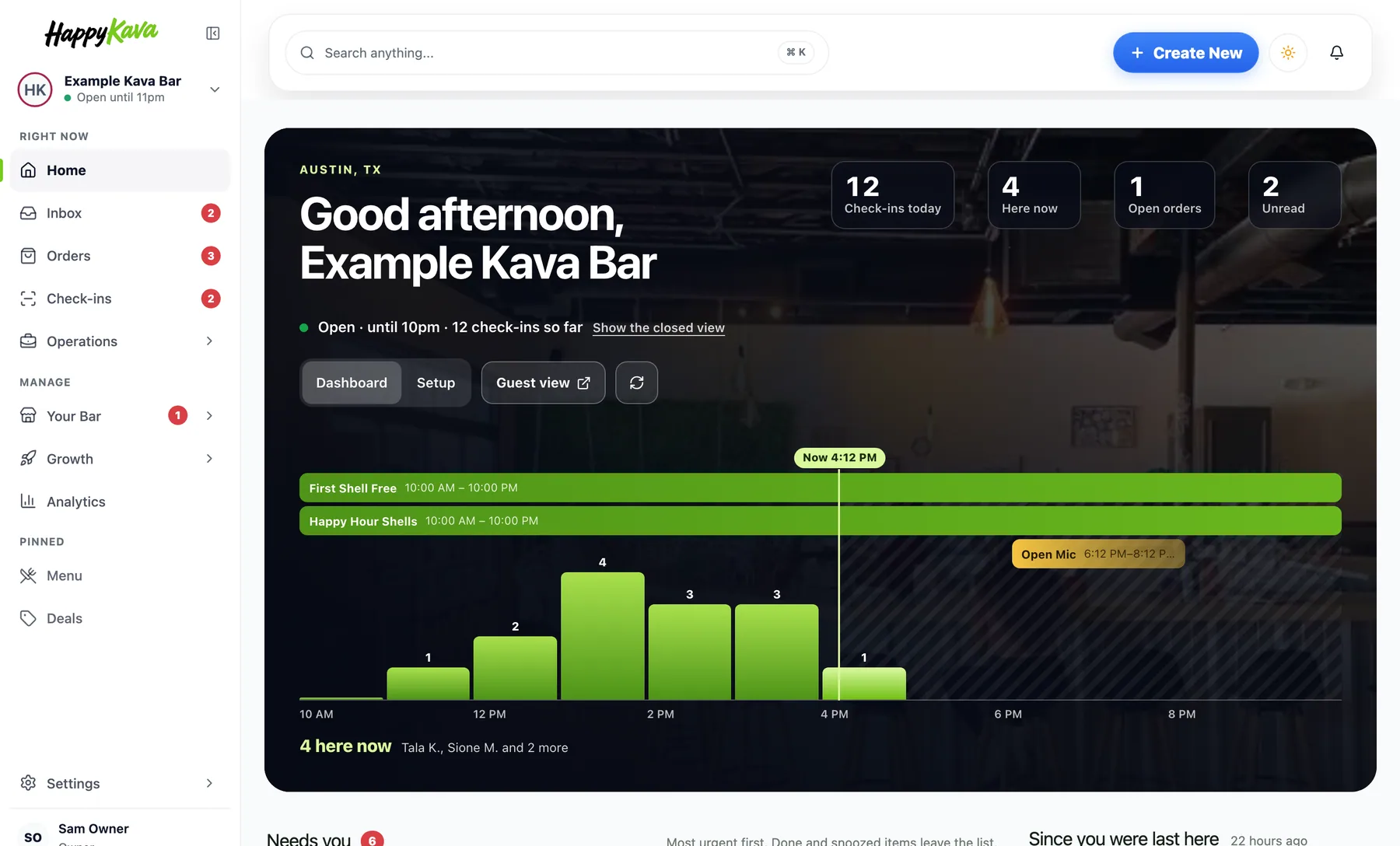
Sign in today and the whole dashboard feels like one place. There's a new sidebar, Home opens on your bar's day, and Deals, Events, Your Bar, Growth, Settings and Billing were all rebuilt in the same style. Nothing you used went away. It just got easier to find, and a lot nicer to look at.
Why we built it
Some of our pages were really good. Printables, Social Studio, Review Engine and the Website editor show you the real thing you're making, filled in for your bar, with a live preview beside it. Other pages were plain lists and forms, and honestly they looked like they came from a different product.
So we took what worked on the good pages and brought it to every page. Show the real thing. Put what needs you first. And never show a number that isn't real: if we don't have it, the space stays empty.
A sidebar that shows what's waiting
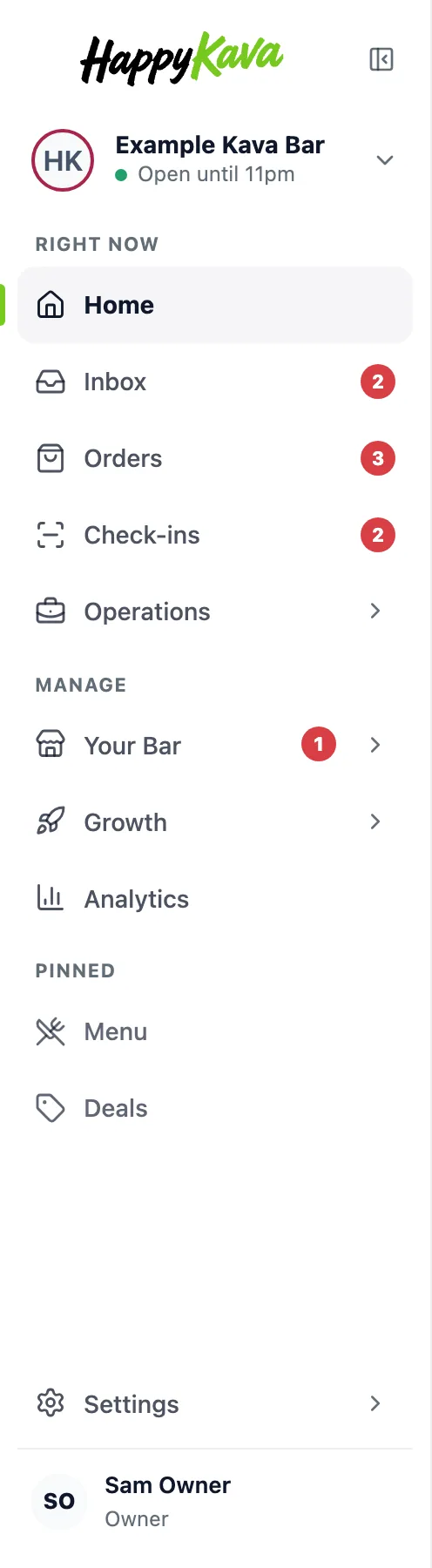
The sidebar now has three parts. Right now is Home, Inbox, Orders, Check-ins and Operations. Manage is Your Bar, Growth and Analytics, each opening into its tools. Pinned holds the tools you pin. The little red counts only show things that are actually waiting on you, like unread messages or open orders. Collapse it to icons when you need the space.
Every page leads with the real thing
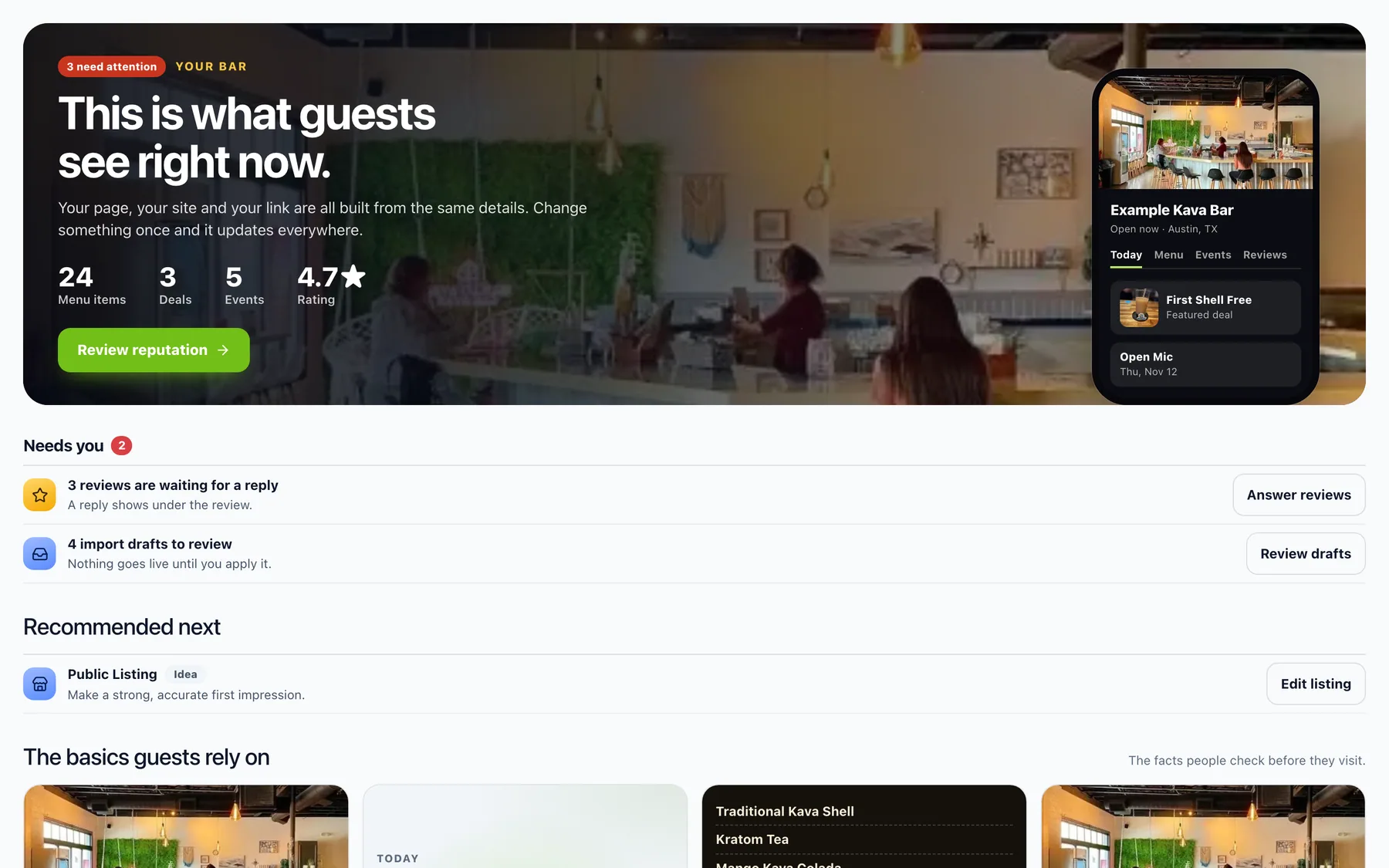
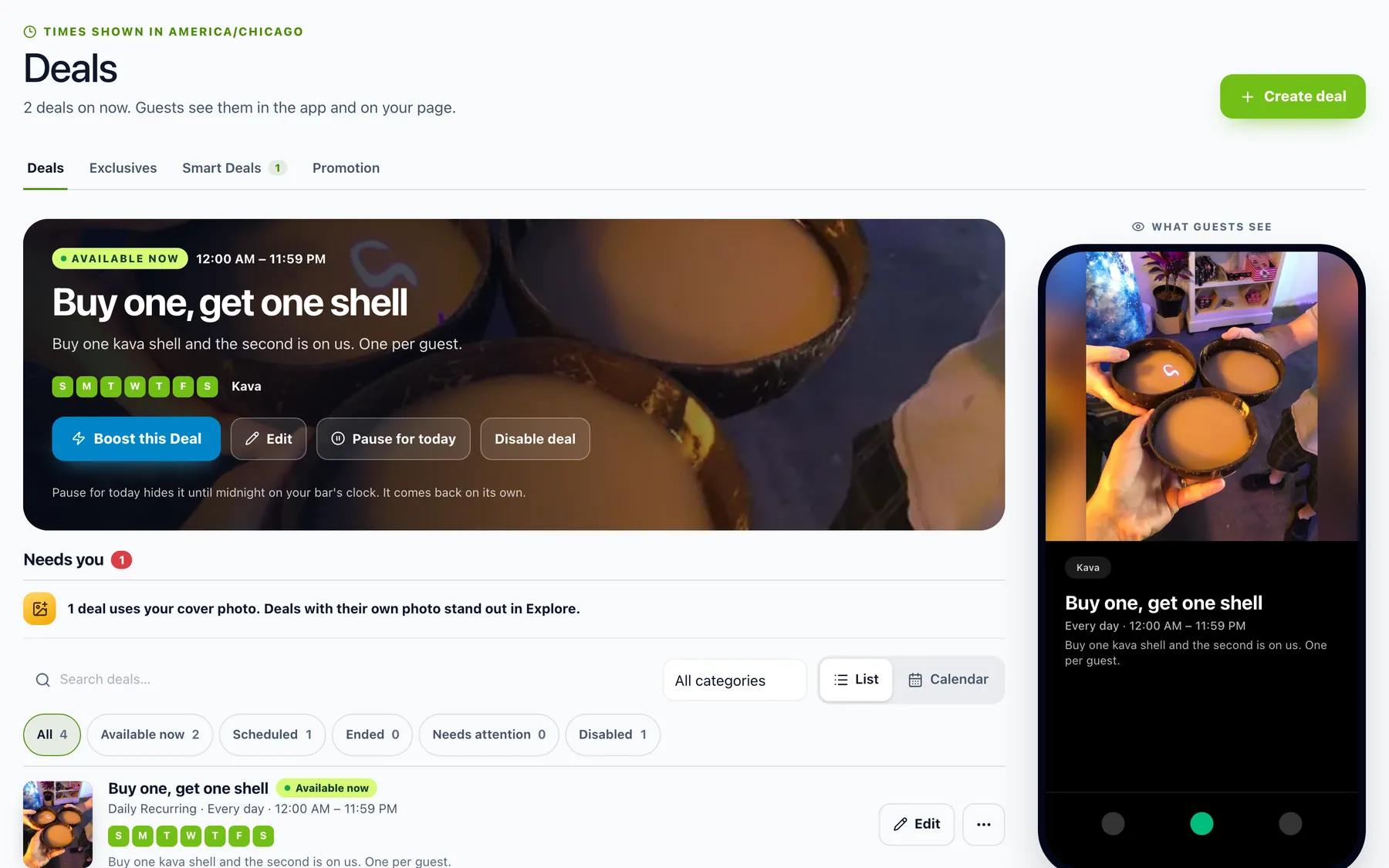
Your Bar opens on a phone showing what guests see right now. Deals opens on the deal that's live, with Boost, Edit and Pause for today right there, and a guest preview beside it. Each page starts with a short Needs you list, so you can see what to do next without digging.
Billing that shows what your plan did
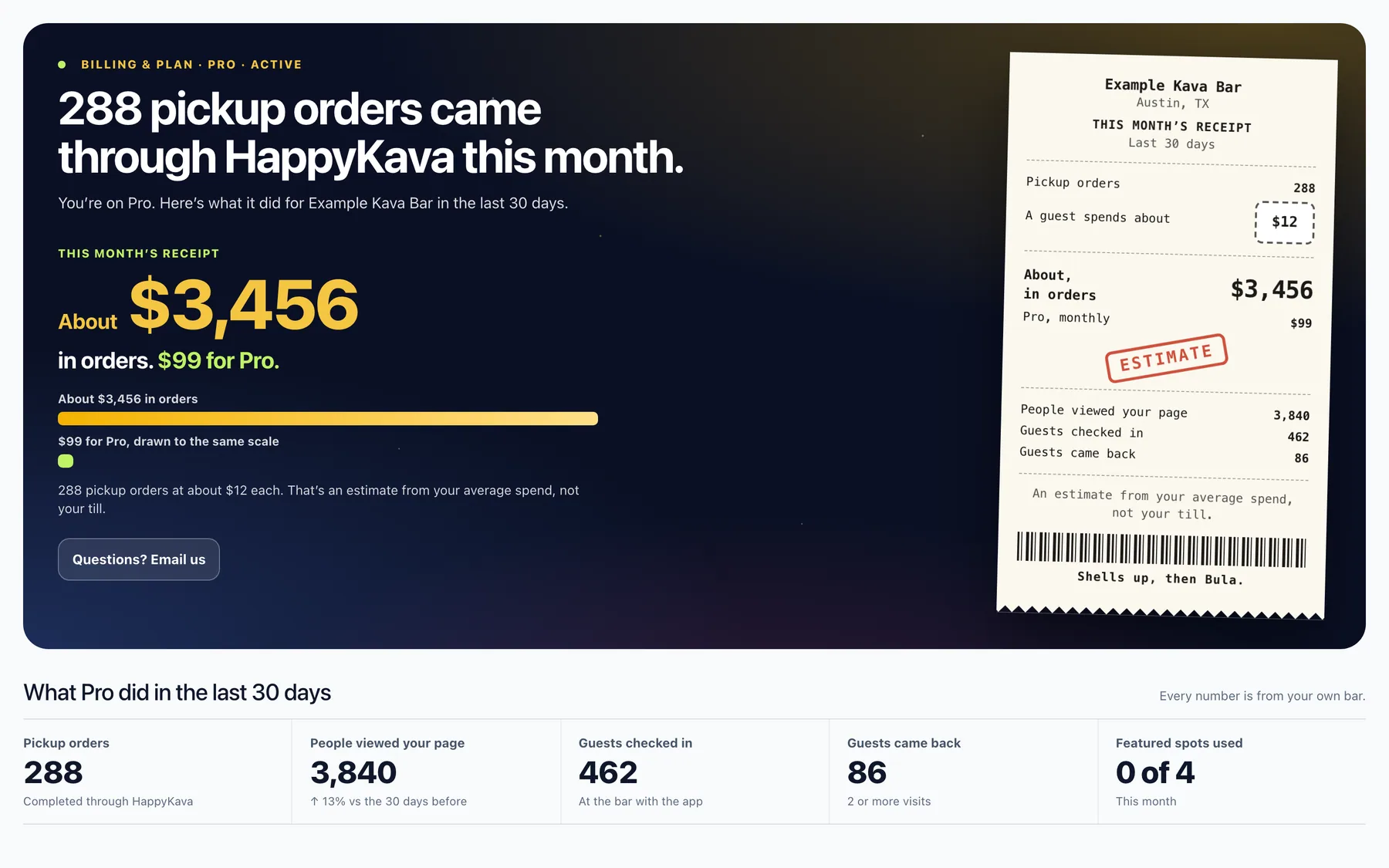
Billing & Plan was rebuilt too. On Pro, it opens on the last 30 days from your own bar: pickup orders, page views, check-ins and guests who came back. On other plans it lays out your choices plainly.
And the Check-Ins floor
Check-Ins became a live floor for whoever's on shift: who's here now, who's on the way, first visits and regulars, and a big Scan guest button. A Popup Deal runs from a band at the top, with its time left and claims as they happen.
Where to find it
Sign in at happykava.app/manage. That's it, the new look is on for every bar. Pin a tool with the pin next to its name in the sidebar.
Also improved
- Pages now fill the screen beside the sidebar on wide displays.
- Billing's plan cards use your bar's own photo.
- Review Engine sits in both Your Bar and Growth, so it's easy to reach from either.
- The owner guides were updated to match the new sidebar and pages.