Kava Bar Pickup Orders
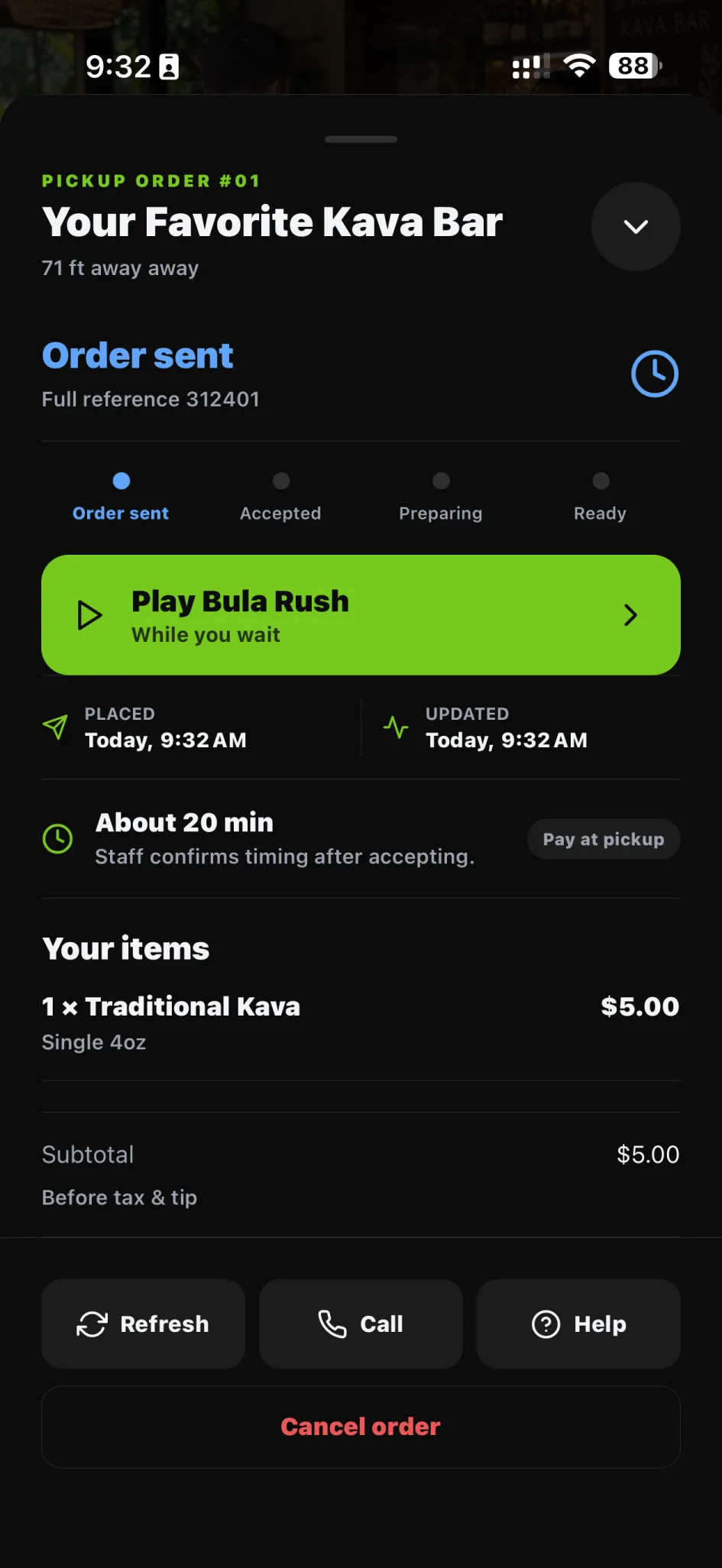
Order from an eligible bar menu before you arrive. Follow the status and keep the handoff easy when it’s time to pick up.
- Free on iPhone and Android
Order & return
What you get
A clear request and a clear pickup status mean less wondering what happens next. Your bar still handles the human handoff.
A menu that’s available
Choose from the participating bar’s eligible items.
Know the next step
Follow the request through its pickup status.
Stay connected
Use the order’s available messaging when a question comes up.
How it works
- 01
Choose your pickup
Check the bar’s service hours and available menu.
- 02
Send your request
Review the order and follow the payment instructions shown.
- 03
Follow the handoff
Watch the status and collect your order from the bar.
Availability
Available today. Access can depend on the participating bar, your role, subscription, and local configuration.
- Who can use it
- Order pickup from participating bars when their service is active and pay at the bar. Online payment is not currently available.
- What it costs
- The HappyKava app is free on iPhone and Android.
Questions
Is Kava Bar Pickup Orders available now?
Live. Order pickup from participating bars when their service is active and pay at the bar. Online payment is not currently available.
Is pickup available at every bar?
No. Participating bars must activate pickup service. Eligible orders are paid for at the bar.
Does placing a request mean it’s ready?
No. Follow the order status and the bar’s pickup instructions before collecting it.
Keep exploring
LiveSell more
Pickup Orders
Let guests order eligible menu items before arriving. Give your team a clear pickup queue, with the controls to keep service moving.
LiveSell more
Online Ordering
Connect your listing to the ordering options your location actually supports, from eligible pickup to approved provider handoffs.
LiveSell more
Orders Dashboard
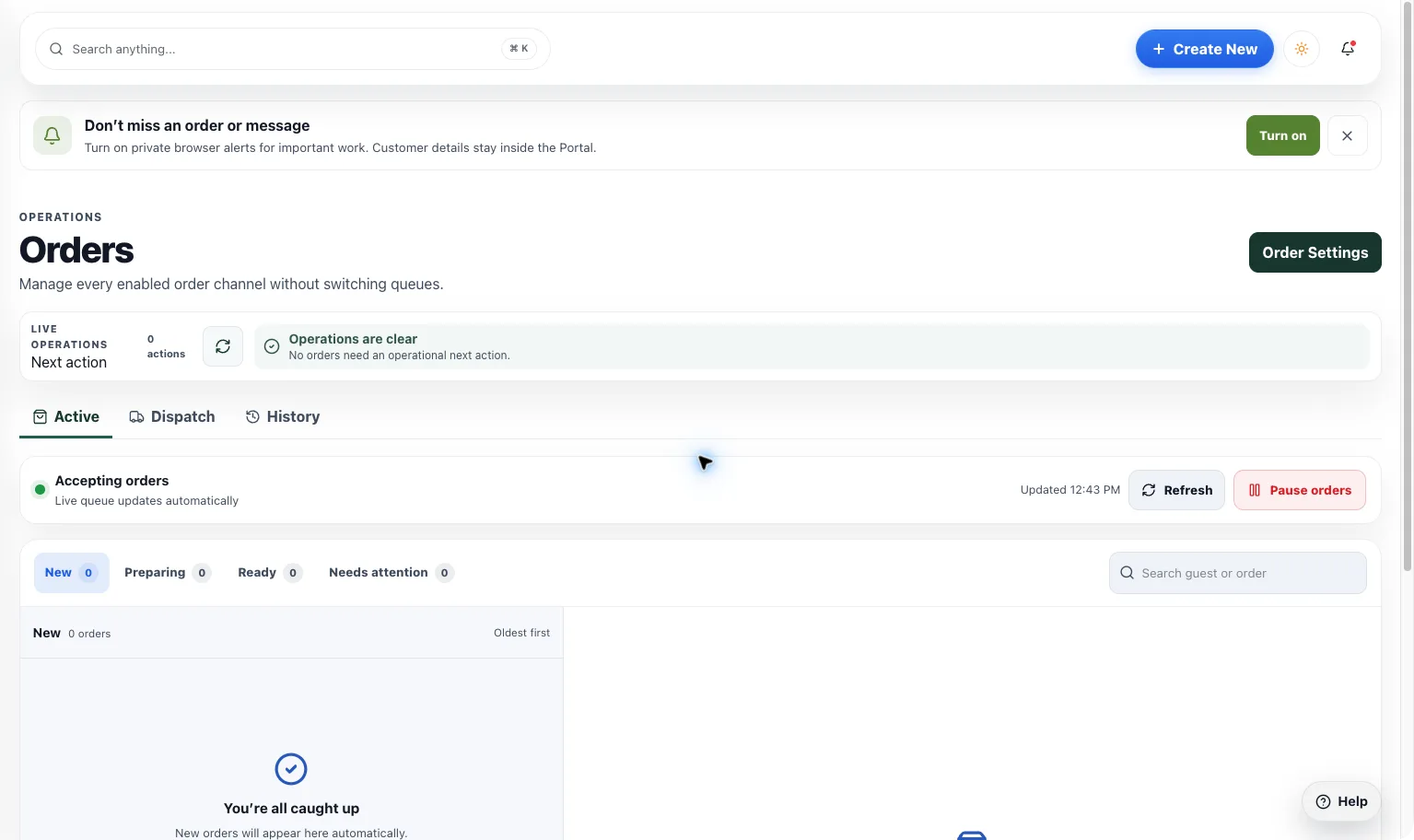
Keep supported orders, status, responsibility, and messages in one place so your team can focus on getting the handoff right.