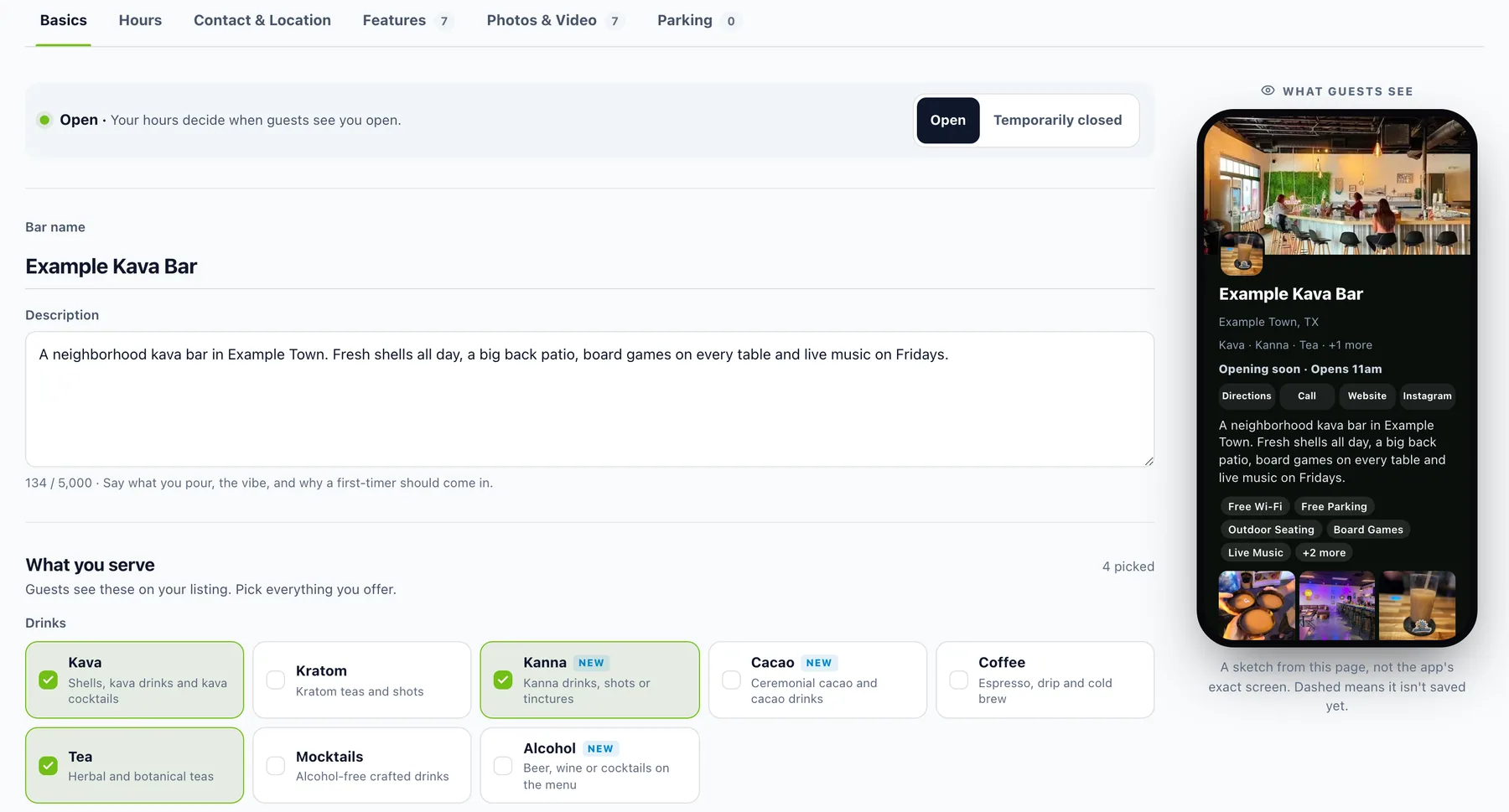
Public Listing, the page where you set what guests see about your bar, has been rebuilt. It's six tabs instead of one long scroll, with a live phone beside you that changes as you type. And the cap on categories is gone: pick everything you actually serve.
Why we built it
Owners told us the listing page was hard to get around. Everything sat on one long page, and it wasn't always clear what a field changed for guests. Categories stopped at seven, which doesn't work for a bar that pours kava, kratom, tea, coffee and cacao and has a kitchen too. And on the parking map, dragging to move the map fought with drawing a parking spot.
Six tabs and a checklist
Basics, Hours, Contact & Location, Features, Photos & Video and Parking each get their own tab. Up top, a short checklist ("9 of 11 done") shows what's still missing, and tapping an item takes you straight to it. One save bar saves your changes across the tabs together, a dot marks any tab with unsaved changes, and anything you haven't saved yet shows dashed on the phone.
Say what you serve
What you serve is a set of tiles, each with a line saying what it means. There are new ones for Kanna, Cacao, Alcohol and Snacks. Food is now one simple pick: No food, Snacks, Hot Bites (it used to say Food) or Full Kitchen (it used to say Kitchen). Choose as many drinks and extras as fit your bar.

Hours right on the listing
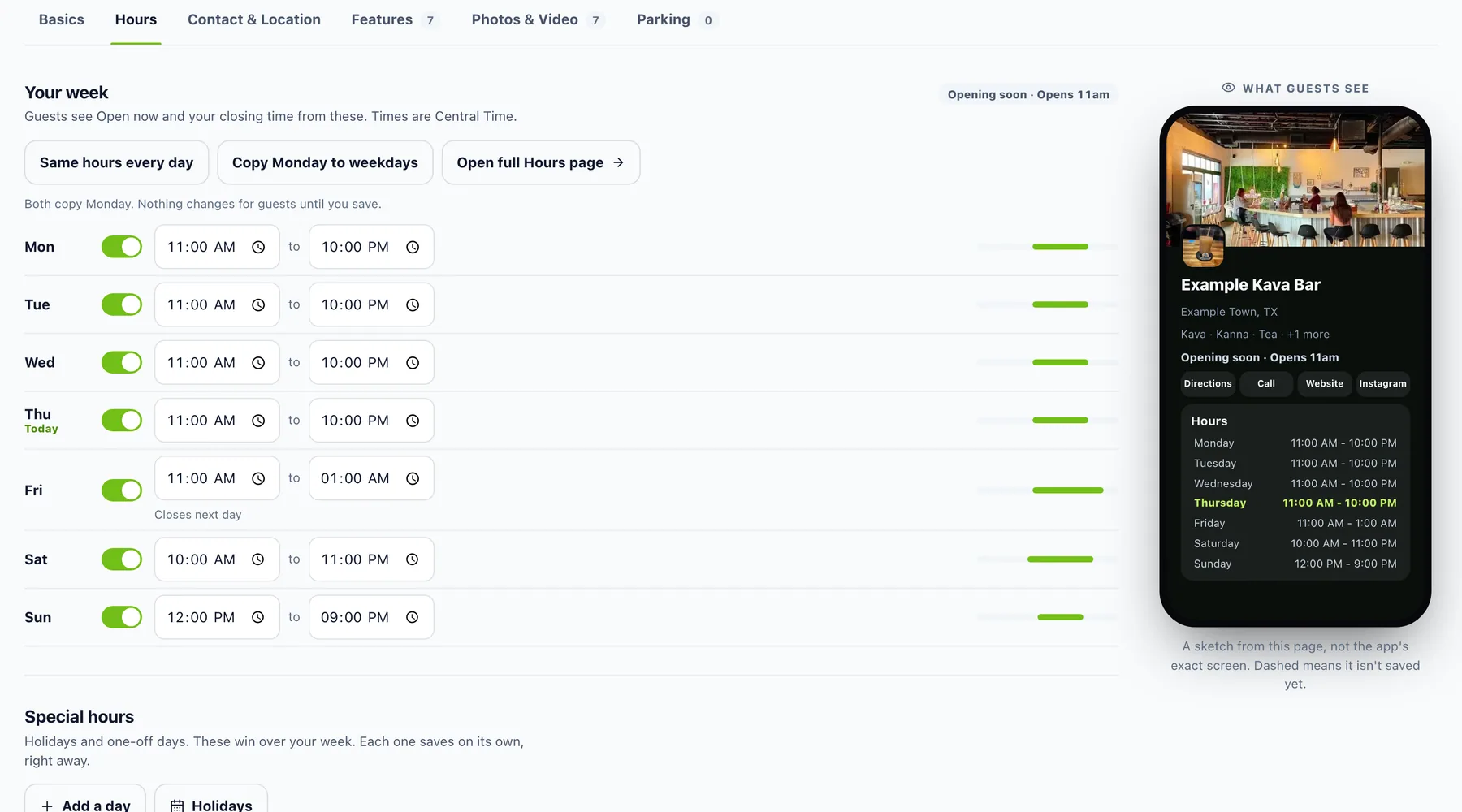
The Hours tab has your whole week with an open switch for each day, plus Same hours every day and Copy Monday to weekdays. Special hours sit right below. The phone shows Open now and your closing time the way guests will see them.
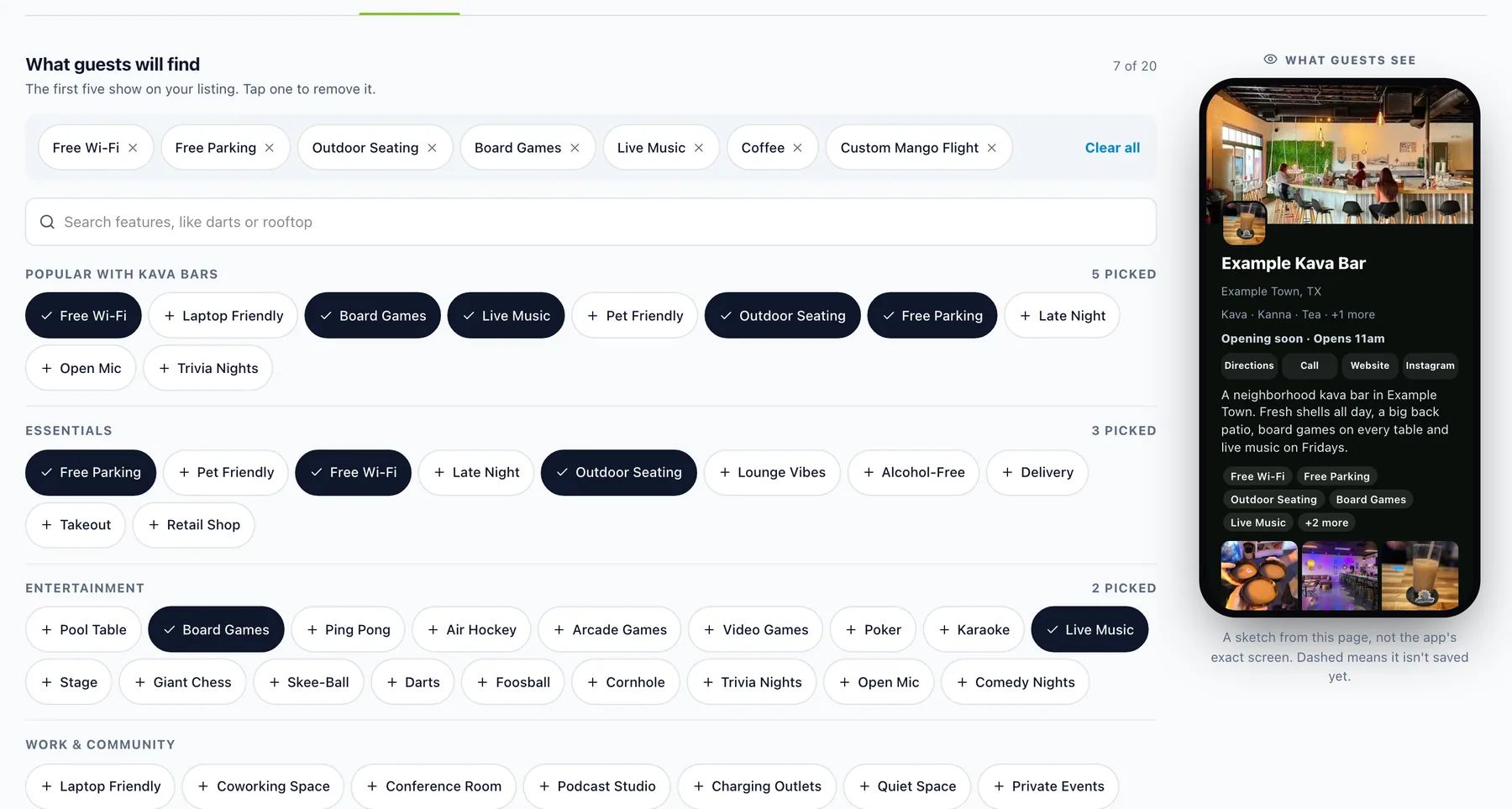
Features is a tap-to-pick list of what guests will find, the popular ones first, plus up to 20 of your own. The first five show on your listing.
Video, and a parking map that behaves
On Pro, Photos & Video has a spot for a cover video. Parking got a new map: drag to draw a box for each lot, turn the map to match your street, and add several named entrances, like Front door or Patio gate.
Whatever you set shows up on your bar page.
Where to find it
In the dashboard: Your Bar › Public Listing. The tabs are across the top, and the phone preview is on the right.
Also improved
- Old links to the listing still open the right tab.
- If you try to leave with unsaved changes, the dashboard asks first.
- New photos and videos keep the gallery steady while they finish processing.
- Pick Alcohol while your bar has the Alcohol-Free feature, and you get a gentle heads-up.