
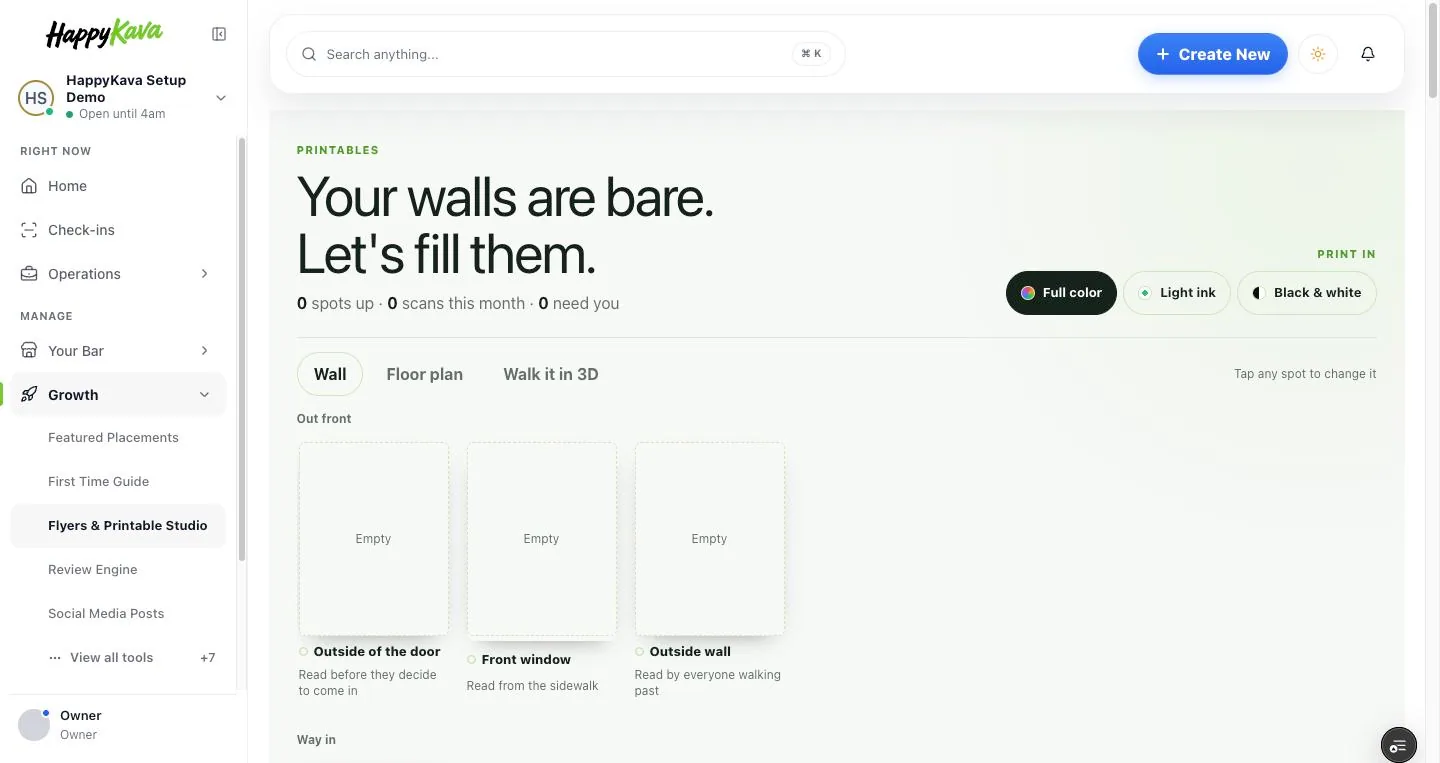
Printables got a new Studio, posters that barely touch your ink, and a print list that fits everything onto the fewest sheets of paper. Once they're up, your walls show which poster hangs where, which ones people scan, and when it's time for a fresh one.
Why we built it
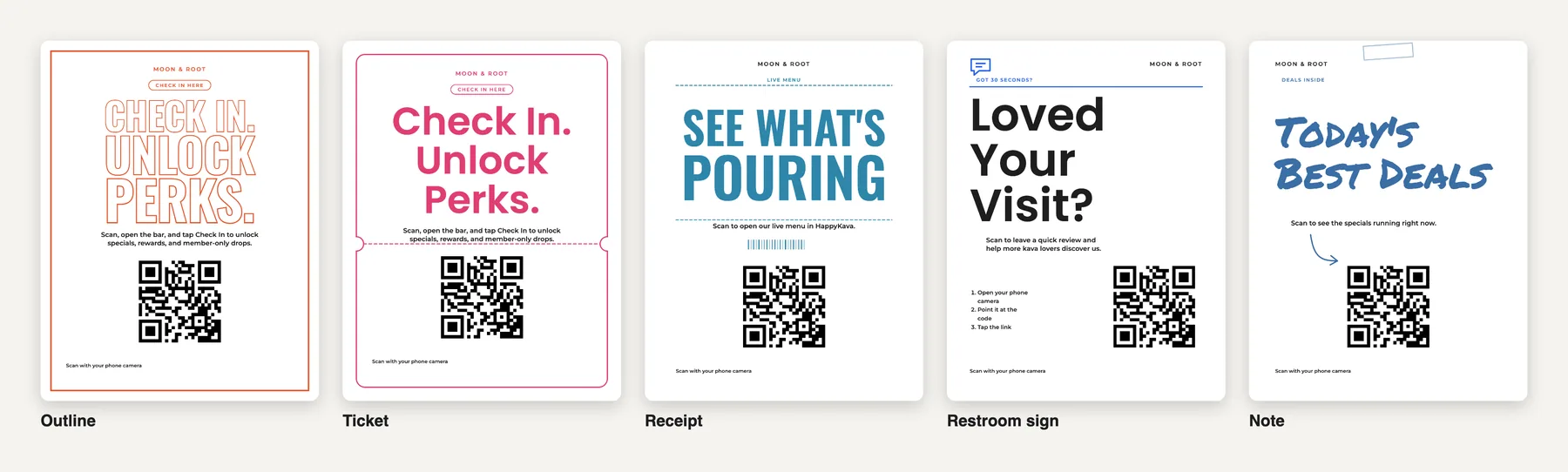
Owners told us the old "Pick a poster" page was a lot: more than a hundred designs, steps that didn't say what the QR code would open, and full-color posters that drink ink. And once a poster was printed, it was out of sight, out of mind: there was no way to see where each one hung, whether anyone scanned it, or when it had gone stale.
Five plain steps
Pick a poster and the Studio opens full screen, with a big preview beside five steps: where the QR code should take people (one of your deals, events or Exclusive Deals, or a HappyKava page), where you'll hang it, the look, the ink and the words. Under the preview it says exactly what a scan opens.
Easy on your printer
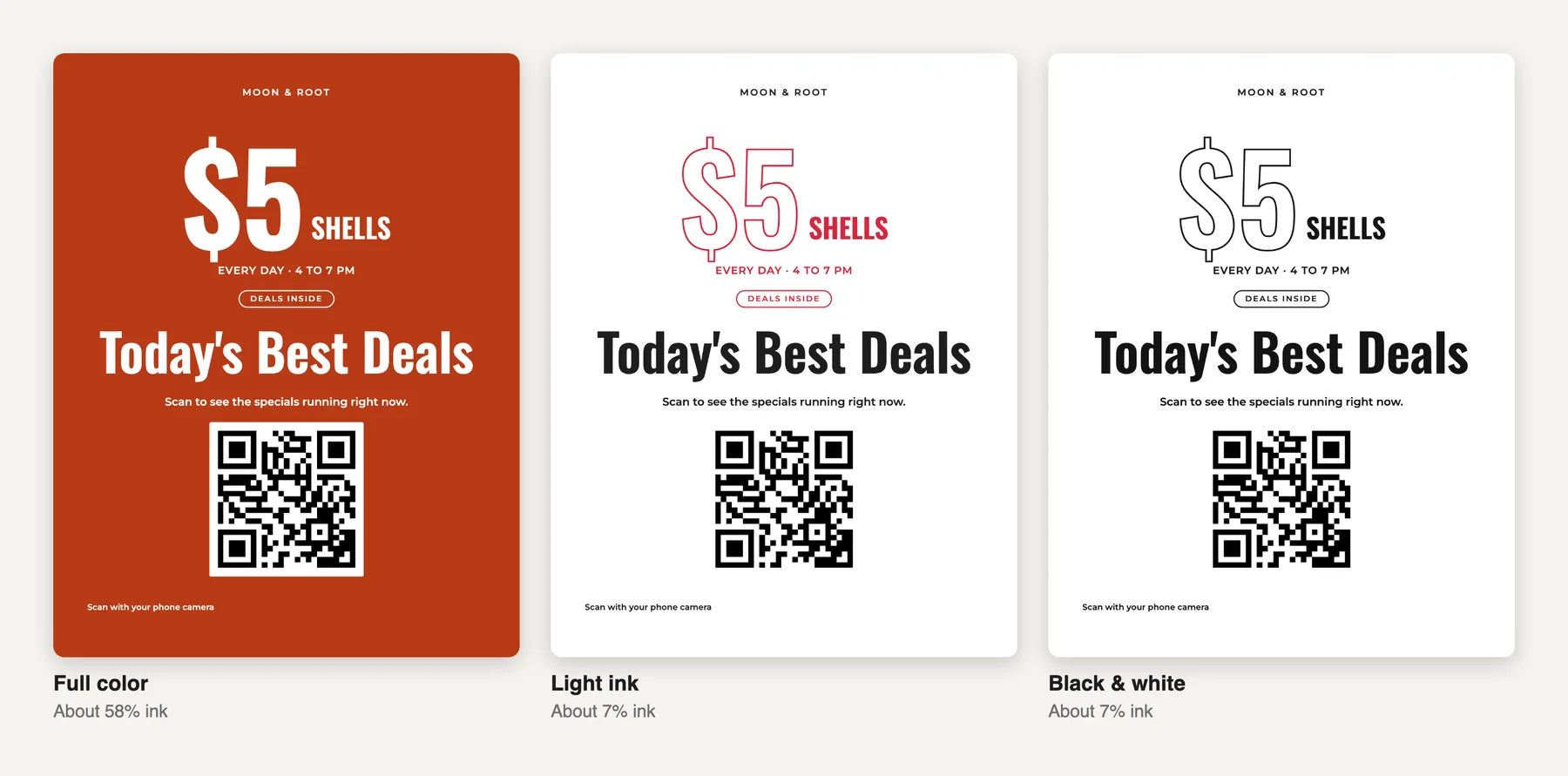
Print in Full color, Light ink (color on plain white paper) or Black & white, and each choice shows how much ink it uses. Seventeen new designs are made for light ink, including Deal and Event posters for a single deal or event.
One print list, the fewest sheets
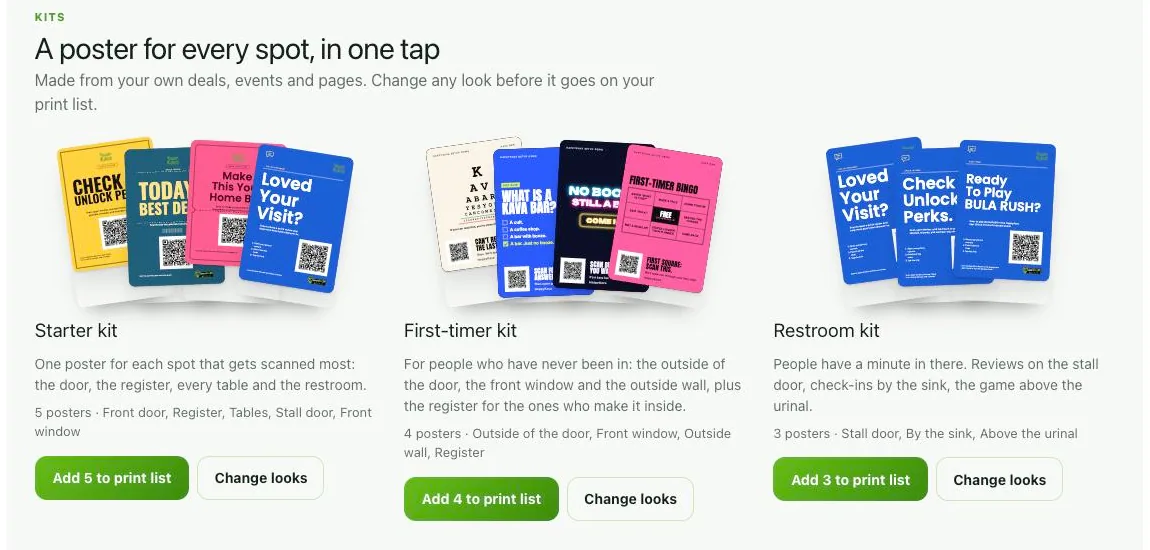
Add posters to your print list from the Studio, or grab a kit (Starter, This week, Restroom) with a poster for every spot. Print review lays them out on real sheets: Letter posters one to a page, half sheets two with a cut line, table cards ten. Or get print shop files for the big ones.
Your walls, spot by spot
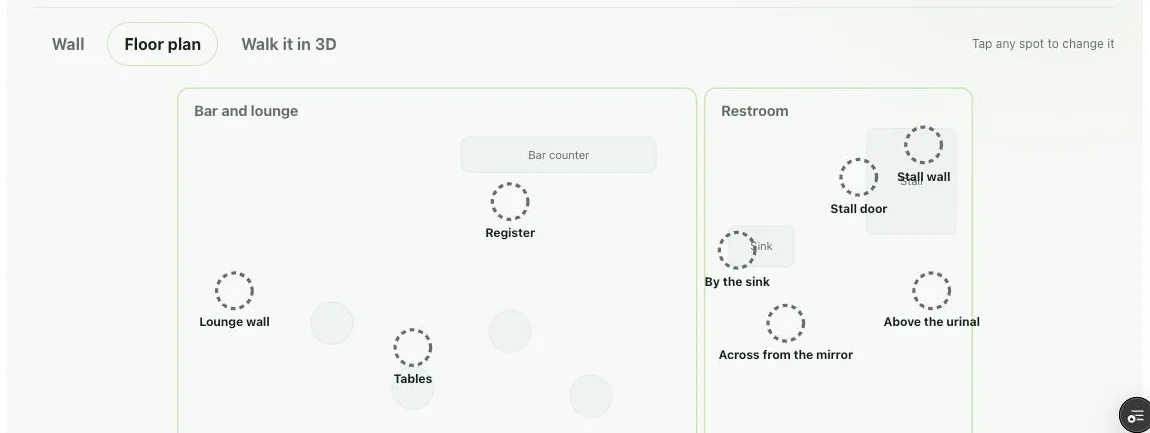
Every poster printed from the list gets its own code and spot. See your walls as a wall, a floor plan, or in 3D. Each spot says if its poster is up and fresh, printed but not up yet, or time to swap. What's working shows scans by spot, and two looks in one spot go head to head.
Send your staff a hang list and they tap It's up as they go. We'll email you when a poster is due for a swap, and your dashboard Home lists posters to hang and to swap.
Where to find it
In your dashboard, open Growth › Flyers & Printable Studio. Your walls are at the top; Pick a poster opens the Studio.
Also improved
- A "What's on now" code opens whatever's happening when someone scans: an event about to start, else the deal that's live, else a page you choose.
- Print review can send the sheets to your phone, behind a link that works for 7 days.
- If your bar uses Group Chat, the hang list can go straight into your staff chat.
- Set My Home Bar flyers save again.