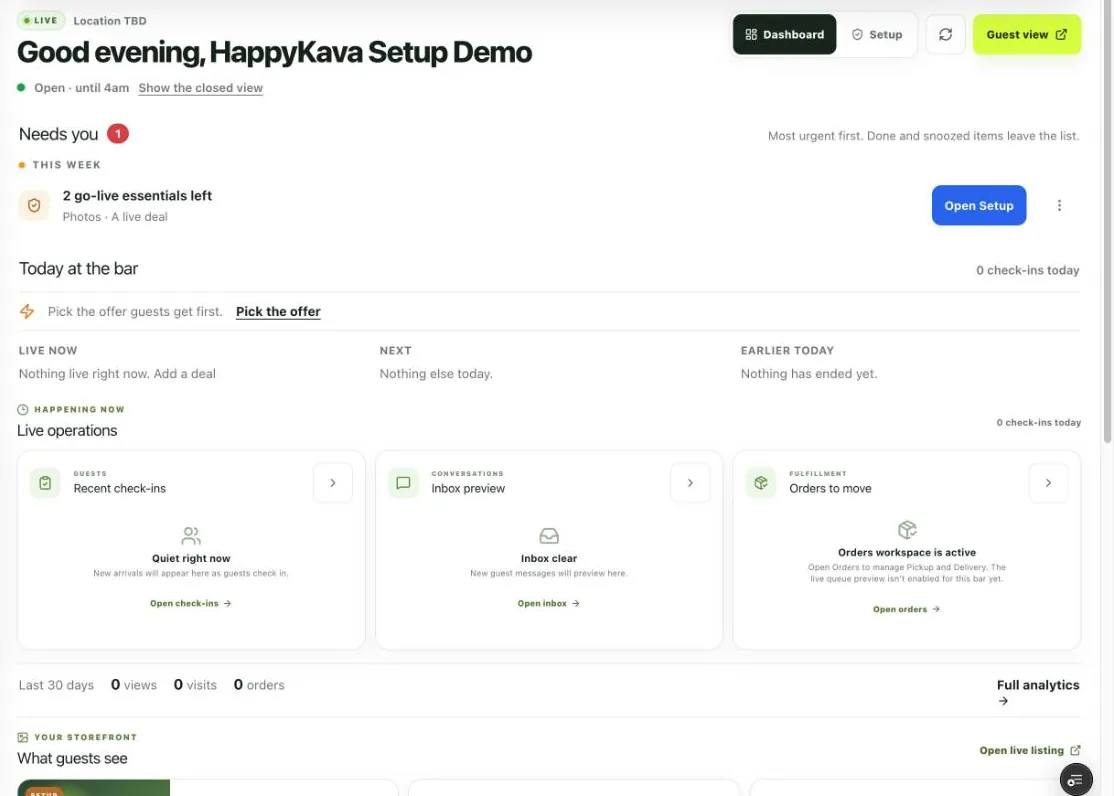
Dashboard Home used to open with one suggestion and leave the rest to you. Now it opens with what needs you, most urgent first.
Needs you
Right now covers what hurts a guest if it waits: orders waiting, Deal Pass redemptions waiting for staff, unread messages, staff requests and Group Chat reports. This week covers what hurts if it waits for days: go-live steps, events coming up without a photo, deals about to end and reviews to answer.
Rows clear themselves when the work is done. Mark one Done, Snooze it or choose Not for us, and that stays saved for you. The Home link in your sidebar shows the Right now count from anywhere in the dashboard.
Home follows your hours
From an hour before you open until close, Home shows today: what's live, what's next and what's already ended. After close, it shifts toward planning. You can switch views any time. Since you were last here gives you one line on check-ins and new guests, so you can catch up without digging through Analytics.
Start a Popup Deal from Home
During open hours, owners and managers can start a Popup Deal in a few taps. While it runs, Home shows how many have been claimed, redeemed and left, with +15 min and End right there.
Today's deals and events now show their own counts too: redeemed today, on the way, here from OMW and going.
Also improved
- Last 7 and 30 days now count only what has already happened.
- A staff request with no seat left now shows as a clear Plan limit row.