Games used to take a few taps to find. Now they sit right in your bottom bar.
One tap to Play
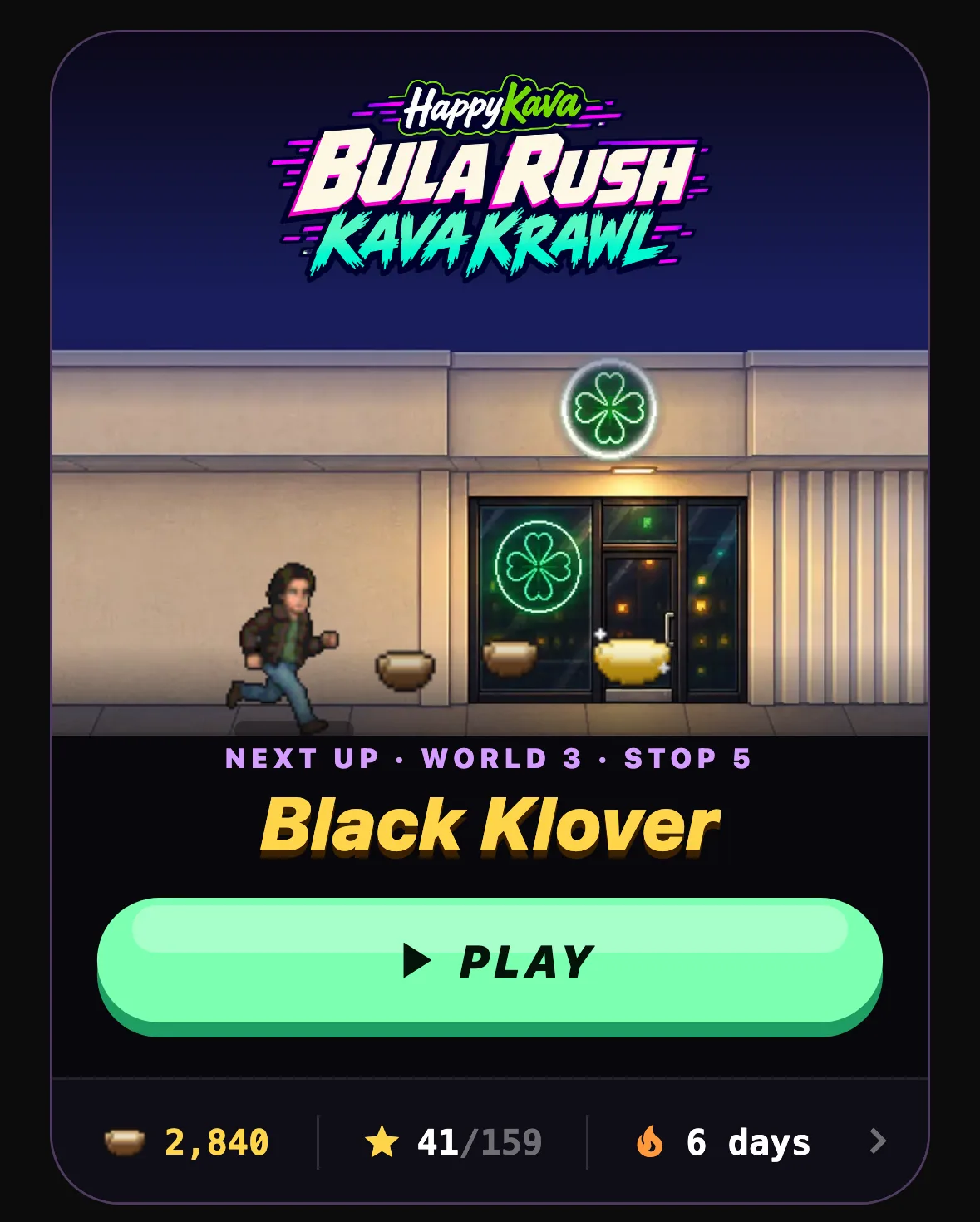
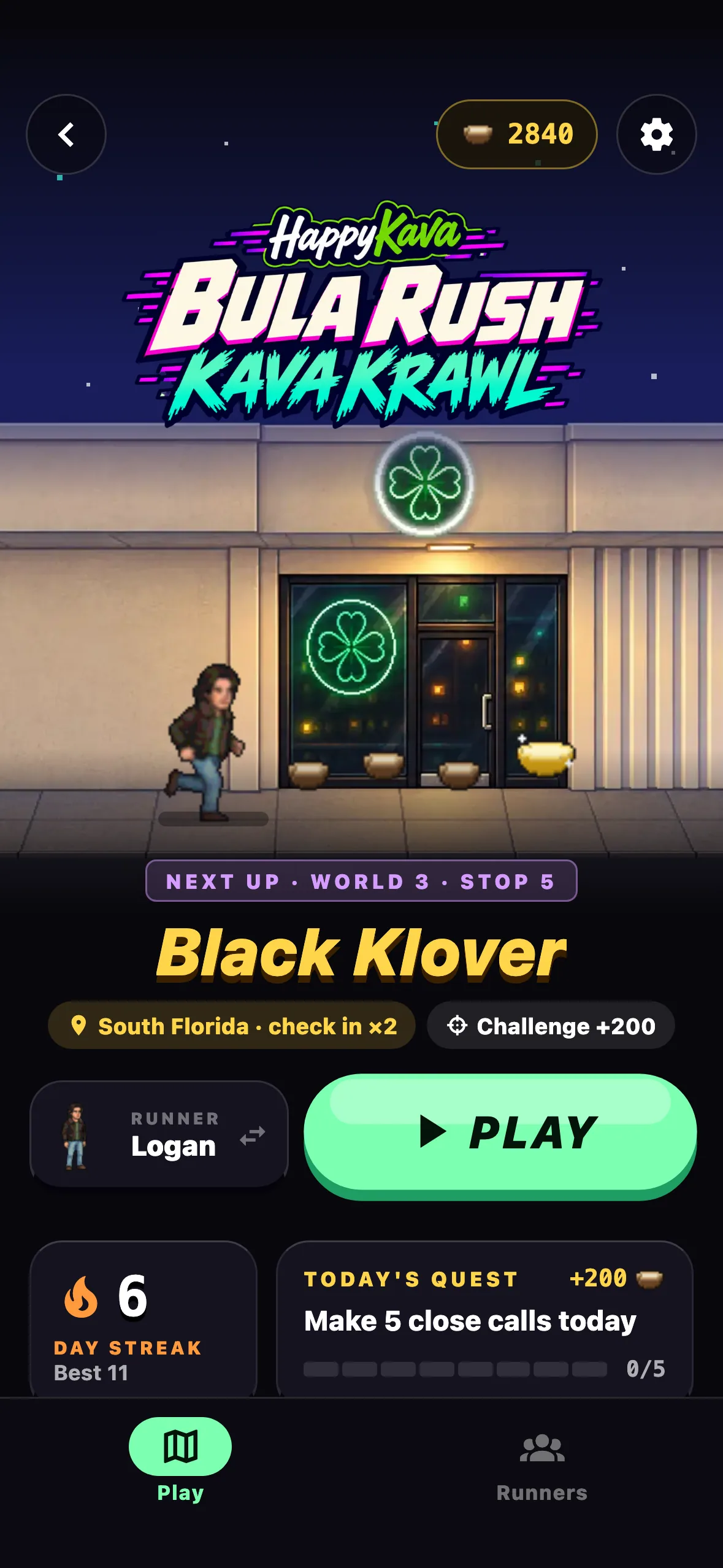
Play takes the fourth spot in your bottom bar, and it stays there when you check in. BULA RUSH leads the page: the logo, your next bar's painted storefront with your runner sprinting for the door, and a PLAY button that takes you straight into that bar. Your shells, stars and streak sit just below. Today's dailies follow, with a count of how many you've finished.
A lobby that feels like a game
The BULA RUSH lobby is now a proper title screen, with the logo on the page, your next bar and a big PLAY. Your streak and goals have their own panels, and each mode gets a poster.
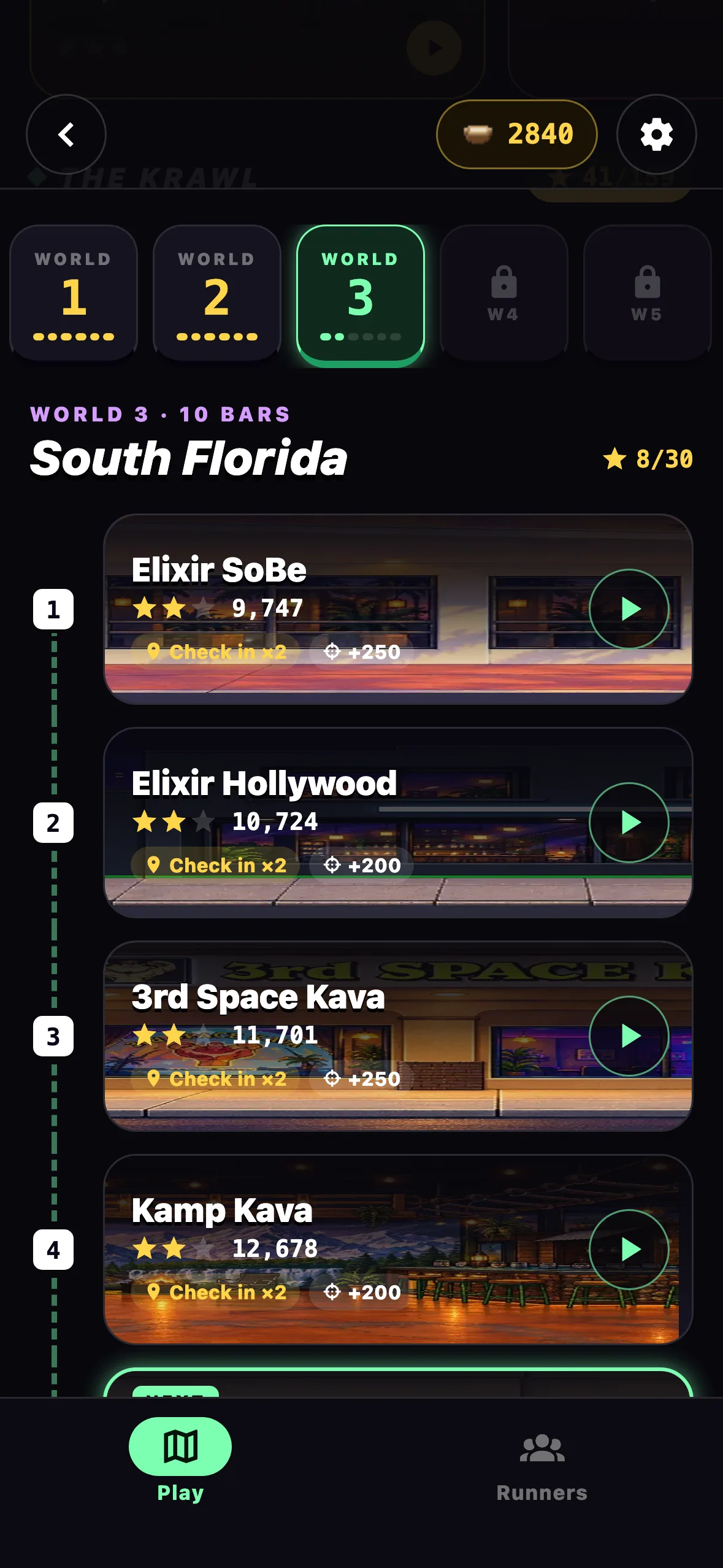
The Krawl is now a level map, with a trail that leads you past each bar's storefront. The world strip opens on the world you're in.
Also improved
- More is cleaner, with shorter tiles and no subtitles. VoiceOver still reads them.
- Motion on the title screen respects Reduce Motion.
- If you're on an older version, update the app to get the new screens.