The owner workspace in the app took too long to answer the simple questions. It's been rebuilt around what's happening at your bar today.
It's on Android now. On iPhone, it arrives with the next app update.
Today Home
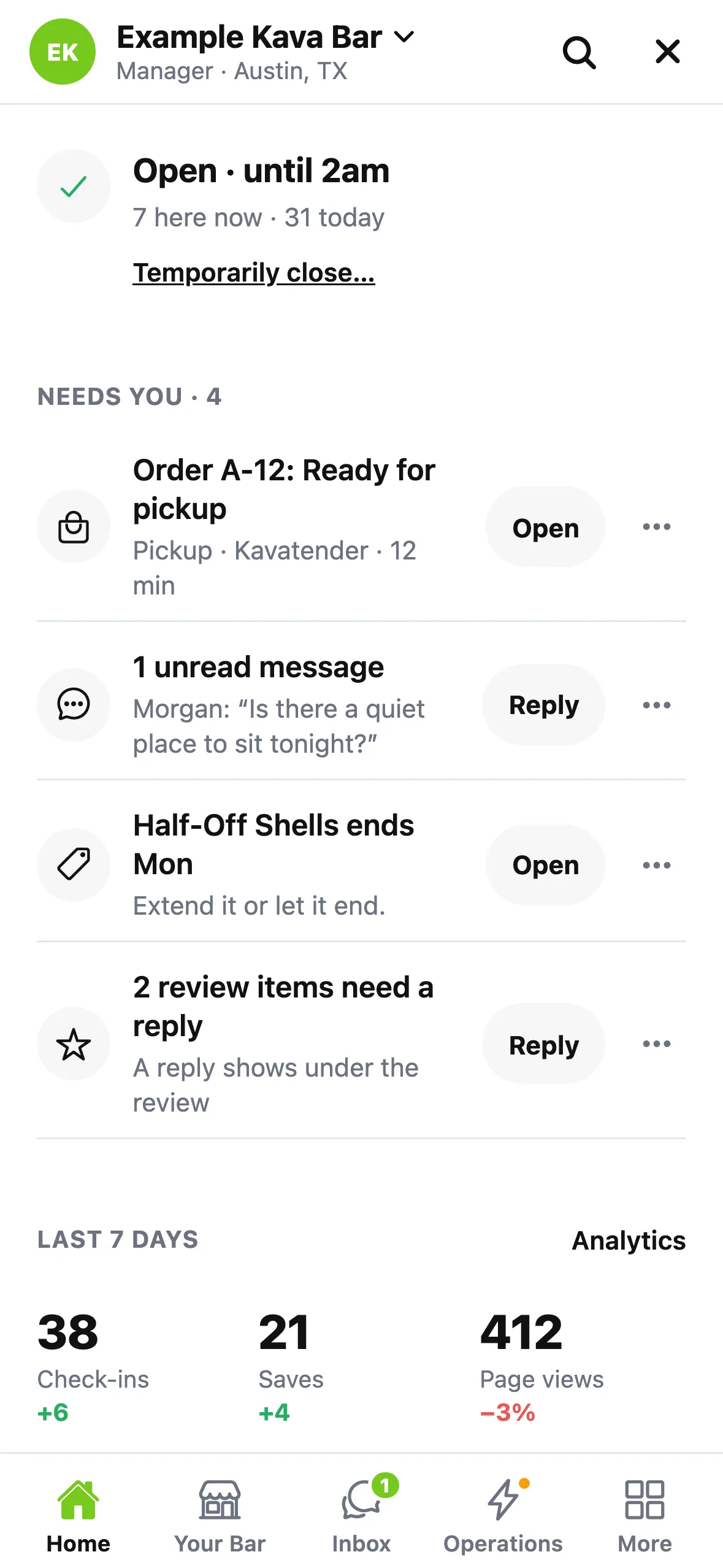
Home opens with one status line: your hours, or Temporarily closed with your reopen date and one Reopen button. Below that are what needs you, today's numbers and what's on right now. Create buttons sit in one row.
Less to scroll, one place to search
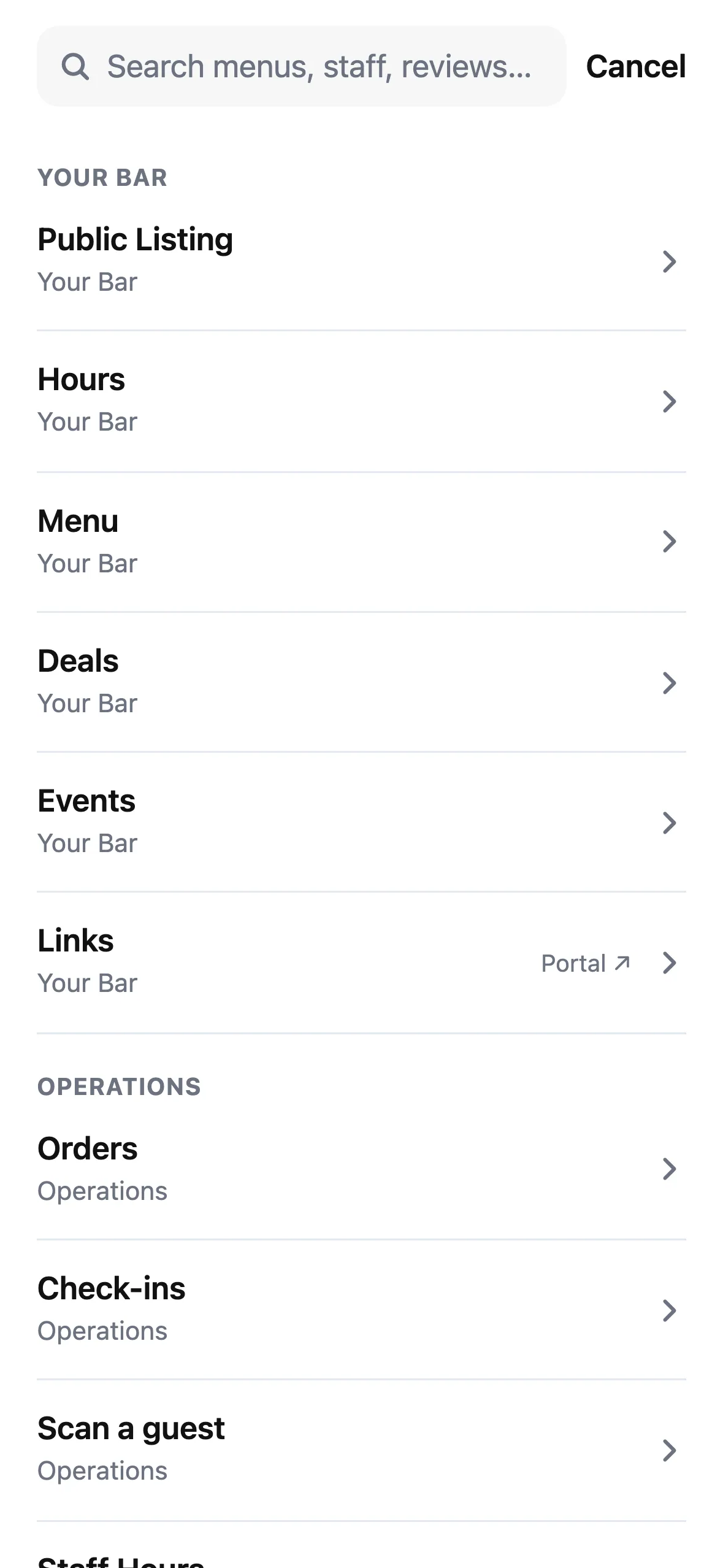
The header takes up much less space, and the tabs stay in one fixed order: Home, Your Bar, Inbox, Operations and More. Inbox shows an unread badge. One search covers every tool, with your recent tools ready when it opens.
Everything has a live number
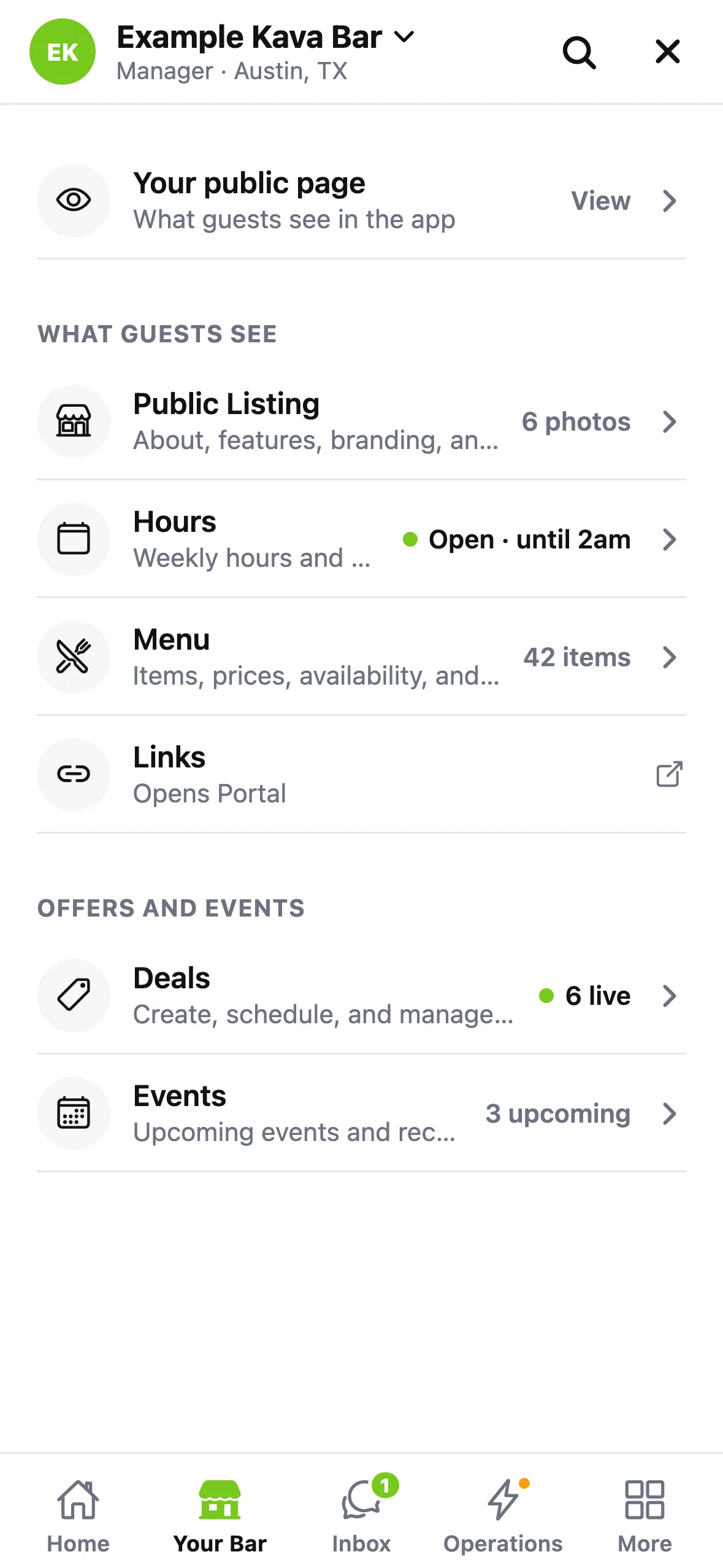
Your Bar starts with your public page, then three groups: What guests see, Offers and events, and Money. Rows show live values, such as how many deals are live and events are coming up.
Also improved
- Last 7 days works again for every bar and matches your dashboard.
- Empty conversations are no longer upside down.
- A live deal says Paused while your bar is temporarily closed.