An Exclusive is a reward a bar offers on HappyKava that you won't find anywhere else. Finding one is the fun part. Knowing what to do next should be easy, so Exclusives got rebuilt for both sides of the bar.
For guests: a ticket you can follow
Each Exclusive is now a ticket that tells you where you stand: check in first, claim it, then show your phone to staff. Details has the terms, and after staff confirm you get a receipt.
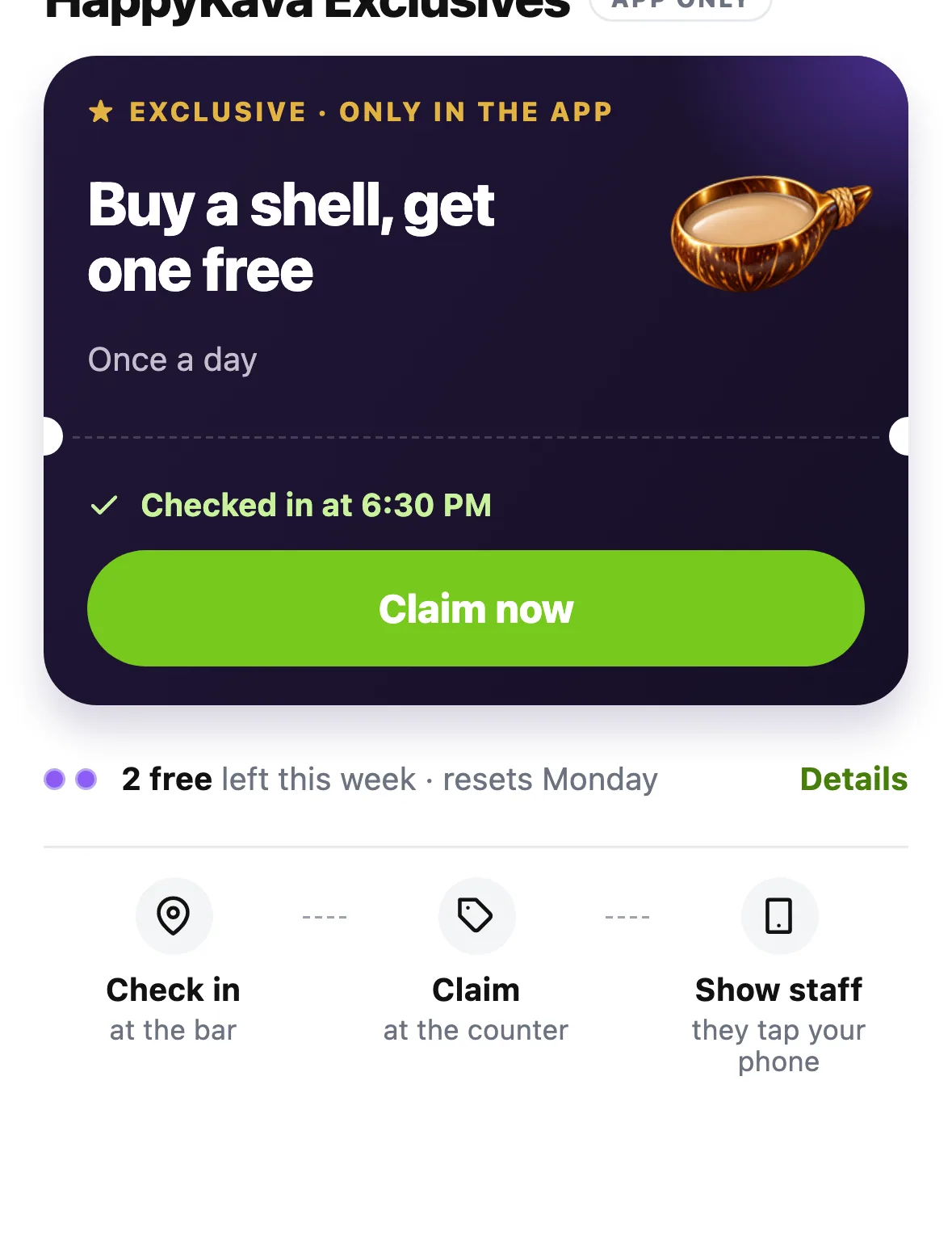
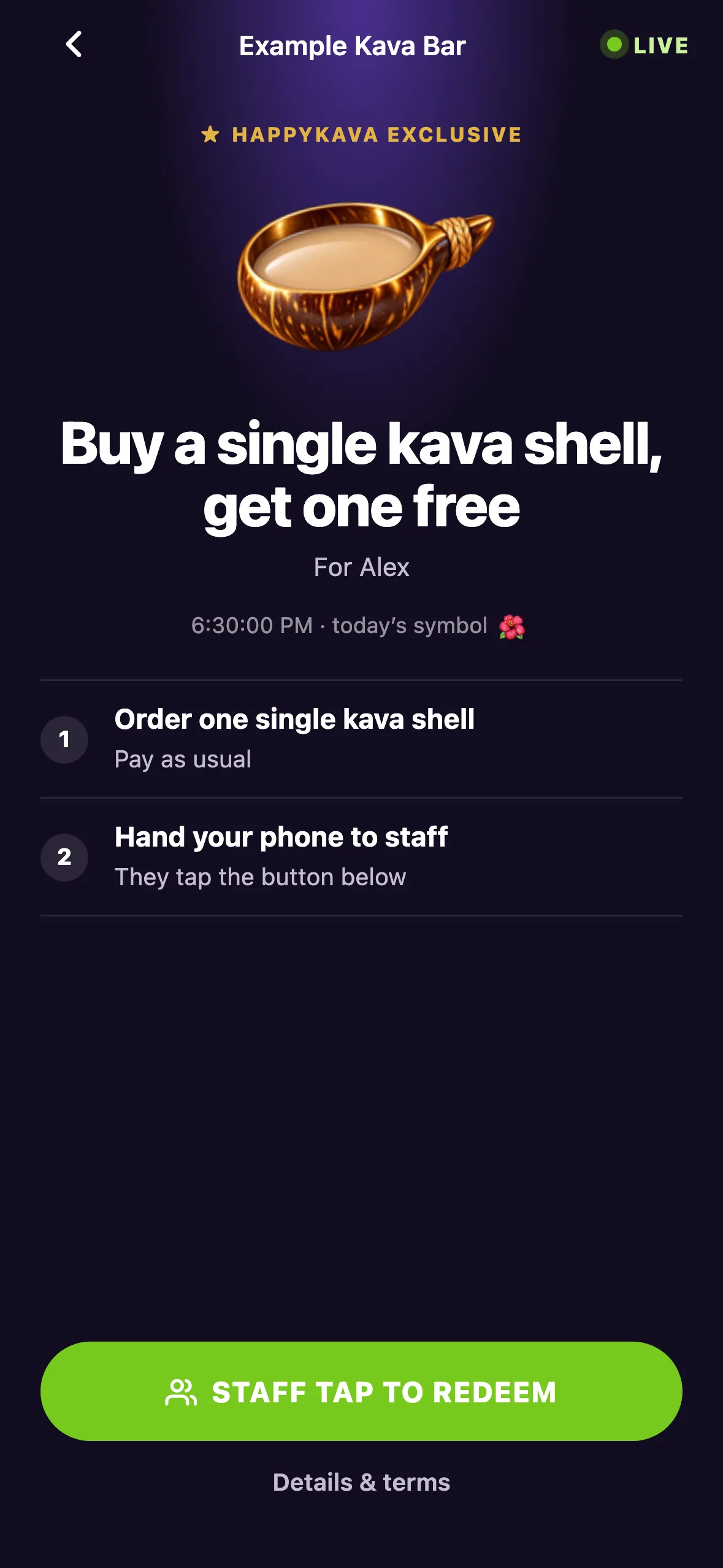
Some Exclusives let you bring a friend. Your friend joins with a normal check-in, and each of you makes your own qualifying purchase.
For bars: set it up once, see what it does
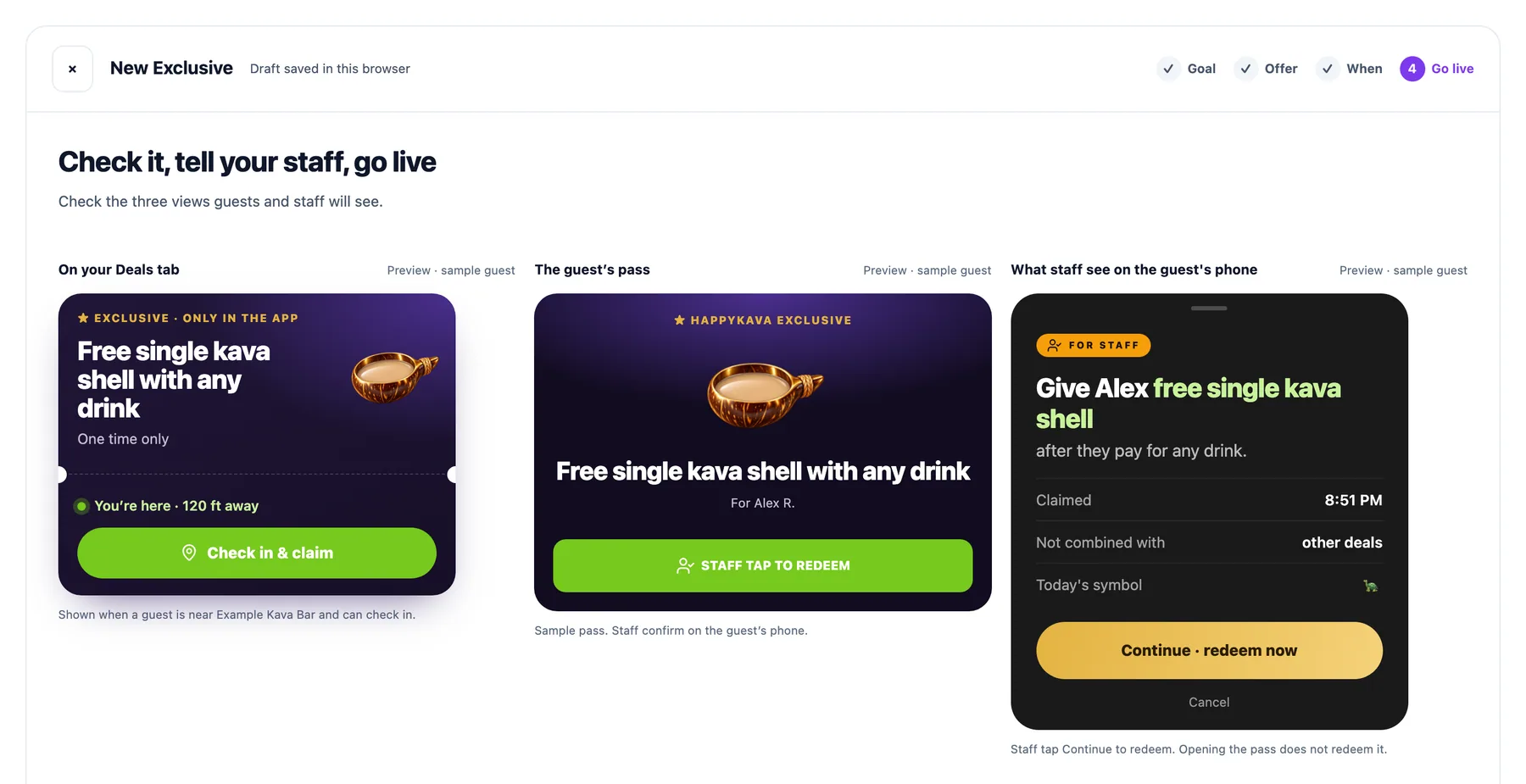
The Exclusives page walks you through setting up an offer, then reports on how it does. You can add your own costs for private numbers and export a CSV when you need it. Suggestions come from your own results, and staff can get a short guide when a new Exclusive goes live.
Also improved
- Upcoming Exclusives are sorted by when they next open at the bar.
- An offer you've already claimed keeps the terms it had when you claimed it.
- The ticket and its receipt read properly in light and dark mode.