
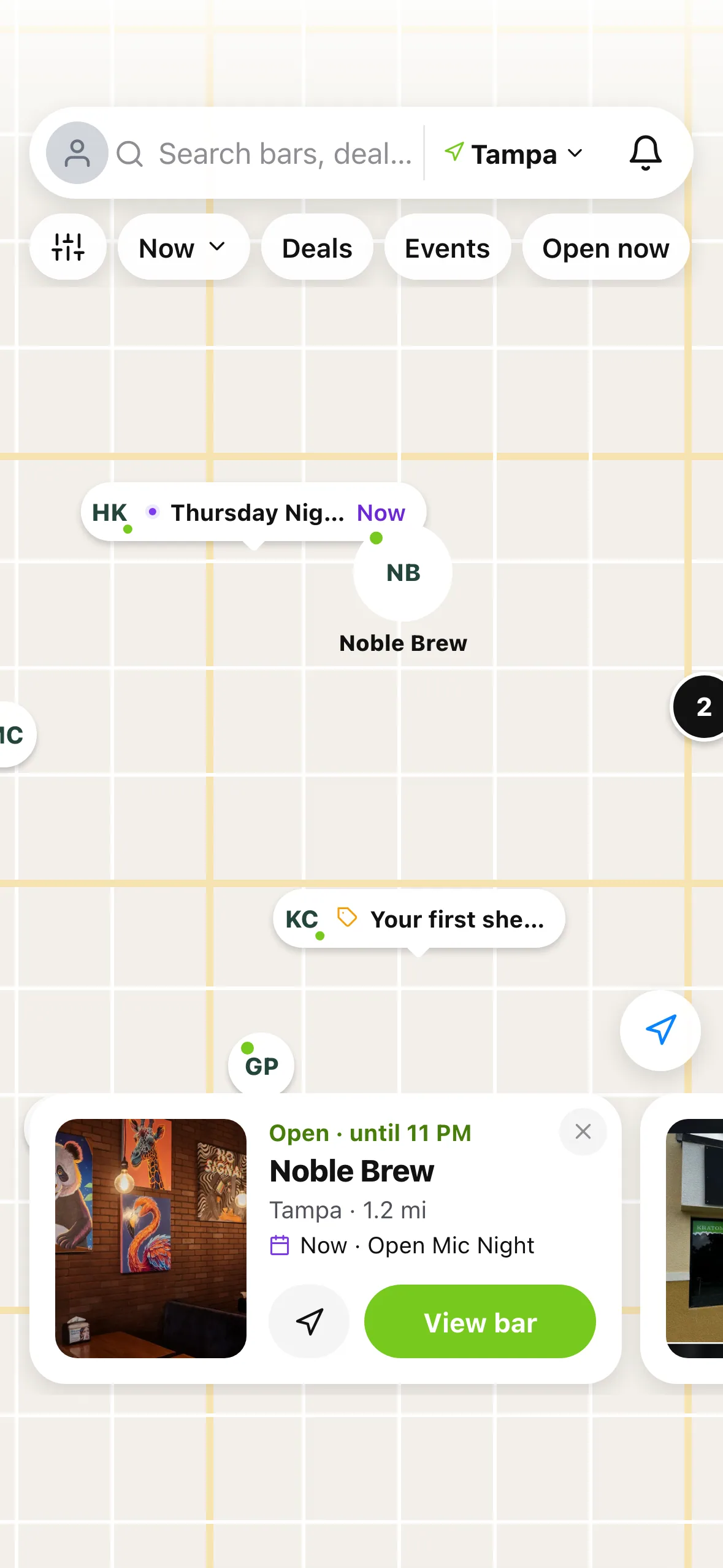
On iPhone and iPad, Explore has a new map. Five plain chips at the top, pins that tell you what's going on before you tap, a sheet that says how many bars you're looking at, and cards with photos when you tap a bar.
Why we built it
The old map did a lot, but you had to work for it. It showed more than one count, the controls were stacked in different corners, the sheet could slide under the tab bar, and pins didn't always redraw when something changed. Meanwhile, the questions people bring to a map are simple: what's open right now, and what's on today?
So we rebuilt it to answer those first.
Five chips, one count
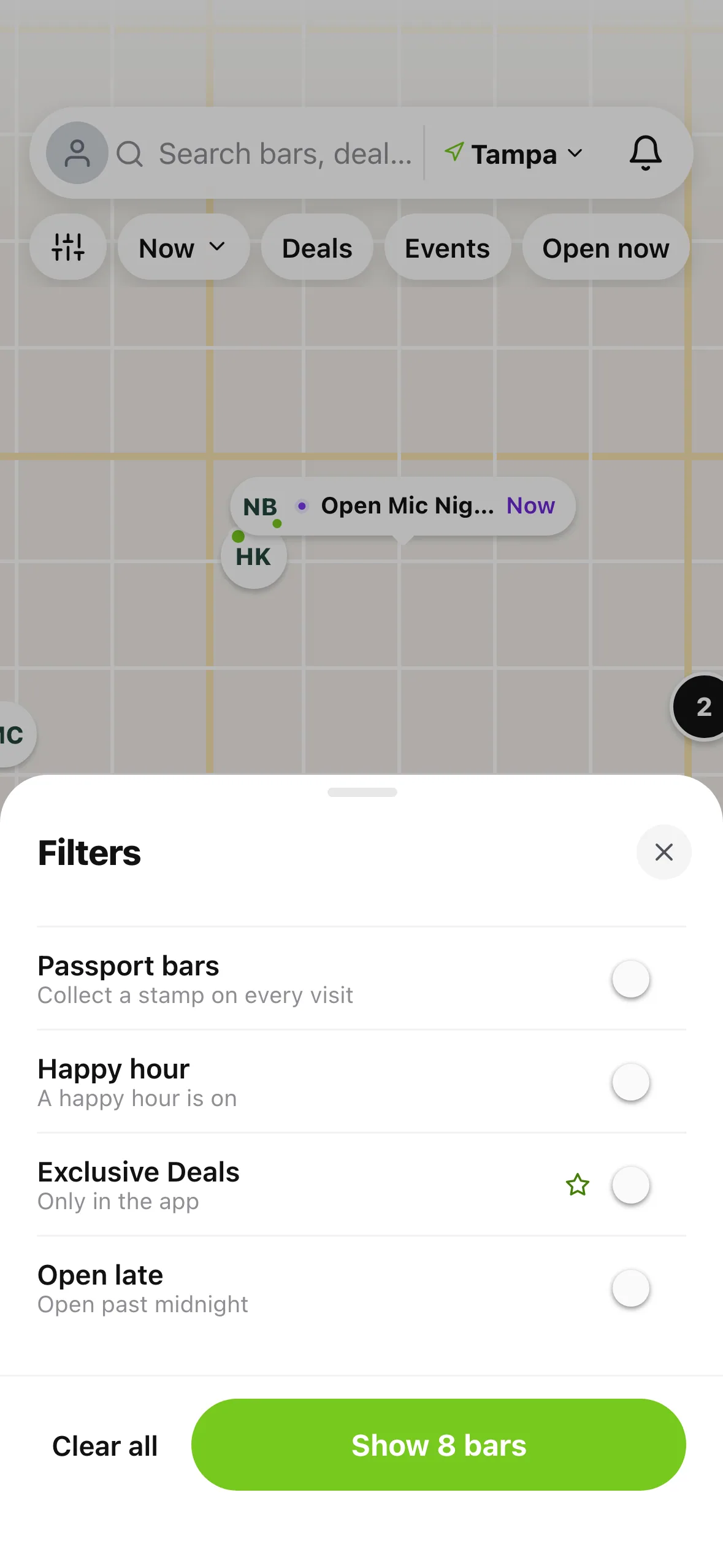
Along the top: Filters, Now (tap to pick a later time), Deals, Events and Open now. The sheet at the bottom always says what you're looking at, like "8 bars in view", "4 events today" or "4 bars with deals", and the sort line says how they're ordered.
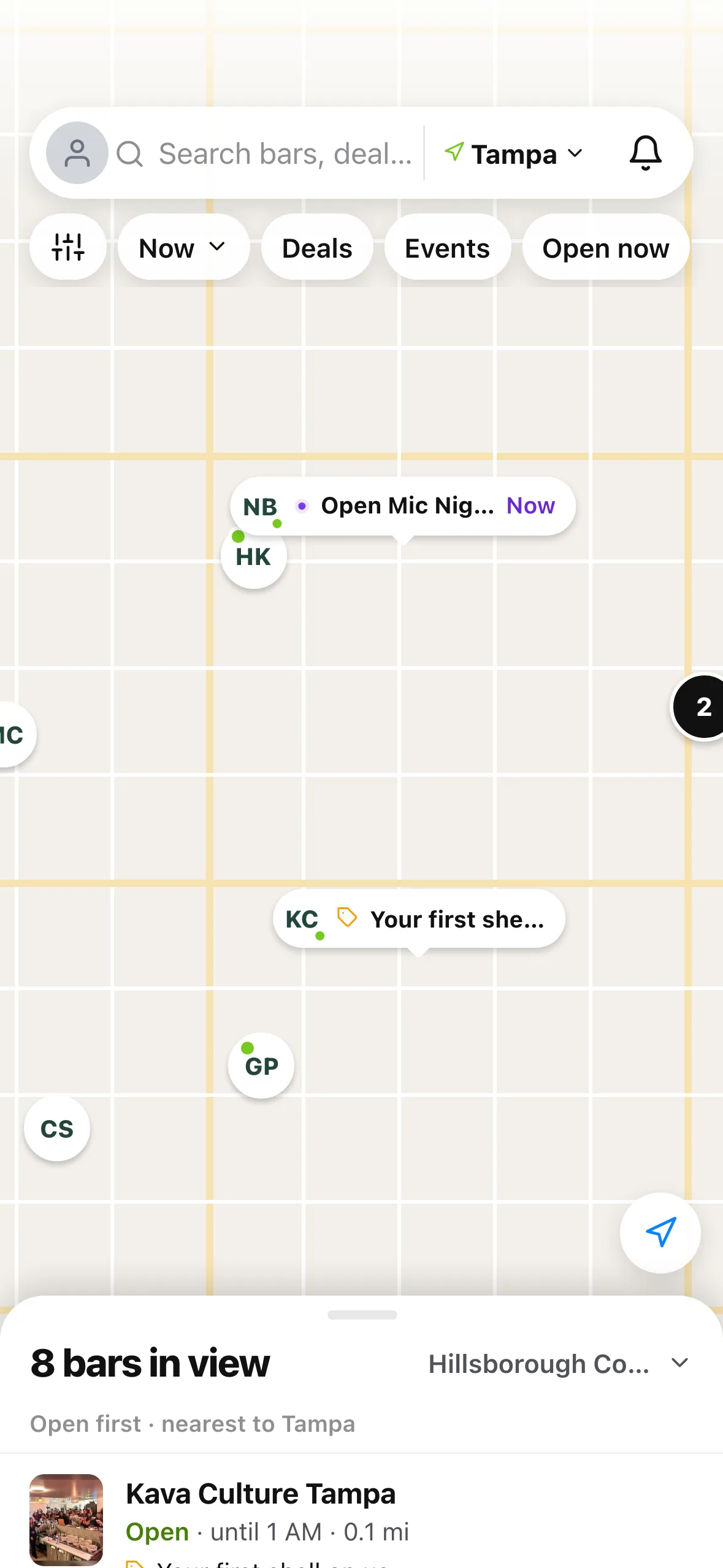
Pins carry a little label when something's on: an event happening now, a deal, or a first shell offer. Bars close together group into one round pin with a number.
Events and deals, on the map
Tap Events and the map keeps only the bars with something today, with what's happening now listed first. Tap Deals and you get the bars with a deal on now, ending soonest first. Tap any pin for its card: open hours, distance, what's on, directions and a button to the bar, deal or event.
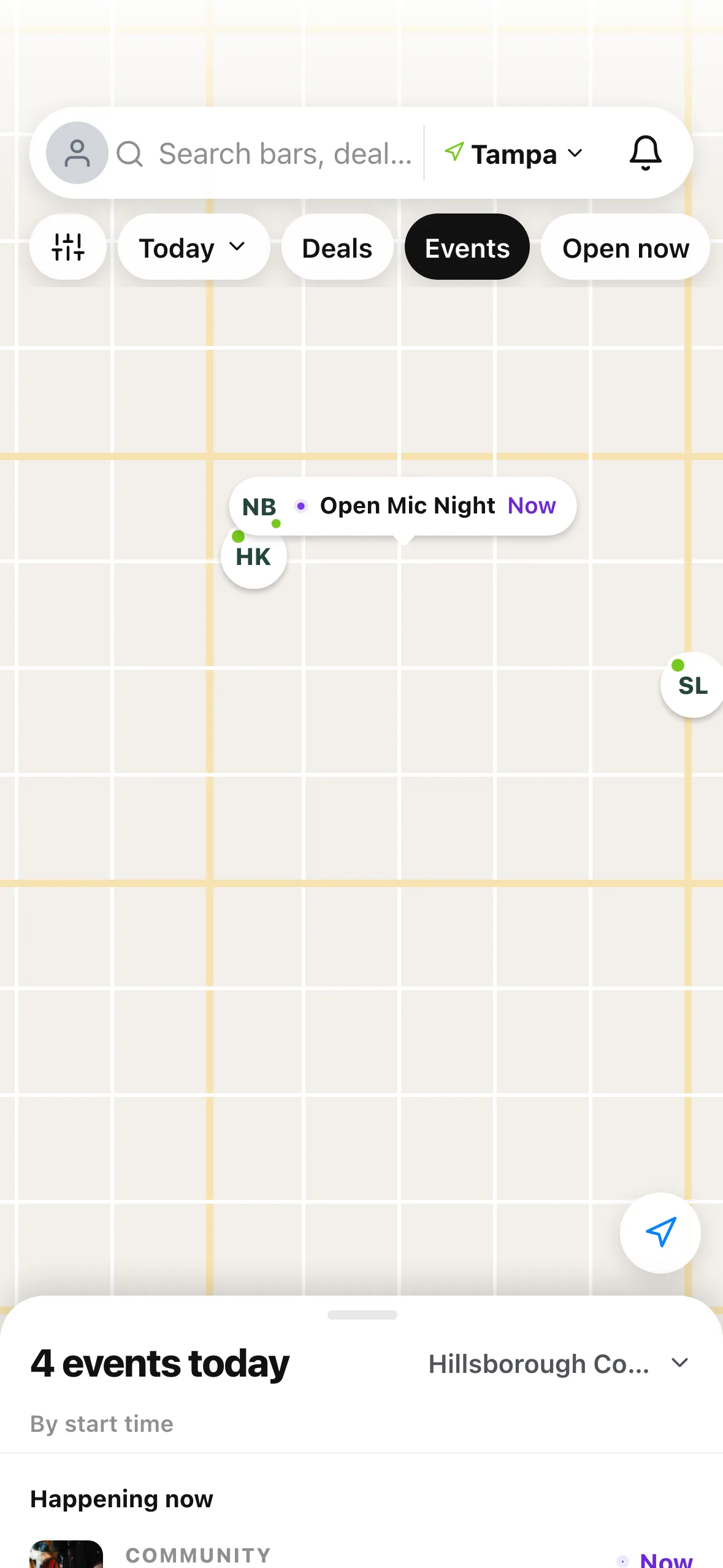
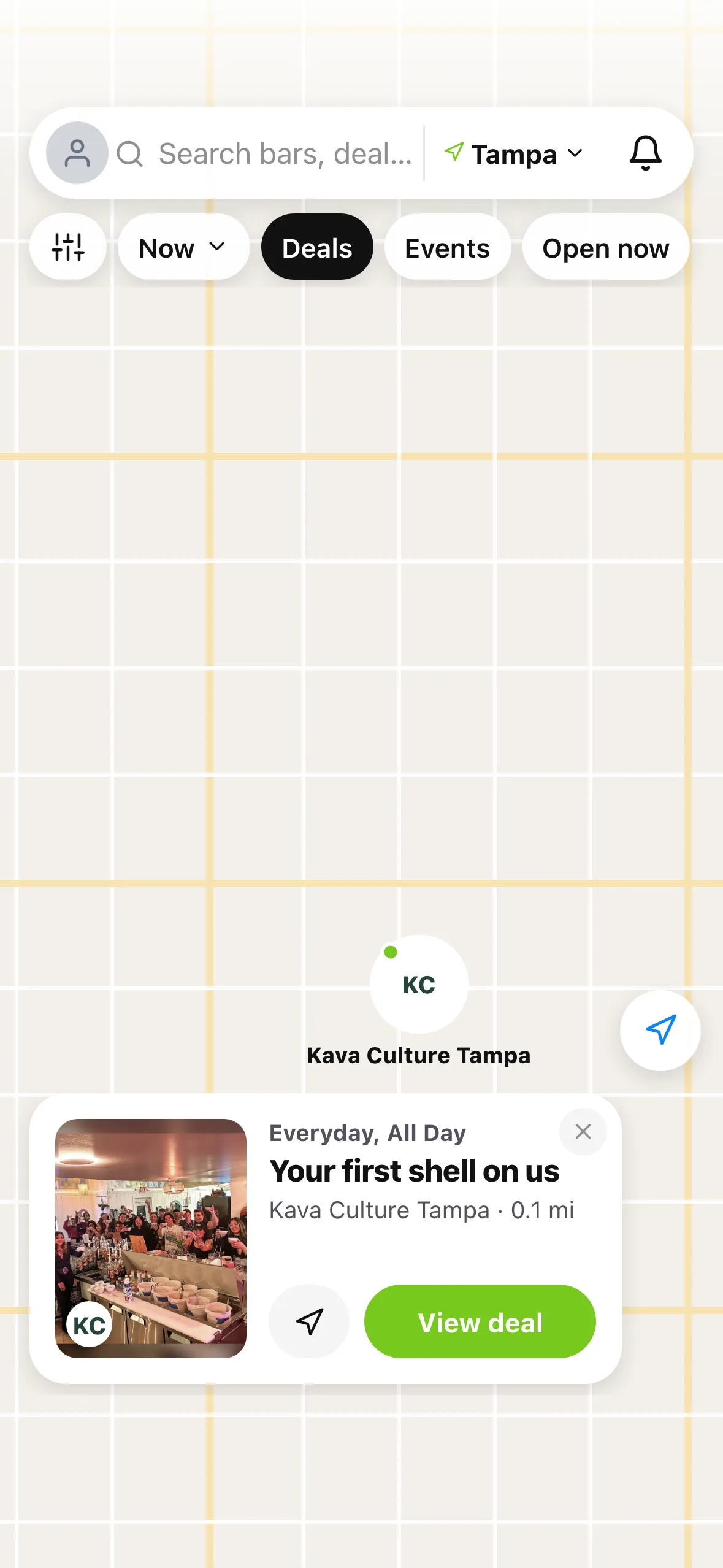
Events now open in a sheet right over Explore, so you don't lose your place on the map.
Going later? Pick a time
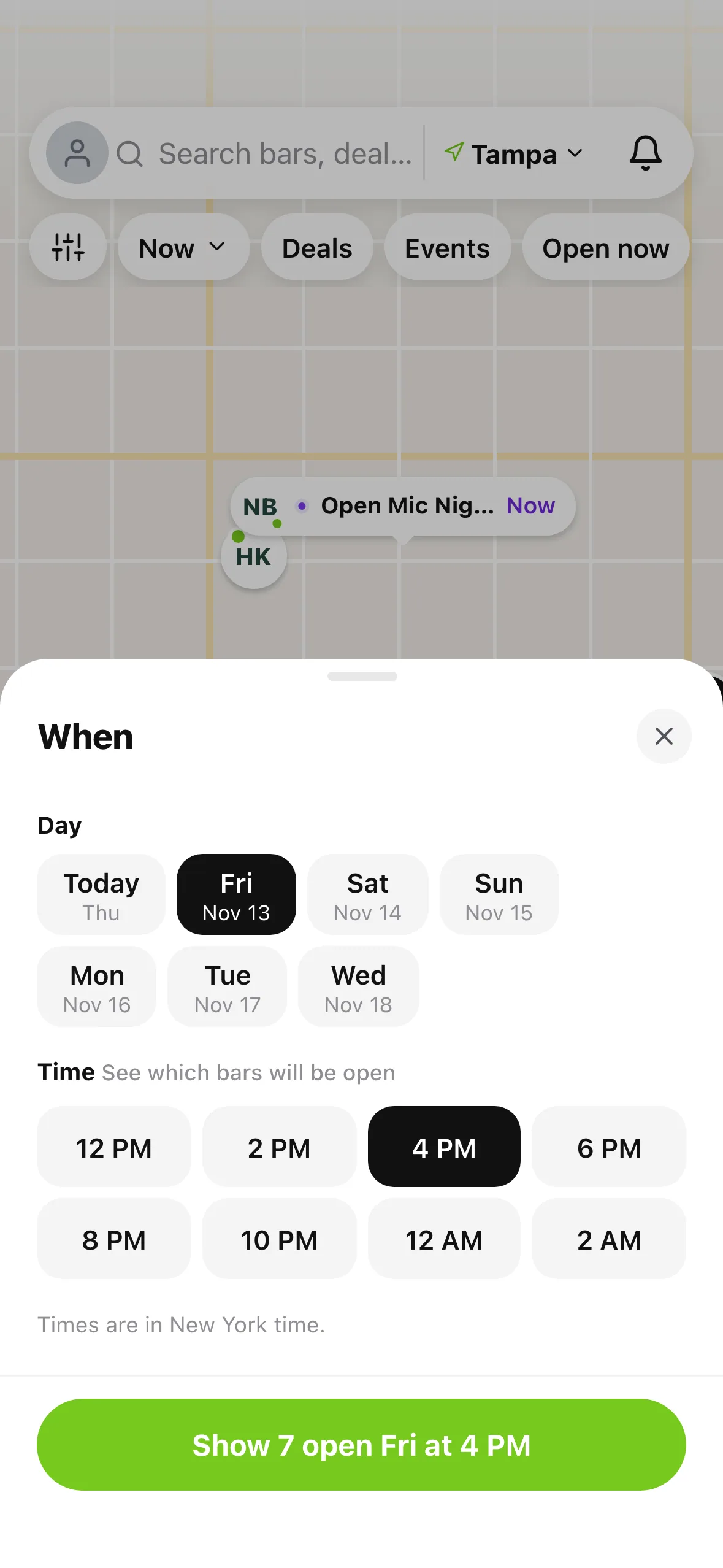
Tap Now to see which bars will be open later: pick a day and a time, and the button tells you how many will be open ("Show 7 open Fri at 4 PM"). Filters covers Passport bars, happy hour, Exclusive Deals and open late, and the button counts as you go.
Where to find it
Open the Explore tab on iPhone or iPad and switch to the map. On Android, Explore stays a list for now.
Also improved
- The sheet sits above the tab bar, never under it.
- The selected pin stays selected while you swipe through cards.
- Times on the map follow the bars' own time zone.
- On iPad, the list docks beside the map.