


Kava Campaign Reporting
Keep the campaign conversation grounded in supported views, destination clicks, placement engagement, and a useful recap of what happened.
- Campaigns from $500
- Secure checkout by Stripe
Reach the right part of the kava community
What you get
What got seen? What got a response? What should the next campaign do differently? Keep the discussion there.
Know what ran
Review available campaign-delivery information.
See the response
Look at supported clicks and placement engagement.
Plan the next round
Use the recap to decide what to repeat or change.
How it works
- 01
Set the question
Choose the outcome you want to understand.
- 02
Review the signals
Keep views, clicks, and other engagement measures separate.
- 03
Choose the next step
Use the results in context, not as guaranteed sales attribution.
Availability
Available today. Access can depend on the participating bar, your role, subscription, and local configuration.
- Who can use it
- This campaign capability is live. Placement inventory, geography, and timing can vary by campaign.
- What it costs
- Campaigns start at $500 for 30 days. Prices are upfront, and checkout is by Stripe.
Questions
Is Kava Campaign Reporting available now?
Live. This campaign capability is live. Placement inventory, geography, and timing can vary by campaign.
Do clicks prove sales?
No. A click records an interaction, not necessarily a completed purchase or visit.
Are these preview figures my campaign results?
No. The interactive chart uses illustrative sample data only.
Keep exploring
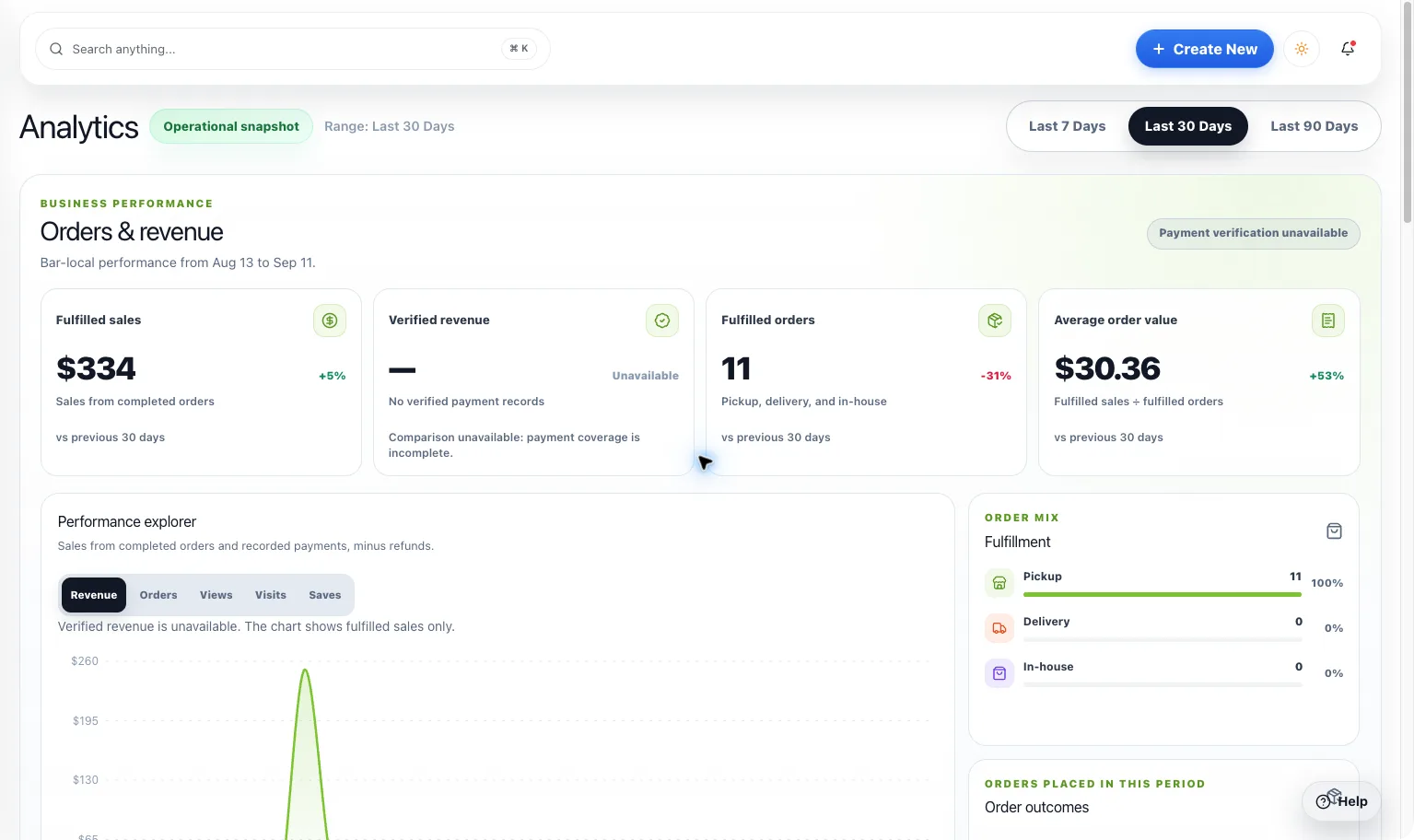
LiveSee what is working
Analytics Dashboard
Bring supported listing views, guest activity, redemptions, and campaign signals into a clearer view of what people are doing around your bar.
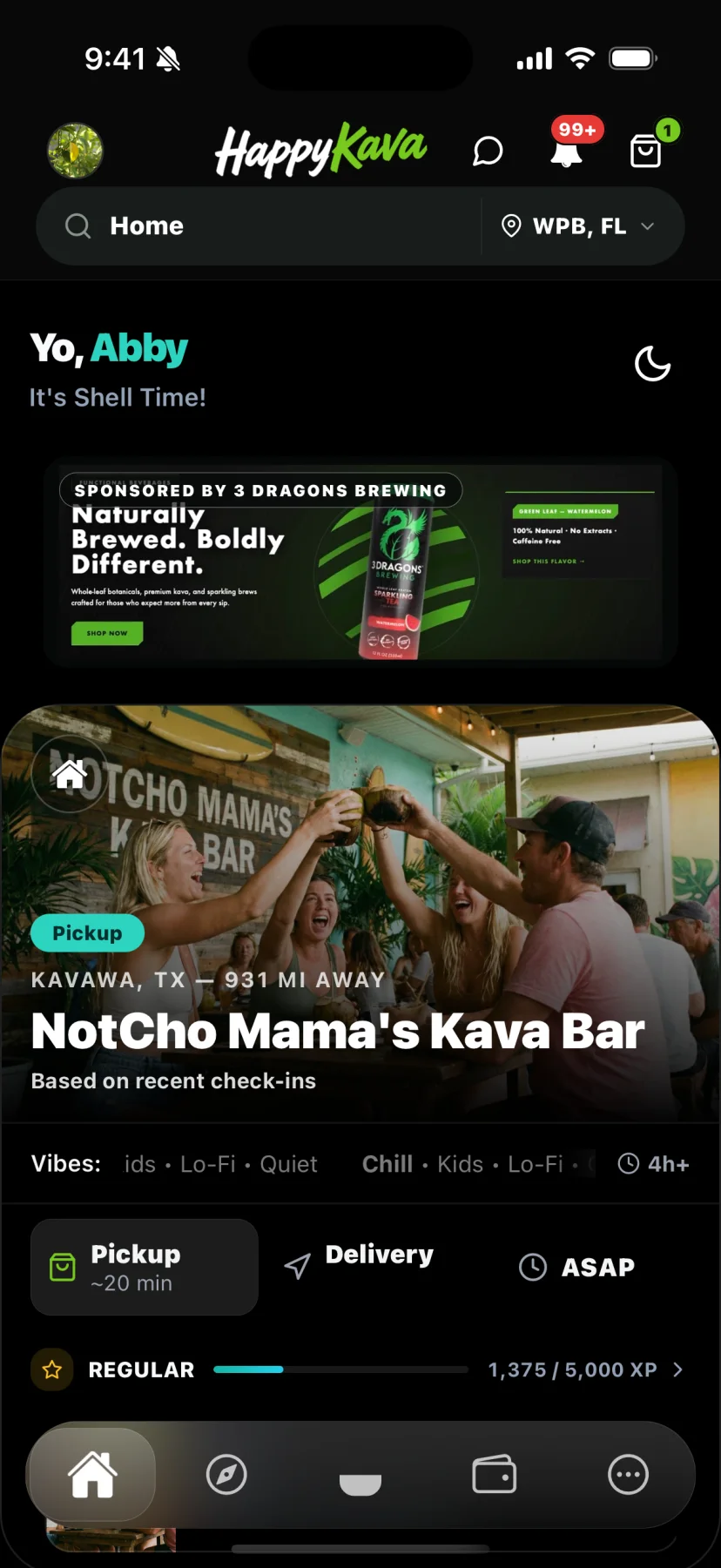
LiveReach the right part of the kava community
Reach Kava Consumers
Meet people while they’re discovering a bar, browsing an offer, or planning their next kava stop. Put your brand in a moment that makes sense.
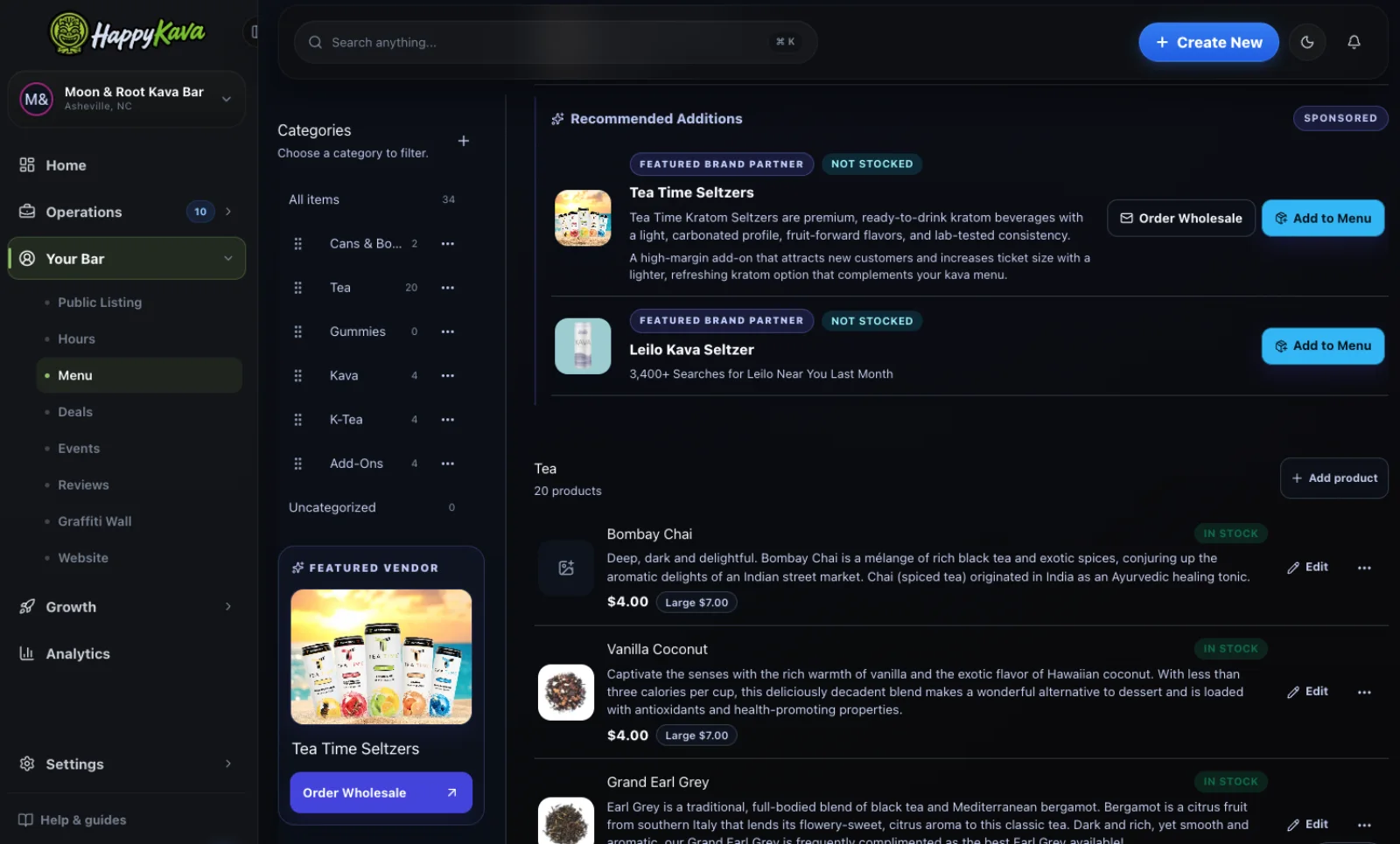
LiveReach the right part of the kava community
Reach Kava Bar Owners
Bring your wholesale offer, product, or service to the owners and managers making decisions for their kava bars.

Try it today
A useful recap beats a wall of numbers.
This campaign capability is live. Placement inventory, geography, and timing can vary by campaign.